Custom configure user counts. No editions, no forced bundles, no seat you bought in March sitting idle in November.
Every discount on this page is published. Nothing here depends on who you talk to.
Tick what you want. Prices are per user, per month — the same price whether you buy one or all sixteen.
— One stop to consolidate your revenue operations stack and uplevel with a Sales OS.
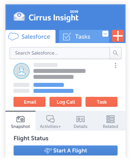
Contacts, leads, accounts, opportunities, cases, tasks and events, created or updated from the inbox without opening Salesforce.
Your own objects and fields are first-class in the sidebar. Teams whose real process lives on custom objects do not have to leave it behind to get activity captured.
The user chooses what gets filed and where, including to custom and related objects, rather than everything being captured and sorted out afterwards.
Title, phone and company are lifted from the sender's signature when a contact or lead is created, so the record starts complete instead of starting empty.
Look up any record, standard or custom, without leaving the message you are reading.
See and edit the related lists that hang off an account or opportunity — the context that decides what to say next.
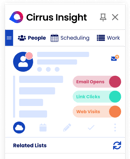
Every logged email, meeting and task for whoever you are looking at, in one panel beside the thread.
The day's tasks and follow-ups ordered in the inbox, so the plan for the day lives where the work happens.
Public profile detail pulled alongside the Salesforce record, so you know who you are writing to.
One licence covers both inboxes and both mobile apps. Mixed-client organisations do not have to standardise first.
Sales, Service, Financial Services, Experience and the rest. No edition gate, no minimum tier.
Set the direction per user. Changes made in Salesforce reach the calendar and changes made on the calendar reach Salesforce.
Rules-based matching files an event against the opportunity, case or custom object it actually belongs to — not just the contact it was sent to.
Events the user marks private never leave the calendar. The rule runs before anything is written, so the CRM never sees what it should not.
Restrict the sync to events whose attendees match a lead or contact in Salesforce. Internal standups and personal appointments never reach the CRM, so activity reporting counts customer time rather than calendar volume.
Recurring meetings sync as a series rather than landing as hundreds of unconnected records.
Choose how far back and how far forward the sync reaches, per org.
Backfill past activity into Salesforce for a defined period, so reporting starts with history rather than starting from today.
Sync is configured per object, per field and per related record. The usual alternative is a single switch that captures everything or nothing, which is why teams end up turning it off.
Activity lands on the records your existing reports already read. Nothing sits in a separate store with its own retention clock and its own reporting.
The rep decides what belongs in the CRM. Capture-everything produces a CRM nobody trusts and a security conversation nobody wants.
Restrict the sync to mail with a matching lead or contact. Everything else stays in the inbox, which is what makes a capture-everything policy unnecessary and the security review short.
The file is filed against the same record as the message it came on.
A conversation nests under the most relevant related object rather than scattering across whichever contact replied last.
Thread continuity survives a change of object relationship, a change of owner, or several owners on the same deal.
Load an inbox's past activity into Salesforce for a defined period. Inquire for scope.
Outgoing Email Blast messages sync automatically rather than needing to be filed by hand.
Activity reaches Salesforce in near real time, against a fifteen-minute floor previously.
The faster cycle covers every direction of sync, not one leg of it.
A booking made in Salesforce has to reach the calendar before the next person books over it. On a fifteen-minute cycle that window is wide enough to double-book; on five minutes it is not.
Alerting, routing and same-day coaching only work if the record exists while the day is still happening.
Salesforce tasks appear in the inbox and calendar, and inbox tasks reach Salesforce.
Finishing a task in the inbox closes it in Salesforce, so the CRM reflects reality without a second visit.
Tasks created by Salesforce workflow and process automation sync too, not only ones typed by a person.
Every booking creates or updates the Salesforce record as it happens. A booking that does not reach the CRM is a meeting your pipeline never sees.
Your own URL, profile and branding, shareable from a signature or a sequence.
Different durations, buffers, questions and conferencing per type of conversation.
Offer live times inside the message so the recipient books without a round trip. Removes roughly five emails per meeting.
Availability across the calendars you actually keep, not just the primary one.
Zoom, Teams and Google Meet links generated on the booking.
Availability and booking exposed as an API so scheduling can be embedded in your own product or workflow.
Drop the scheduler into your own pages rather than sending people away to book.
One page showing the real availability of several people at once, shareable with a customer.
Round-robin and shared pages for a pod, a territory or a support rota.
Team bookings create the same CRM records as personal ones — the pipeline view does not have a hole where the team calendar is.
Leads are matched against who is actually loaded, so work spreads instead of piling onto whoever has an open slot.
Route by the criteria your business actually uses, defined as your own workflow groups.
A qualified lead books a live calendar in the same session, with no SDR triage in between.
The qualifying questions and the routing logic are the same object, so the answer decides the calendar.
Campaign, channel and industry travel with the booking into Salesforce Key Interactions, so meetings are reportable back to the spend that made them.
Confirmations and reminders that reduce no-shows, without another vendor.
Your own matching fields, not a fixed set of ours.
Cirrus attends because the meeting exists, not because someone remembered to start a recorder.
Zoom, Teams, Google Meet and the rest. Capture does not depend on which tool the customer picked.
The stream is processed during the call rather than uploaded after it. That is what makes live meeting AI possible at all — anything that waits for a finished file can only ever report on a conversation that is already over.
Not queued, not overnight. The reason that matters is commercial: follow-up written at 6pm competes with everything else that happened that day, and the ones that slip are the ones that go cold. Sending while the customer is still warm is the whole point.
Move the meeting and capture moves with it, because it is attached to the invite rather than to a link.
New people on a call are identified and enriched into the CRM without anyone typing them in.
Six recorded hours per licensed user per week, pooled across the organisation so heavy weeks borrow from quiet ones. An exposure cap, not a meter on your team.
The same encryption and controls that run the email and calendar integrations. Conversations are encrypted, never shared, and stay under your control.
An open question in the call is answered from your knowledge base and collateral while you are still in the room — phrased in your language and against this customer's situation, not read out of a generic card.
The prompt arrives while the conversation can still change. A summary produced afterwards cannot save the meeting it describes.
Coverage is measured against the qualification model your team actually runs, not a generic scorecard.
Things asked and not answered are raised before the call ends rather than found in a transcript afterwards.
Next questions drawn from the relationship history, not from a static script.
Researched and in the inbox before the day starts — no dashboard to remember to open. The standard it sets is that nobody walks into a customer meeting cold, whether they are your best rep or six weeks in.
Who you are meeting, their role, and the relationship history that already exists with them.
Firmographics, recent activity and the signals worth opening with.
What was said, what was agreed and what changed, without anyone taking notes. The record exists whether or not the rep had time to write one, which is what makes pipeline reviews argue about the deal instead of about the data.
Commitments pulled out of the conversation and ranked, so the next action is decided at the end of the call rather than the end of the week.
Written from your collateral and your knowledge base, cited, ready to review and send. Same-day follow-up is the cheapest lever on pipeline velocity there is, and it is the one that slips first when a rep has back-to-back calls.
The follow-up carries what your team has decided a follow-up should carry. That is the difference between a standard and a preference — it holds at forty reps, not just at four.
Talk ratio, engagement and discovery coverage, so a manager can coach the call without sitting in it. Coaching capacity stops being bounded by the manager's calendar.
Calls measured against your own qualification framework, so what separates a closed-won from a stalled deal is visible while the deal is still open.
Not a generic recap — the notes are assembled against the structure your team has agreed, so every record reads the same way regardless of who was on the call.
The output lands on the record itself, as a note or an attached file, reportable and searchable with everything else rather than sitting in a separate tool.
The opportunity, the case, the custom object the conversation actually moved — surfaced as changes to accept, not typed out by hand afterwards.
Stage, next step and close date stop drifting from what was actually said.
People who appear on a call become records without a rep doing data entry.
The templates already governed in Salesforce, with merge fields resolved, rather than a second library that drifts from the first.
Write and edit templates in Cirrus instead — rich text, merge fields, your own folders. Salesforce stops being a prerequisite for having a governed template library, which matters for the teams who do not live in it.
Personalise from custom objects and related records, not only from the contact.
The same template list wherever you are writing, with recent and most-used surfaced in both.
Template performance is measured across blast and individual sends together, so the best one can be found rather than guessed at.
What works for one rep becomes what the team sends.
Steps run on a schedule you set, per prospect, from the inbox the rep already lives in.
The next step sends itself unless something changes, so nothing stalls because a rep got busy.
Answering takes the prospect out. Nobody gets chased after they have replied.
Different paths from the same step, depending on what the prospect did.
Build the list where you found the people, rather than exporting and re-importing.
Cadence steps appear as activity on the record, so outbound effort is visible in the same reports as everything else.
Merge fields resolve per recipient, so a list send does not read like one.
Send to a report or a list view without exporting a CSV and hoping it is current.
Queue for the hour that suits the recipient rather than the hour you wrote it.
Assistants and coordinators send as the person who owns the relationship.
Opens, clicks and replies per send, on the Salesforce record rather than in a separate tool.
Blast messages file themselves against the right records automatically.
Know the message was read, and when, so the follow-up lands while it is still warm.
See which link was clicked — what someone opened says more than that they opened anything.
Immediate notification when a prospect responds.
Which collateral was opened, by whom and for how long — the deal influence of a document rather than the fact it was sent.
Replace the file behind a link you already sent, instead of sending an apology and a v2.
Engagement is visible where the deal is managed, and reportable alongside it.
Nothing matches that. Clear the filter to see all sixteen capabilities.
Ten reps need sequences. The whole company needs calendar sync. Four people run the blast. You are not rounding any of that up to a single seat count, and you are not buying an edition to reach the one feature you came for.
Answer a few quick questions and we will recommend the capabilities that match your role, goals and workflow — then drop them straight into the configuration above.
Take the 30-second survey →Every capability broken down to what is actually included — the feature comparison covers each line above, item by item.
View feature comparison →You should not have to take a pricing page on trust. You also should not have to take the product on trust.
Organizations running Cirrus today, including some of the largest financial services firms. We will go through a full security review with yours.
On the Salesforce AppExchange, and #2 most reviewed. Data syncs directly to your Salesforce org — never to a third party.
Every capability on this page runs inside Cirrus. Ask about any of them in a demo and we will show you ours, in production — not a sandbox.
Can't find what you're looking for? Contact our team.
Bring the configuration you just built. We will size it with you, show you the capabilities running in our own instance, and put the number in writing.