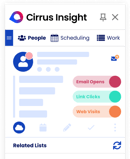
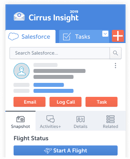
This month’s updates make it faster to turn email into action in Salesforce. Outlook users can now create a Task straight from an email and save the email file to it in one step, your Salesforce email templates now keep their fonts and formatting in Email Blast and one-off emails, and meeting confirmations can now go out in French. We also fixed issues in Meeting AI notifications, dynamic customer data chat, contact capture and Lead creation, record enrichment, and file sharing, and continued to improve sidebar stability.
New Features
Your Salesforce Email Templates Now Look Exactly Right, Every Time
Fonts and formatting from your Salesforce templates now carry over faithfully into Email Blast and one-off emails, so what you designed is what your recipients see.
Note: The following Task features are available for Outlook users only.
Turn Any Email into a Salesforce Task, with the Email Attached
From the Cirrus Insight Sidebar, create a Salesforce Task directly from an email and automatically save the email file to it, all in one step. No more switching back and forth to attach records manually.
Attach Emails Directly to an Existing Salesforce Task
File an email as a .msg or .eml file to the Files related list on an existing Task, keeping all of your context in one place.
Improvements
Meeting Confirmations in French
Meeting confirmation text inside the calendar event body now displays in French, making invites feel natural for your French-speaking contacts.
Reliability & Performance
- Improvements to login and sidebar stability.
- Refinements to meeting notification accuracy and reliability.
- Upgraded internal testing so we can catch issues faster.
- Improved data accuracy across integrations.
- Fixes to improve reliability of contact and record creation.
- General reliability and infrastructure enhancements across the platform.
Bug Fixes
No More False Meeting Recording Alerts
Fixed an issue in Meeting AI where you could receive a “Your meeting recording is ready” email even when the meeting was never started or recorded.
Meeting Recording Notifications Are Back on Track
You’ll now get the “Your meeting recording is ready” email again as soon as your recording is available, so you never have to go looking for it.
Saving Emails as Salesforce Tasks from Outlook Works Reliably
Fixed a bug where setting up “Save as Salesforce Task” at compose time in Outlook could silently fail, so your tasks now save as expected.
Sidebar File Sharing Links to the Right Contact
Fixed an issue in Enterprise accounts where sharing a file event matched every Contact with a shared attendee email instead of just the one you picked.
Smoother Contact Capture
Resolved an issue that could cause an error while saving contact details, so capturing contacts now works smoothly.
Contact Capture No Longer Blocks New Salesforce Leads
Fixed an error that could stop a new Lead from being created in Salesforce due to a missing record type, so your captured contacts save smoothly.
Dynamic Customer Data Chat Is Working Again
Fixed an issue that kept the dynamic customer data chat from working, so you can get back to using it to get answers about your customers.
Customer Record Enrichment No Longer Times Out
Fixed a bug that caused enrichment to fail due to timeouts, so your customer records now update reliably with enriched data.
More Reliable Ownership Checks When Transferring Records
Fixed an issue where record ownership wasn’t validated correctly during transfers, so ownership changes now behave as expected.
Closing
We’re continuing to invest in a faster, more reliable way to keep Salesforce up to date. If you have feedback or questions about these updates, reach out to your Customer Success team. We’d love to hear from you.