I have spent the last few years building and selling software that lives inside other people's sales stacks, which means I spend an unreasonable amount of my week inside other people's CRMs. The pattern is always the same. The reps are not short of tools. They are short of the fifteen minutes before a call that nobody has.
So I compared 12 AI sales assistants on the four things that actually decide how deep the AI goes, how well it integrates with the CRM you already run, which part of the sales cycle it covers, and what it costs you in money and setup time. Where I could not get hands-on, I worked from vendor documentation, published pricing, and user reports, and I have said so. For more detail, explore our ai meeting assistants guide.
Here is what made the list, and where each one falls.
Stop Logging Emails by Hand
Cirrus Insight syncs every email, meeting and task to Salesforce automatically, then preps your reps before the call.
Book a demo
How I Picked These
Cirrus Insight publishes this article, and is number one on the list. You should know that before you read another line.
Every tool here, ours included, is judged against the same four criteria below, and every tool here carries honest cons.
I compared 12 tools on AI depth, CRM integration, sales-cycle coverage, and value against setup effort. Nobody paid for placement, because there is no placement to buy. [FLAG: link to the Cirrus Insight editorial standards page here if one exists.]
What an AI Sales Assistant Actually Does
An AI sales assistant is software that handles the repetitive work behind a sales process, so reps spend their time on the conversations that close deals. It removes the admin that sits between them and the next call.
For teams comparing broader categories, an AI-powered sales assistant can act as an AI virtual sales assistant or layer that supports routine work without replacing human judgment.
Here is what these assistants typically do:
- Automate routine tasks: Log emails, update contact info, schedule meetings and send reminders automatically, with no manual clicks.
- Enrich and score leads: Pull data from multiple sources to build detailed profiles and rank prospects by likelihood to convert.
- Personalize outreach: Draft tailored messages, suggest subject lines, and optimize send times against engagement data.
- Assist during calls: Record and transcribe conversations, surface action items, and coach reps in real time.
- Analyze sales performance: Track KPIs, pipeline health and deal progress with AI-generated insights you can act on.
Pro tip: start small. Automate one bottleneck, like meeting follow-ups or data entry, then expand once your team stops noticing it.
The Five Types of AI Sales Assistant
Every tool below falls into one of five sub-types.
- CRM-native assistants: They live inside the CRM and the inbox, and their main job is making sure the record is right without a rep typing it. Cirrus Insight and HubSpot Sales Hub sit here.
- Conversation intelligence assistants: They listen to calls and meetings, then transcribe, summarize, and coach. Gong and Avoma sit here.
- Outreach and engagement assistants: They help you write, sequence and send, at volume or at quality. Outreach, SalesLoft, Regie.ai, Lavender and Postaga sit here.
- Prospecting and data assistants: They build and enrich the list your reps work from. Clay sits here.
- Agentic and voice assistants: They act on their own, either running workflows across your apps or answering the phone. Zapier Agents and My AI Front Desk sit here.
The category also includes AI agents built for a specific task, and an autonomous agent that can act across connected systems. A virtual assistant may support scheduling or administration, while an assistant that handles outreach or qualification can take on more of the workflow. These AI-powered tools vary widely, so the label alone does not tell you how much autonomy they have.
How I Judged the Best AI Sales Assistant Software
Real AI, not renamed automation: The tool has to make decisions from data, not just fire a trigger someone configured last quarter. A lot of software marketed as an AI sales assistant is just a rules engine with a new badge.
CRM integration depth: If the output does not land in the CRM, someone is still retyping it. Depth is the difference between a summary a rep reads and a record that updates itself.
Sales-cycle coverage: Which part of the cycle the tool actually touches, from building the list to the follow-up after the meeting. Nothing here covers all of it, so I have said what each one owns.
Value against setup effort: What you pay, and what you pay in time before it does anything. Those two numbers are rarely related.
The Best AI Sales Assistant Software at a Glance
|
Tool
|
Best for
|
Standout feature
|
Key integrations
|
Starting price
|
Website
|
|
Cirrus Insight
|
Salesforce teams
|
Live Meeting Coach whispers prompts mid-call
|
Salesforce, Gmail, Outlook, Google Calendar
|
$14 to $21/user/mo
|
Visit Cirrus Insight
|
|
Gong
|
Conversation intelligence at scale
|
Flags at-risk deals across every call
|
Salesforce, HubSpot, Zoom, Microsoft Teams
|
~$5,000 platform fee + $1,200 to $1,600/user/yr
|
Visit Gong
|
|
Avoma
|
Meeting notes on a budget
|
AI meeting summaries synced to the CRM
|
Zoom, Microsoft Teams, Salesforce, HubSpot
|
From $19/user/mo (annual)
|
Visit Avoma
|
|
Outreach
|
High-volume outbound
|
AI next-step recommendations on every deal
|
Salesforce, HubSpot, Gmail, LinkedIn, Slack
|
From ~$100/user/mo
|
Visit Outreach
|
|
SalesLoft
|
Global enterprise teams
|
Multi-region workflow and analytics hub
|
Salesforce, Gong, ZoomInfo, Slack
|
$125 to $165/user/mo
|
Visit SalesLoft
|
|
HubSpot Sales Hub
|
An all-in-one CRM
|
AI deal insights built into the CRM
|
HubSpot CRM, Gmail, Outlook, Slack
|
From $20/user/mo
|
Visit HubSpot
|
|
Regie.ai
|
An AI sales tool suite
|
AI dialer with live call transcription
|
Salesforce, Outreach, Salesloft, LinkedIn
|
~$35,000/yr
|
Visit Regie.ai
|
|
Lavender
|
Email coaching
|
Live reply-rate score on every email you write
|
Gmail, Outlook, Outreach, Salesloft, HubSpot, Apollo, Gong
|
Free; from $29/mo
|
Visit Lavender
|
|
Postaga
|
Outreach campaign building
|
AI campaign builder with contact discovery
|
Gmail, HubSpot, Pipedrive, Zapier
|
From $84/mo
|
Visit Postaga
|
|
Clay
|
Lead data enrichment
|
Enrichment across 100+ data sources
|
Salesforce, HubSpot, Apollo.io, Google Sheets
|
~$134/mo (annual)
|
Visit Clay
|
|
Zapier Agents
|
Custom workflow automation
|
Build your own assistant across 5,000+ apps
|
5,000+ apps (Slack, CRMs, email, calendars)
|
Free; Pro from $50/mo
|
Visit Zapier
|
|
My AI Front Desk
|
Inbound call handling
|
A 24/7 AI receptionist that answers the phone
|
Google Voice, Twilio, CRM connectors
|
From $48.75/mo
|
Visit My AI Front Desk
|
Taken together, this list covers a broad range of sales needs. Some products are focused sales engagement tools, while others operate as an AI tool embedded in the existing stack.
The 12 Best AI Sales Assistants
- Cirrus Insight for Salesforce teams
- Gong for conversation intelligence at scale
- Avoma for meeting notes on a budget
- Outreach for high-volume outbound
- SalesLoft for global enterprise teams
- HubSpot Sales Hub for an all-in-one CRM
- Regie.ai for an AI sales tool suite
- Lavender for email coaching
- Postaga for outreach campaign building
- Clay for lead data enrichment
- Zapier Agents for custom workflow automation
- My AI Front Desk for inbound call handling
Best AI Sales Assistant for Salesforce Teams
Cirrus Insight (Web, Gmail, Outlook)
Assistant type: CRM-native assistant
If your sales team lives inside Salesforce, this is the entry to read first. What separates Cirrus Insight from Gong or Avoma further down the list is where it sits. Those tools attach to your calls. Cirrus Insight attaches to Salesforce and to the inbox, then works outward from there.
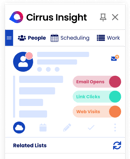
The sync layer is the foundation. Emails, calendar events, and tasks flow into Salesforce automatically, against standard and custom objects, with no manual data entry. It recognizes multiple page layouts, record types and validation rules and respects them during sync, which matters far more than it sounds if your org has years of custom objects behind it. Admins can set rules so only emails involving specific Contacts or Leads sync, and block domains outright, so the CRM does not fill with noise.
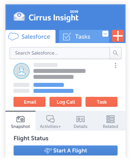
Reps work from the Gmail or Outlook sidebar and file or create Salesforce records without leaving the inbox. That is the adoption argument. There is no new tool to learn, which is usually the reason sync projects die.
The AI layer sits on top of that. AI Meeting Prep sends attendee and account insights to your inbox before every call. Cirrus AI transcribes meetings and organizes them into summaries you can search. Live Meeting Coach whispers suggestions during the call itself, like the next-best question or an objection-handling prompt.
Next Steps AI reads the pipeline and recommends the next action. Proposal AI drafts proposals from Salesforce opportunity context. CRM AI queues close dates, contact roles and tasks for one-tap review. Smart Scheduler routes leads to the right rep on rules and availability. Buyer Signals tracks opens, clicks and engagement so warm accounts surface on their own.
The obvious limit is the obvious one. All of this is built for Salesforce. On another CRM you are looking at custom integration work, and the case for Cirrus Insight over HubSpot Sales Hub gets much thinner.
Key features:
- AI Meeting Prep, delivering attendee and account context before each call
- Live Meeting Coach, prompting reps in real time during calls
- Next Steps AI, Proposal AI and CRM AI across the pipeline
- Smart Scheduler for rules-based lead routing
- Buyer Signals for open, click and engagement tracking
- Rule-based sync filters and domain blocking
Cirrus Insight pros:
- Automatic Salesforce sync of emails, calendar and tasks across custom objects
- Live in-call coaching from inside the Gmail and Outlook sidebar
- Rule-based sync filters that keep the CRM free of noise
Cirrus Insight cons:
- Built for Salesforce, so any other CRM needs custom integration work
- Pricing scales with feature access and CRM volume, so the entry tier is not the full AI suite
Cirrus Insight pricing: Tiered plans with a free trial, typically around $14 to $21 per user/month depending on feature access and CRM volume.
Best AI Sales Assistant for Conversation Intelligence at Scale
Gong (Web)
Assistant type: Conversation intelligence assistant
If your deals are won or lost on discovery calls and demos, Gong is the closest thing here to a coach sitting in on every conversation your team has.
It captures and analyzes calls, highlights the moments that mattered, and flags deals at risk before your forecast finds out the hard way. Where Avoma tells you what happened in a meeting, Gong is built to tell you what it means across hundreds of them. Different job, and the pricing reflects it.
That cost structure is the thing to understand before anyone gets attached. Gong charges a platform fee of around $5,000 before a single seat, then $1,200 to $1,600 per user per year on top. Setup and rollout are sized for larger orgs. If you have eight reps, the arithmetic does not work, and Avoma does the narrower job for a fraction of it.
Key features:
- Automatic call capture and analysis
- Key moment highlighting across conversations
- At-risk deal flagging against pipeline
Gong pros:
- Captures and analyzes every call automatically
- Highlights the key moments across a whole conversation set
- Flags at-risk deals before the forecast does
Gong cons:
- Platform fee of around $5,000 before any per-user cost
- Setup and rollout are sized for larger organizations
Gong pricing: Around a $5,000 platform fee, plus $1,200 to $1,600 per user/year.
Best AI Sales Assistant for Meeting Notes on a Budget
Avoma (Web, iOS, Android)
Assistant type: Conversation intelligence assistant
Avoma is the meeting-first pick, and at $19 per user per month on annual billing it is the cheapest way onto this list.
It auto-transcribes calls, writes AI summaries, and syncs the notes back to your CRM, so nobody is retyping anything after the call. Treat it as the entry point to the territory Gong owns at enterprise scale: same category, a fraction of the price, and much less cross-deal analysis.
If your team does not run many meetings or demos, the value collapses, because a meeting assistant with no meetings is just an expensive habit. And it is positioned for SMB and mid-market, so if you are choosing the tool that governs a global revenue org, SalesLoft and Gong are the real conversation.
Key features:
- Automatic call transcription
- AI-generated meeting summaries
- CRM note sync
Avoma pros:
- Auto-transcribes every call without a human in the loop
- AI-generated summaries you can act on immediately
- Syncs notes straight into the CRM
Avoma cons:
- Little value for teams that do not run many meetings or demos
- Positioned for SMB and mid-market, not global revenue teams
Avoma pricing: Plans start at $19 per user/month on annual billing.
Best AI Sales Assistant for High-Volume Outbound
Outreach (Web)
Assistant type: Outreach and engagement assistant
Outreach is the entry that comes closest to behaving like a full-time SDR.
It runs prospecting, sequences and follow-ups, then recommends the next step on each deal, so reps spend their time on the conversations instead of the queue. AI-powered engagement sits at the core of it, wrapped in genuinely strong pipeline automation. If Postaga builds you a campaign, Outreach runs a machine.
At around $100 per user per month it gets expensive fast for smaller teams, and setup and training take real time. This is not something you switch on over an afternoon. It suits mid-to-large teams running high-volume outbound. If that is not you, Regie.ai and Postaga cover more ground for less.
Key features:
- AI-powered engagement across sequences
- Pipeline automation end to end
- Next-step recommendations per deal
Outreach pros:
- AI-powered engagement across every sequence
- Strong pipeline automation out of the box
- Actionable next-step recommendations on each deal
Outreach cons:
- Around $100 per user/month gets expensive for small teams
- Setup and training take real time before it pays back
Outreach pricing: Starts around $100 per user/month.
Best AI Sales Assistant for Global Enterprise Teams
SalesLoft (Web)
Assistant type: Outreach and engagement assistant
SalesLoft is part workflow hub, part analytics engine. It is the pick when your problem is coordination rather than volume.
It scales across global teams, integrates deeply, and reports on all of it. That puts it on similar ground to Outreach, but the argument for it is structure and visibility across regions rather than raw outbound throughput.
At $125 to $165 per user per month it is overkill for a small team, and the full functionality lives in the higher tiers. One thing worth knowing: it integrates with Gong, so this is not an either-or with entry 2.
Key features:
- Multi-region workflow management
- Deep integrations across the revenue stack
- Team and region-level analytics
SalesLoft pros:
- Scales cleanly across global, multi-region teams
- Deep integrations including Gong and ZoomInfo
- Robust analytics and cross-team visibility
SalesLoft cons:
- Overkill for small teams
- Full functionality only unlocks on the higher tiers at $125 to $165 per user/month
SalesLoft pricing: Typically $125 to $165 per user/month.
Best AI Sales Assistant for an All-in-One CRM
HubSpot Sales Hub (Web, iOS, Android)
Assistant type: CRM-native assistant
HubSpot Sales Hub is the safe answer, and sometimes the safe answer is right.
CRM, AI and automation in one place, growing with you from a $20 per user Starter plan to $150 at Enterprise. It is the alternative to Cirrus Insight for teams who are not on Salesforce and have no plans to be. You get the CRM plus AI-driven deal insights in one system, with automation that does not need a technical setup behind it.
The trade-off is depth. HubSpot's AI features are newer than the dedicated tools on this list, so if conversation intelligence is your actual need, Gong does that job better. If your reps live in Salesforce, this is the wrong end of the decision entirely. And the higher tiers add up quicker than the Starter price suggests.
Key features:
- AI-driven deal insights inside the CRM
- Automation with no technical configuration
- Tiering from Starter through Enterprise
HubSpot Sales Hub pros:
- CRM and AI deal insights in a single platform
- Automation that works without technical setup
- Scales from $20 to $150 per user/month as the team grows
HubSpot Sales Hub cons:
- AI features are newer and shallower than the dedicated tools here
- Higher tiers add up quickly against the Starter price
HubSpot Sales Hub pricing: From $20 per user/month (Starter) up to $150 per user/month (Enterprise).
For organizations aligning sales and marketing, HubSpot can connect commercial activity in one environment. Its AI features can support sales strategies, reporting, and pipeline management, while the broader platform gives teams a common place to track sales goals.
Best AI Sales Assistant for an AI Sales Tool Suite
Regie.ai (Web)
Assistant type: Outreach and engagement assistant
Regie.ai is the broadest single tool here.
Multi-channel outreach, auto-sequencing, an AI dialer and live call transcription in one product, which means it overlaps with Outreach on sequences and with Gong on calls without being the best at either. That breadth is the whole pitch: one suite instead of three subscriptions, aimed at fast-growing teams that live on outbound prospecting.
The catch is price and runway. Enterprise plans land around $35,000 a year, which prices smaller teams out completely, and a full rollout takes setup time. That figure is also the biggest number on this page, so confirm it before you budget against it.
Key features:
- Multi-channel outreach and auto-sequencing
- AI dialer with live call transcription
- Coverage across the outbound cycle in one product
Regie.ai pros:
- Multi-channel outreach with automatic sequencing
- AI dialer with live call transcription built in
- One suite covering outbound end to end
Regie.ai cons:
- Enterprise plans around $35,000/year price smaller teams out entirely
- Full rollout takes real setup time
Regie.ai pricing: Enterprise plans around $35,000/year.
Best AI Sales Assistant for Email Coaching
Lavender (Chrome extension, Gmail, Outlook)
Assistant type: Outreach and engagement assistant
Every other outreach tool on this list writes emails for your reps. Lavender is the only one that teaches them to write better ones, which is exactly why the list felt incomplete without it.
It runs as a Chrome extension inside the inbox. As you type, Lavender scores the email against reply-rate best practice and tells you what is hurting it, with 90 or above as the target. The Personalization Assistant pulls prospect data into the compose window and suggests ways to use it, including personality-based insights on the recipient. There is an AI Email Writer for first drafts and a mobile preview, which matters given where most of your prospects will actually open it.
For managers, the Coaching Dashboard aggregates email performance across the team and shows who needs help and where. Lavender publishes customer numbers alongside it: Clari at twice the replies, Lucid Works at 42% more replies, Twilio at 60% more meetings with 11% fewer reps. Those are vendor-reported figures, so read them as claims rather than benchmarks.
It works inside Gmail, Outlook, Outreach, Salesloft, HubSpot, Apollo, Groove and Gong, and it is SOC 2 certified and GDPR compliant.
The free plan analyzes five emails a month, which is a demo rather than a plan. The Coaching Dashboard, which is the reason most teams buy it, only exists on the $99 per seat Team plan. And Lavender does email and nothing else, so it sits alongside Cirrus Insight or Gong rather than replacing either. One more thing worth knowing: the company has launched Ora, a separate AI sales agent priced separately, so check which product any quote actually covers.
Key features:
- Live email scoring against reply-rate best practice
- Personalization Assistant with prospect and personality data
- AI Email Writer and mobile preview
- Coaching Dashboard for team-wide email performance
- SOC 2 certified and GDPR compliant
Lavender pros:
- Scores every email against reply-rate best practice as you type, targeting 90+
- Personalization Assistant brings prospect data into the compose window
- Coaching Dashboard gives managers team-wide email performance data
Lavender cons:
- Free plan caps at five analyzed emails per month
- The manager Coaching Dashboard only exists on the $99 per seat Team plan
- Email only, with no call, meeting or CRM-sync coverage
Lavender pricing: Basic (free), Starter ($29/month, or $27 on annual), Individual Pro ($49/month, or $45 on annual), Team ($99 per seat/month, or $89 on annual). Source: lavender.ai/coach, accessed 17 July 2026.
Best AI Sales Assistant for Outreach Campaign Building
Postaga (Web)
Assistant type: Outreach and engagement assistant
Postaga is for teams who live in the inbox and want the campaign built for them.
The AI campaign builder handles contact discovery and automated follow-ups, and it makes cold outreach faster and more personalized without the setup weight that comes with Outreach. It is the SMB and agency answer in a category where most of the tools are priced for enterprise.
The limit is scope: outreach and nothing else. No calls, no meetings, no CRM automation. Pair it with something that covers the rest of the cycle, or look at Regie.ai if you want one tool doing both jobs.
Key features:
- AI campaign builder from a standing start
- Automated contact discovery
- Automated follow-up sequencing
Postaga pros:
- AI campaign builder that starts from your domain, not a blank page
- Automated contact discovery built in
- Automated follow-up sequences
Postaga cons:
- Outreach only, with no call, meeting or CRM automation
- Aimed at SMB and agencies rather than enterprise teams
Postaga pricing: Starts at $84/month.
Best AI Sales Assistant for Lead Data Enrichment
Clay (Web)
Assistant type: Prospecting and data assistant
Clay is the pick when your competitive edge is the data itself rather than what you send.
It pulls from over 100 sources, automates enrichment, and supports bulk personalization, so the list your reps work from is accurate before anyone writes a word. Everything else on this list acts on leads. Clay builds them.
Two things to watch. Credit-based pricing adds up faster than the headline $134 a month suggests, because the bill tracks your volume rather than your seat count. And there is a real technical learning curve here; this is closer to a spreadsheet than to a sales app. Growth and outbound teams get the most out of it.
Key features:
- Enrichment across 100+ data sources
- Automated lead profile building
- Bulk personalization at list level
Clay pros:
- Pulls from over 100 data sources in one place
- Automates enrichment that reps would otherwise Google by hand
- Supports bulk personalization across a whole list
Clay cons:
- Credit-based pricing scales with volume and adds up fast
- Real technical learning curve before it produces anything
Clay pricing: Around $134/month for 2,000 credits on annual billing.
Clay is especially relevant where data quality drives lead generation. As an AI-powered sales intelligence layer, it can enrich records before outreach and help teams improve targeting. It is less an assistant for sales conversations than a data system that prepares the list behind them.
Best AI Sales Assistant for Custom Workflow Automation
Zapier Agents (Web)
Assistant type: Agentic and voice assistant
Zapier Agents is the entry for teams who would rather build than buy.
It connects thousands of apps and lets you assemble your own AI sales assistant out of the tools you already run, with a free tier to start on. If nothing else on this list matches how your team works, this is the one that will bend to it.
The caveat is the one Zapier makes about itself: this is not an out-of-the-box sales assistant. You build the automations. That needs a tech-savvy owner and time, and the moment nobody owns it, it quietly rots. If you want an assistant that works on day one, Cirrus Insight or HubSpot Sales Hub are the better answer.
Key features:
- Agent building across 5,000+ connected apps
- Custom cross-app sales workflows
- Free tier for evaluation
Zapier Agents pros:
- Connects thousands of apps into one custom workflow
- Flexible enough to match a sales process no vendor anticipated
- Free tier to start, with Pro from $50/month
Zapier Agents cons:
- Not an out-of-the-box sales assistant, you build the automations yourself
- Needs a tech-savvy owner and setup time, or it decays
Zapier Agents pricing: Free tier available; Pro plans start at $50/month.
Best AI Sales Assistant for Inbound Call Handling
My AI Front Desk (Web)
Assistant type: Agentic and voice assistant
My AI Front Desk is the outlier here, and I have put it last deliberately. Not because it is the weakest tool, but because it is the least about selling.
It is a 24/7 AI receptionist. It answers calls, handles scheduling, and routes inquiries automatically, and it does not sleep. If your problem is missed calls rather than a leaky pipeline, this is the cheapest fix on the page at $48.75 a month.
But it is geared to reception and appointments, not prospecting or follow-up automation, so it does not do the job the other eleven do. And it only earns its keep if you have steady inbound call volume. If you do not, it sits idle and bills you anyway.
Key features:
- 24/7 inbound call answering
- Automated appointment scheduling
- Automatic inquiry routing
My AI Front Desk pros:
- Answers inbound calls around the clock
- Handles scheduling without a human in the loop
- Routes inquiries automatically to the right place
My AI Front Desk cons:
- Built for reception and appointments, not prospecting or follow-up automation
- Only pays back for businesses with steady inbound call volume
My AI Front Desk pricing: Starts at $48.75/month.
How to Choose The Right AI Sales Assistant for Your Team
Start with your CRM, because it eliminates half the list in one move. On Salesforce, Cirrus Insight is built for you and HubSpot Sales Hub is not. On HubSpot, the reverse.
Then pick the bottleneck, not the category. If reps are winging discovery calls, that is Gong or Avoma. If they are sending bad emails, that is Lavender. If the list is garbage, that is Clay. If nobody follows up, that is Outreach or Postaga. Buying an AI sales assistant for a problem you do not have is the most common way teams waste this budget.
Then check the setup bill, not just the price tag. Zapier Agents is nearly free and costs you weeks. Cirrus Insight and HubSpot Sales Hub are the opposite. Gong charges $5,000 before your first seat.
One bottleneck, one tool, then expand. The teams I see get value out of this stack automate one thing well, usually meeting follow-ups or data entry, and add the next piece once reps stop noticing the first one.
So Which AI Sales Assistant Should You Actually Buy?
There is no single best AI sales assistant on this list, and anyone telling you otherwise is selling one. The right answer changes with your CRM, your team size, whether you sell on calls or in the inbox, and how much setup time you can actually spare.
What I would say is that the tools worth paying for all pass the same test: they take work off a rep instead of adding a dashboard for them to check.
If your team runs on Salesforce, that is the problem Cirrus Insight was built for. Meeting prep, in-call coaching, and the sync that means nobody logs an email by hand again. You can see it against your own Salesforce data in a demo.
The impact of AI sales technology depends less on feature count than on adoption. To ensure your sales team gets value, start with one measurable problem and confirm that the product changes the work itself. Because many AI sales products sound similar, the best AI assistants do not simply generate content; they remove a repeatable burden from the process.
FAQs
What is an AI sales assistant?
An AI sales assistant is software that uses artificial intelligence to automate or streamline repetitive sales tasks. It helps sales teams book more meetings, qualify leads, send personalized follow-ups, and capture CRM data automatically. Modern AI assistants combine automation, predictive analytics and conversational AI, so reps sell smarter rather than just faster.
What is the best AI sales assistant software in 2026?
It depends on your sales workflow and your CRM. For CRM automation, Cirrus Insight handles AI-driven syncing, meeting intelligence and buyer signal tracking inside Salesforce. For conversation analytics, Gong and Avoma lead. For outreach automation, Regie.ai and Postaga are built for high volume. For email quality, Lavender is the only real coach here. For data enrichment, Clay goes deepest. The best assistant is the one that removes your team's biggest friction point, not the one with the longest feature list.
What is the best sales AI assistant for CRM users?
If your team lives in Salesforce or HubSpot, the best sales AI assistant is the one that integrates natively and automates data capture. Cirrus Insight syncs every email, calendar event and meeting to Salesforce automatically, then uses AI to prep for meetings and analyze engagement. On HubSpot, Sales Hub does the equivalent job inside its own CRM.
What are the best-rated AI sales assistant tools right now?
Cirrus Insight for CRM automation and meeting prep, Gong for conversation intelligence, Regie.ai for AI-powered outreach, Avoma for meeting summaries and coaching, Lavender for email coaching, and HubSpot Sales Hub for all-in-one CRM plus AI. These consistently rank high on usability, automation depth and measurable productivity gains.
What features should I look for in the best AI sales assistant platforms?
Seamless CRM integration, lead scoring and qualification automation, meeting prep with AI insights, real-time engagement tracking, email or sales call summarization, and a setup that does not need an admin project behind it. Those six features are what separate an assistant that saves time from one that adds another tab.
Will AI replace sales reps?
No. The point of an AI sales assistant is to enhance reps, not replace them. AI handles the busywork like scheduling and data entry so humans can focus on relationships, strategy and closing. The best teams use AI to scale personalization, not to remove the human from it.


.png?width=18&height=18&name=Vector%20(5).png)