


.png?width=18&height=18&name=Vector%20(5).png)




Every meeting ends with good intentions.
Then a week later someone says, “Wait… what did we actually decide?”
And just like that, momentum disappears.
Here’s the uncomfortable truth: most meetings don’t fail because of bad strategy. They fail because no one clearly documented the decisions, assigned ownership, or captured next steps. Notes live in someone’s notebook. Action items get buried in inboxes. Accountability fades.
That’s exactly why AI for meeting minutes is exploding right now.
Instead of scrambling to write notes while trying to participate in the discussion, teams are using AI meeting minutes tools to automatically capture conversations, extract action items, and turn meetings into structured, searchable records, instantly.
But here’s the real question:
Are AI-generated meeting minutes actually effective?
In this guide, you’ll learn:
- How to write effective meeting minutes step by step
- A practical meeting minutes template you can use immediately
- How AI meeting minutes generators automate documentation
- What to look for in the best AI meeting minutes tool
What Are Meeting Minutes & Why AI Is Replacing Manual Note-Taking
Meeting minutes are a structured record of what happened during a meeting, including key discussion points, decisions made, and assigned action items. Their purpose isn’t just documentation. It’s accountability, alignment, and follow-through.
It’s important to distinguish between:
- Meeting notes: Informal, personal observations
- Meeting minutes: Structured, shareable records of decisions and next steps
- AI-generated summaries: Automatically created recaps that extract key points and actions
In revenue teams, leadership meetings, and project management environments, structured minutes ensure that deals move forward, strategies stay aligned, and responsibilities are clear. Without them, decisions get lost and momentum stalls.
That’s exactly why AI for meeting minutes is rapidly replacing manual note-taking.
Traditional minutes rely on one person typing while trying to participate. Important details get missed. Action items aren’t clearly assigned. Documentation gets delayed or never shared.
An AI meeting minutes tool, such as Cirrus Insight, solves this by:
- Capturing conversations in real time
- Generating structured summaries instantly
- Extracting action items automatically
- Making discussions searchable and shareable
Manual minutes are reactive.
AI meeting minutes are proactive, consistent, and built for speed.
AI Meeting Minutes Tools (Top Options in 2026)
If you’re searching for the best AI tool for meeting minutes, you’re likely looking for more than just transcription. Modern revenue teams want structured summaries, action item extraction, CRM alignment, and real workflow automation.
Below are the top AI meeting minutes tools in 2026, structured to help you compare quickly and choose based on real use cases.
1. Cirrus Insight (Conversational Insights)
Best For: Sales teams that need CRM-connected AI meeting minutes and pipeline visibility
Key AI Features:
- AI-generated meeting summaries
- Automatic action item extraction
- Conversation insights tied to Salesforce records
- Email and meeting sync automation
- Buyer signal tracking
- Sales cadence and follow-up automation
Integrations: Salesforce, Gmail, Outlook, Zoom, Google Calendar
Pricing Tier: Custom pricing (typically mid-market to enterprise)
Pros:
- Native Salesforce sync (not just surface-level integration)
- Automatically updates opportunities with meeting insights
- Reduces manual CRM data entry
- Improves forecasting accuracy
- Built for revenue teams, not just note-taking
Limitations:
- Most valuable for Salesforce-driven teams
- More advanced than basic transcription tools
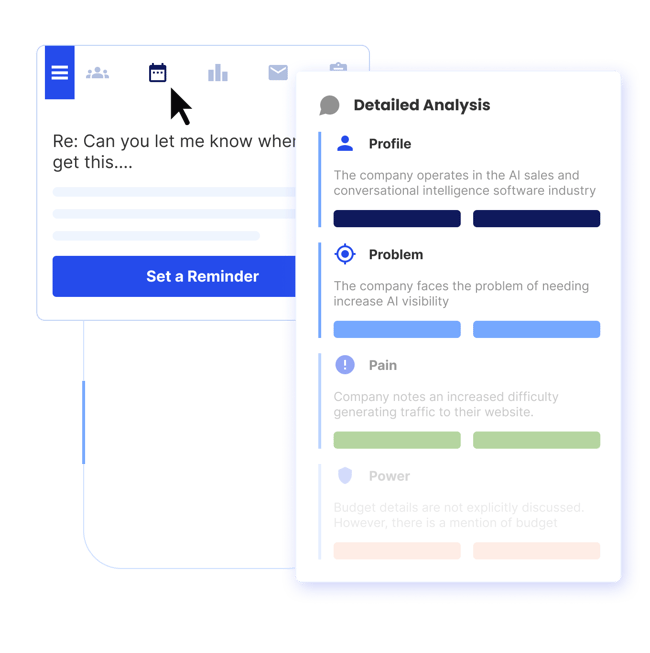
Insight: Cirrus Insight’s Conversational Insights isn’t just an AI meeting minutes generator, it turns conversations into structured CRM data that directly impacts pipeline movement and forecasting.
2. Fireflies AI
Best For: Teams that want automated transcription with basic workflow automation
Key AI Features:
- Real-time transcription
- AI summaries
- Action item detection
- Keyword tracking
- Searchable conversation library
Integrations: Salesforce, HubSpot, Slack, Zapier, Zoom, Google Meet
Pricing Tier: Free plan available; paid plans start mid-tier
Pros:
- Easy to set up
- Good transcription accuracy
- Broad integration ecosystem
Limitations:
- CRM sync depth varies
- More note-focused than revenue-focused
3. Otter AI
Best For: General meeting transcription across departments
Key AI Features:
- Real-time transcription
- Automated summaries
- Speaker identification
- Collaborative highlights
Integrations: Zoom, Google Meet, Microsoft Teams
Pricing Tier: Free tier available; paid plans scale per user
Pros:
- Strong transcription engine
- Simple UI
- Popular for internal meetings
Limitations:
- Limited advanced CRM automation
- Not built specifically for sales intelligence
4. Avoma
Best For: Sales teams wanting conversation intelligence plus meeting notes
Key AI Features:
- AI-generated notes
- Call scoring
- Topic detection
- Coaching insights
- Deal risk indicators
Integrations:
Salesforce, HubSpot, Zoom
Pricing Tier:
Mid to enterprise pricing
Pros:
- Strong analytics dashboard
- Coaching-friendly
- Revenue-oriented features
Limitations:
- Can be complex to implement
- Higher cost compared to simple AI minutes tools
5. Gong
Best For: Enterprise revenue intelligence
Key AI Features:
- Deep conversation analytics
- AI-based deal risk signals
- Coaching dashboards
- Competitive intelligence tracking
Integrations: Salesforce, HubSpot, Microsoft Dynamics
Pricing Tier: Enterprise pricing (custom)
Pros:
- Advanced sales intelligence
- Robust forecasting insights
- Highly scalable
Limitations:
- Expensive
- May be excessive for small teams
6. tl;dv
Best For: Startups needing affordable AI meeting summaries
Key AI Features:
- AI summaries
- Timestamp highlights
- Searchable meeting archive
- Team collaboration
Integrations: Zoom, Google Meet, Slack
Pricing Tier: Free plan available; affordable paid tiers
Pros:
- Budget-friendly
- Quick setup
- Clean interface
Limitations:
- Limited CRM depth
- Fewer advanced analytics features
7. Microsoft Copilot
Best For: Microsoft 365 organizations
Key AI Features:
- AI meeting summaries in Teams
- Action item detection
- Context pulled from Microsoft ecosystem
- Document integration
Integrations: Microsoft Teams, Outlook, SharePoint
Pricing Tier: Enterprise add-on pricing
Pros:
- Native Microsoft integration
- Seamless workflow for M365 users
Limitations:
- Limited CRM-native automation
- Focused more on productivity than sales intelligence
8. Notion AI
Best For: Documentation-heavy teams
Key AI Features:
- AI-generated meeting summaries
- Structured note formatting
- Task extraction
- Collaborative documentation
Integrations:
Slack, Google Drive, Zapier
Pricing Tier:
Affordable SaaS pricing
Pros:
- Great for knowledge management
- Flexible documentation workflows
Limitations:
- Not a dedicated AI meeting minutes tool
- Lacks deep sales CRM alignment
AI Meeting Minutes Tools: Strategic Comparison Overview
|
Tool |
CRM data sync depth |
Revenue intelligence level |
Workflow automation maturity |
|
Cirrus Insight (Conversational Insights) |
Deep, opportunity-level sync with automatic activity logging |
High as it connects meeting insights directly to pipeline & forecasting |
Advanced with auto task creation, cadence triggers, CRM updates |
|
Gong |
Strong Salesforce & enterprise CRM sync |
Very high with deal risk detection, coaching analytics |
Moderate, more analytics than workflow automation |
|
Avoma |
Good CRM note sync & opportunity linking |
High, coaching dashboards & topic analysis |
Moderate, automation improving but not CRM-native |
|
Fireflies AI |
Surface-level CRM logging (varies by plan) |
Medium, keyword tracking & summaries |
Moderate, Zapier-based workflow support |
|
Otter AI |
Limited CRM automation |
Low, primarily transcription-focused |
Low, minimal automation beyond summaries |
|
tl;dv |
Light CRM connection via integrations |
Low to Medium, recap-focused |
Basic, collaboration tools more than automation |
|
Microsoft Copilot |
Microsoft ecosystem-centric |
Medium, productivity intelligence, not sales-native |
Moderate within M365 workflows |
|
Notion AI |
Manual CRM bridging required |
Low, documentation-centric |
Basic, task extraction inside Notion |
Common Mistakes When Using AI for Meeting Minutes
AI can dramatically improve how teams capture and organize meetings, but only if it’s used correctly. Many teams adopt an AI tool for meeting minutes and assume the job is done. That’s where problems start.
Here are the most common mistakes and how to avoid them.
Blindly Trusting AI Summaries
AI-generated summaries are powerful, but they aren’t perfect. Models can misinterpret context, miss nuance, or over-prioritize certain discussion points. If you rely entirely on the raw output without reviewing it, small inaccuracies can turn into bigger misunderstandings.
AI should accelerate documentation, not replace human judgment.
Skipping the Review Step
Even the best AI meeting minutes generator needs a quick human pass. Taking two minutes to scan for accuracy, clarify decisions, and refine wording ensures your minutes reflect what was actually agreed upon.
A simple review step dramatically improves clarity and accountability.
Failing to Connect Minutes to Your CRM
This is where many teams lose real value.
If your AI meeting minutes live in a separate dashboard and never connect to your CRM, they don’t impact pipeline visibility, forecasting accuracy, or deal tracking. Notes become static documentation instead of operational data.
The real power of AI meeting minutes comes when summaries, action items, and insights automatically sync to opportunities, accounts, and contact records.
Not Assigning Clear Ownership
AI can extract action items, but it can’t enforce accountability.
If tasks aren’t clearly assigned to specific owners with deadlines, follow-through still breaks down. Every meeting should end with named owners and defined next steps, whether AI identifies them or not.
Clarity drives execution.
Ignoring Security and Compliance Considerations
Recording and analyzing meetings introduces data privacy responsibilities.
Teams must consider:
- Consent requirements
- Data storage policies
- Access controls
- Industry compliance standards
Choosing an AI meeting minutes tool that aligns with your company’s security framework is essential, especially for enterprise or regulated environments.
Turn Meetings Into Revenue Signals with Cirrus Insight
AI meeting minutes are helpful.
But AI meeting minutes connected to your CRM? That’s transformational.
Most tools stop at transcription. They summarize conversations, highlight action items, and store everything in a searchable dashboard. Useful, yes.
But disconnected from the systems that actually drive revenue.
Cirrus Insight’s Conversational Insights takes a different approach.
Instead of simply generating AI meeting minutes, it:
- Automatically syncs meeting summaries to Salesforce opportunities
- Creates tasks based on extracted action items
- Updates CRM records without manual data entry
- Connects conversations directly to forecasting visibility
- Tracks buyer signals and engagement across emails and meetings
- Supports automated follow-ups and sales cadences
The difference is simple:
- Manual note-taking documents meetings
- Basic AI summarizes meetings
- Cirrus Insight operationalizes meetings
When your AI tool for meeting minutes feeds directly into your CRM, your pipeline becomes more accurate, your managers gain real visibility, and your reps save hours every week. Schedule a demo here.
AI for Meeting Minutes: FAQs
What is an AI tool for meeting minutes?
An AI tool for meeting minutes automatically records, transcribes, and summarizes meetings using artificial intelligence. It extracts key discussion points, decisions, and action items, helping teams document meetings faster and more accurately than manual note-taking.
How does AI generate meeting minutes?
AI meeting minutes generators use speech recognition to transcribe conversations and natural language processing to identify important topics, decisions, and tasks. Advanced tools can also detect speakers, summarize discussions, and organize notes into structured formats.
What is the best AI meeting minutes tool for sales teams?
The best AI meeting minutes tool for sales teams integrates directly with your CRM, automatically syncing summaries and action items to opportunities and accounts. Tools that connect meeting insights to pipeline visibility and forecasting provide more value than standalone transcription platforms.
Are AI meeting minutes accurate?
AI meeting minutes are highly accurate for transcription and summary generation, but they should still be reviewed for context and nuance. Accuracy improves when tools allow custom vocabulary, speaker training, and CRM-based context pulling.
Can AI automatically assign action items from meetings?
Yes, many AI meeting minutes tools can detect action-oriented language and extract tasks. Advanced platforms go further by automatically creating tasks in your CRM or project management system, improving accountability and follow-through.
Is there a free AI meeting minutes generator?
Several tools offer free AI meeting minutes generators with limited transcription minutes or basic summaries. However, free plans often restrict CRM integrations, automation features, and advanced analytics capabilities.
What’s the difference between meeting notes and AI meeting minutes?
Meeting notes are informal and often unstructured, while AI meeting minutes are organized summaries generated automatically from recorded conversations. AI minutes typically include structured sections such as decisions made, action items, and next steps.
How can AI meeting minutes improve team accountability?
AI meeting minutes improve accountability by clearly documenting decisions, assigning ownership to tasks, and creating searchable records. When integrated with CRM systems, they ensure follow-ups are tracked and tied directly to pipeline progress.
Do AI meeting minutes tools integrate with Salesforce?
Many AI meeting minutes tools integrate with Salesforce, but integration depth varies. CRM-native tools can automatically sync summaries, create tasks, and update opportunity records without manual input, improving data accuracy and forecasting.


