Microsoft went and measured what a normal workday actually looks like. People working in Microsoft 365 get interrupted every two minutes. Up to 275 times a day, from meetings, emails, and notifications, across a survey of 31,000 workers in 31 countries (Microsoft Work Trend Index, 2025). Meetings are the loudest of those interruptions and the only ones you cannot skim.
I spent three weeks on this update: reading every vendor pricing page line by line, checking feature claims against product documentation, and cutting the tools whose homepage promised more than the product delivered. I have not personally run all fourteen through a quarter of live calls, and where I leaned on published documentation or independent testing instead of my own, I say so in the entry.
Here are the fourteen that earned a place.
|
Keep the notes. Lose the admin.
Cirrus Insight syncs every meeting, email, and task to Salesforce automatically. Start a free trial, no credit card required.
|
The Best AI Meeting Assistants
- Cirrus Insight for Salesforce-first sales teams
- Fireflies.ai for a searchable team archive
- Granola for combining your own notes with AI
- Otter.ai for asking questions about past meetings
- Avoma for conversation analytics and coaching
- Read AI for search across meetings, email, and chat
- Krisp for noisy rooms and accent clarity
- MeetGeek for automated post-meeting distribution
- Sembly AI for tracking topics across recurring meetings
- Supernormal for shareable, well-formatted notes
- tl;dv for timestamped highlights from long calls
- Jamie for summaries without handing over your audio
- Notta.ai for multilingual and global teams
- Fathom for a genuinely free option
What is an AI Meeting Assistant?
An AI meeting assistant is software that records, transcribes, summarizes, and analyzes your meetings automatically, across platforms like Zoom, Microsoft Teams, and Google Meet. It does not replace your video conferencing tool.
Three things every tool in this category does:
- Transcribe and summarize in real time. Accurate AI meeting notes and highlights from every call, without anyone typing.
- Identify tasks and next steps. Detect and assign follow-ups so nothing slips.
- Integrate with your workflow. Push summaries and action items into Salesforce, Slack, Notion, or wherever your team actually works.
Past that shared floor, the category splits four ways. Every entry below is tagged with one of these, and the split matters more than the feature lists do. Pick the wrong sub-type and no amount of accuracy saves you. If you want the deeper version of this, we wrote a full guide to conversational intelligence for sales teams.
- Bot-based AI notetakers. A bot joins your call as a visible participant, records, transcribes, and summarizes. The most common design and the easiest to set up. Everyone on the call can see it, which is either transparency or an awkward moment depending on who is on the call. Fireflies.ai, Otter.ai, MeetGeek, Supernormal, tl;dv, Notta.ai, and Fathom all work this way.
- Bot-free meeting notepads. These capture audio from your device instead of joining the meeting, so no extra participant appears. Useful in client and candidate conversations where a recording bot changes the temperature of the room. Granola, Krisp, and Jamie sit here.
- CRM-connected sales meeting assistants. Built for revenue teams. The meeting is the input; a clean CRM record and a tracked next step are the output. Notes are a by-product, not the point. Cirrus Insight is the example on this list.
- Meeting intelligence platforms. Go past notes into analytics: talk-to-listen ratios, engagement scoring, topic tracking, coaching scores. Avoma, Read AI, and Sembly AI belong here. Overkill if nobody on your team is being coached.
How we Picked These Fourteen
|
About this roundup
This article is published by Cirrus Insight, and Cirrus Insight is one of the fourteen tools on the list. Every tool here, ours included, is graded against the same five criteria below and carries real cons. We looked at more than thirty tools to get to fourteen. Nobody paid for placement, there are no affiliate links on this page, and where a competitor beats us at something, we say which one and at what. If you are in a Google Workspace shop with no CRM, several tools below will serve you better than we will.
|
Here is what I graded every tool on, in the order that matters:
- Accuracy and comprehension. The best assistants understand. Strong speech recognition, support for multiple accents and languages, reliable speaker identification. Read a sample transcript before you buy. Every vendor claims high accuracy; the transcript tells you.
- Summarization quality. Good transcription is half the job. The summary has to surface decisions, next steps, and action items without you cleaning it up afterwards. A summary you have to edit is a transcript with extra steps.
- Integrations, especially your CRM. It should connect to Zoom, Google Meet, Teams, Slack, Notion, and above all your CRM. Bonus points for sending follow-up notes or tasks automatically instead of waiting to be asked.
- Collaboration and sharing. How easily can a teammate open the notes, comment, or pick up a follow-up? Shared summaries should update in real time and reach across departments.
- Security and compliance. Recordings hold sensitive data. Check for SOC 2, GDPR, or HIPAA as your situation demands, plus control over storage, permissions, retention, and whether your conversations train somebody's model.
The Best AI Meeting Assistants at a Glance
|
Tool
|
Best for
|
Standout feature
|
Starting price
|
Website
|
|
Cirrus Insight
|
Salesforce-first sales teams
|
Meeting AI briefing before every call and in call live coaching
|
From $14 or $21/user/mo; free trial
|
Visit Cirrus Insight
|
|
Fireflies.ai
|
A searchable team archive
|
AskFred across your whole archive
|
Free; paid from $10/user/mo annual
|
Visit Fireflies.ai
|
|
Granola
|
Combining your own notes with AI
|
Enriches the notes you type yourself
|
Free; Business from $14/user/mo
|
Visit Granola
|
|
Otter
|
Asking questions about past meetings
|
Account-wide AI Chat search
|
Free 300 min/mo; from $8.33/user/mo annual
|
Visit Otter.ai
|
|
Avoma
|
Conversation analytics and coaching
|
Talk-to-listen ratio and deal risk
|
From $19/recorder/mo annual
|
Visit Avoma
|
|
Read AI
|
Search across meetings, email, and chat
|
Search Copilot across every surface
|
Free 5 meetings/mo; Pro from $15/user/mo annual
|
Visit Read AI
|
|
Krisp
|
Noisy rooms and accent clarity
|
Noise cancellation plus accent conversion
|
7-day trial; Core from $8/user/mo annual
|
Visit Krisp
|
|
MeetGeek
|
Automated post-meeting distribution
|
Auto follow-ups into Slack and email
|
Free 3 hrs; paid from $9.99/user/mo
|
Visit MeetGeek
|
|
Sembly AI
|
Tracking topics across recurring meetings
|
Cross-meeting topic dashboards
|
Free basic; Pro from $10/mo
|
Visit Sembly AI
|
|
Supernormal
|
Shareable, well-formatted notes
|
Structured recaps into Docs and Notion
|
Free tier; paid from $22/user/mo
|
Visit Supernormal
|
|
tl;dv
|
Timestamped highlights from long calls
|
Share the 40 seconds that matter
|
Free; paid from $18/user/mo annual
|
Visit tl;dv
|
|
Jamie
|
Summaries without handing over your audio
|
Calendar permission only, no audio access
|
From $25/user/mo
|
Visit Jamie
|
|
Notta.ai
|
Multilingual and global teams
|
Transcription in 100+ languages
|
Free plan; Pro from $13.99/mo
|
Visit Notta.ai
|
|
Fathom
|
A genuinely free option
|
Unlimited free recordings and summaries
|
Free; paid from $15/user/mo annual
|
Visit Fathom
|
Best AI Meeting Assistant for Salesforce-First Sales Teams
Cirrus Insight (Web, Gmail, Outlook, Microsoft Teams; syncs to Salesforce)
Category: CRM-connected sales meeting assistant
Every other tool on this list treats the meeting as the destination. Cirrus Insight treats it as the input. That is the whole difference, and it is why it sits in a different sub-type from Fireflies.ai or Otter.ai even though all three will hand you a transcript.
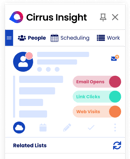
If your team lives in Salesforce, this is the closest thing here to a digital SDR working behind the scenes. Meeting AI does the prospect research for you and drops the briefing in your inbox the morning of the call: who you are meeting, what the company has been doing, what the opportunity looks like, what you last talked about.
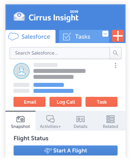
Conversation Intelligence records and transcribes the call itself, tags the key moments, and produces coaching-ready summaries. Then everything lands in Salesforce automatically. Meetings, emails, tasks, call data, with zero manual entry.
The piece that gets underrated is Buyer Signals, which tracks opens, clicks, and replies between meetings. Most assistants go quiet the moment the call ends. Cirrus Insight works before, during and after the meeting to ensure reps are conducting their best meetings every time. This is a Salesforce sales tool. If you are running engineering standups or an all-hands, Fathom or Granola will serve you better and cost you less. If your CRM is HubSpot, Avoma's native integration is deeper. And if you are not in a CRM at all, none of this machinery earns its keep. Where it does earn it, the payback is admin time: we wrote up the full workflow in our guide to automating sales meeting prep in Salesforce.
Cirrus Insight pros:
- Meetings, emails, and tasks sync to Salesforce with no manual entry
- Meeting AI briefing arrives before the call, not after
- Buyer Signals track engagement between meetings, not just during them
- In call live coaching built around business context
Cirrus Insight cons:
- Built around Salesforce, but working towards API level access for our other CRM tooling
- Free trial rather than a permanent free tier, unlike Fathom, Otter.ai, and Fireflies.ai
- Tuned for sales conversations, so it is the wrong shape for standups, interviews, or all-hands
Cirrus Insight pricing: Starts at $7/ user/ month a la carte feature pricing and flexible billing options. . Free trial, no credit card required. Meeting transcription and live coaching are pricing based on hours of use.
Best AI Meeting Assistant for a Searchable Team Archive
Fireflies.ai (Zoom, Google Meet, Microsoft Teams, Webex, GoTo Meeting, Skype, Dialpad Meetings, Lifesize, Jitsi)
Category: Bot-based AI notetaker
When your team runs dozens of meetings a week, the problem stops being capture and starts being retrieval. Fireflies.ai is built for that second problem. It transcribes with reported accuracy above 90%, assigns speech to the right speaker once you have identified who is who, and then makes the whole archive searchable.
AskFred is the reason to pick it. Ask a question, and it answers across your meetings rather than one of them, which is the same trick Otter.ai's AI Chat pulls and roughly where the two tools collide. Where Fireflies pulls ahead is the sorting: it isolates dates, metrics, tasks, and questions from the transcript so you can filter on them later, runs sentiment analysis across the call, and tracks topics you define yourself.
It also gives you a per-speaker breakdown with words-per-minute and share of talk time, which is a lighter version of what Avoma does properly.
Sharing is where it fits a team rather than a person. Clip a moment into a soundbite and send it. Teammates comment on the meeting page. If you run an internal knowledge base, you can embed meetings or soundbites into it, which is the closest anything here gets to a single source of truth for what was actually said.
Native integrations cover the ones that matter: Salesforce and HubSpot for lead data, Slack for the team, Asana for the follow-ups. The interface is the trade-off. Some screens carry more than they should, and the topic tracking does nothing until you have set it up.
Fireflies.ai pros:
- Reported transcription accuracy above 90% with speaker assignment
- AskFred answers questions across the whole archive, not one meeting
- Free plan includes unlimited transcription
Fireflies.ai cons:
- Some screens get cluttered fast
- Free plan caps storage at 800 minutes even though transcription is unlimited
- Topic tracking earns nothing until you configure it
Fireflies.ai pricing: Free plan with unlimited transcription and 800 minutes of storage; paid plans from $10/user/month billed annually.
Best AI Meeting Assistant for Combining Your Own Notes With AI
Granola (Mac, Windows, iOS; works with any conferencing app)
Category: Bot-free meeting notepad
Granola is the only tool here built on the assumption that you still want to take notes yourself. Everything else on this list is trying to make note-taking unnecessary. As your ai meeting notetaker, Granola is trying to make your notes better.
It works as a live notepad. You jot a rough agenda or a few fragments during the call, and afterwards Granola plugs the relevant detail from the transcript into what you wrote. The result reads like you wrote it, because you did, but with the numbers and names filled in. If you are the kind of person who thinks by typing, this is the one.
The second thing it does differently: no bot. Granola captures audio from your device rather than joining the meeting, so nobody sees a recording participant appear. Krisp and Jamie share that architecture, and it is the single biggest reason to pick any of the three, particularly in client calls and candidate interviews where a bot in the room changes the temperature. Granola transcribes in real time and then deletes the audio, keeping only the transcript.
On the Business plan it connects to Notion, HubSpot, Slack, and Zapier, and gives you unlimited history plus shared team folders. What it will not do is record video. If you need to rewatch the call rather than reread it, tl;dv or Fathom is your tool, not this one. The iOS app added phone transcription in 2026, but only for calls you place, not calls you receive.
Granola pros:
- Bot-free, so no recording participant appears in the call
- Enriches the notes you typed instead of replacing them
- Audio is deleted after transcription; only the transcript is kept
Granola cons:
- No video recording or playback at all
- Free plan caps how far back your meeting history goes
- iOS phone transcription only covers outbound calls, not inbound
Granola pricing: Free Basic plan; Business from $14/user/month with integrations and team folders; Enterprise from $35/user/month with SSO.
Best AI Meeting Assistant for Asking Questions About Past Meetings
Otter.ai (Zoom, Google Meet, Microsoft Teams)
Category: Bot-based AI notetaker
Otter.ai is the name most people in this category already know, and the live transcription and speaker identification are as good as the reputation suggests. But the reason it is on this list in 2026 is AI Chat, and the old version of this article buried it in the third bullet.
Ask AI Chat whether you were mentioned in a meeting, and it comes back with the action items assigned to you. That is a small feature with a large payoff: if you had to drop off a call, or missed it entirely because something else was on fire, you can still find out what landed on your plate without watching an hour of video. Click AI Chat from the left-hand menu instead of inside a meeting, and it searches your whole account, so you can ask what was decided about a topic across every call rather than one.
The workspace layer makes it work for a team. Channels, mentions, task assignment, and a Slack integration if your team lives there instead. Fireflies.ai does the same job with AskFred and better archive filtering; Otter.ai's version is more chat-driven and feels closer to using ChatGPT, which some people prefer and some find imprecise.
It also transcribes uploaded audio and video, which is useful and unglamorous. The weak spot is technical vocabulary. If your calls are full of product codenames or specialist terms, expect to correct the transcript, and check a sample before you commit the team.
Otter.ai pros:
- AI Chat searches your whole account, not one meeting
- Workspaces keep multiple teams separated
- Transcribes uploaded audio and video files, not just live calls
Otter.ai cons:
- Struggles with technical vocabulary and product codenames
- Free plan stops at 300 minutes a month
- Monthly billing costs roughly double the annual rate
Otter.ai pricing: Free plan up to 300 minutes/month; paid plans from $8.33/user/month billed annually ($16.99/month billed monthly).
Best AI Meeting Assistant for Conversation Analytics and Coaching
Avoma (Zoom, Google Meet, Microsoft Teams, BlueJeans, GoTo Meeting, plus dialer and CRM tools)
Category: Meeting intelligence platform
Having every meeting transcribed is one thing. Knowing what the transcripts say about how your team sells is another. Avoma is the tool on this list that goes furthest into the second question, and it is the closest competitor to Cirrus Insight on use case, which is worth saying on Cirrus Insight's own blog.
The analytics are specific rather than decorative. It tracks filler words, so you can find the reps saying "um" every fourth word. It tracks monologues, so you can see exactly where a conversation stopped being a conversation. It tracks talk-to-listen ratio, which is the single most predictive coaching metric in a discovery call. And it runs competitive tracking: every time a customer mentions a competitor, Avoma logs it and correlates it against whether you won or lost, which is a genuinely useful thing to know and almost nobody else here does it.
On top of that sit topic tracking, deal risk surfacing, and AI scoring for coaching new reps. Native integrations cover Salesforce, HubSpot, Copper, and Pipedrive, so if you are a HubSpot shop this is deeper than what Cirrus Insight offers you. We compared the field properly in our roundup of conversation intelligence tools for CRM sales.
Two caveats. It is the most expensive entry point on this list, and it is billed per recorder rather than per user, which reliably confuses procurement. More importantly, all this depth is wasted if nobody on your team is being coached. If you just want good notes, this is an expensive way to get them.
Avoma pros:
- Tracks filler words, monologues, and talk-to-listen ratio per rep
- Correlates competitor mentions against won and lost deals
- Native Salesforce, HubSpot, Copper, and Pipedrive integrations
Avoma cons:
- Billed per recorder rather than per user, which confuses procurement
- The analytics depth is wasted if nobody is coaching anyone
Avoma pricing: From $19/recorder/month billed annually.
Best AI Meeting Assistant for Search Across Meetings, Email, and Chat
Read AI (Zoom, Google Meet, Microsoft Teams)
Category: Meeting intelligence platform
Every other tool here indexes your meetings. Read AI indexes your meetings, your email, your messages, your CRM, and your files, and then lets you search all of it at once with Search Copilot. That is the entire pitch, and it is a real one, because the thing you are usually looking for is not in the meeting. It is in the thread that followed it.
The bot joins the call, produces the notes, the summary, and the action items, and adds engagement scoring on top. That last part puts it in the same sub-type as Avoma and Sembly AI, though it goes broader and shallower than Avoma does: you get sentiment and engagement across the meeting rather than per-rep coaching metrics.
Live captures are unlimited on every paid plan, which is more generous than it first looks. What is capped is uploads. Importing your own recordings costs credits (100 minutes a month on Pro, 200 on Enterprise, 300 on Enterprise+), they reset monthly, and they do not roll over. Video playback is not on Pro at all; it starts at the Enterprise tier, which is a meaningful jump for a feature Fathom gives away.
The thing to know before you roll it out: the Read Assistant bot joins meetings from your calendar automatically once enabled, whether or not you actually attend them. That has generated a steady stream of complaints, and it is a settings problem rather than a bug, but it is the kind of settings problem that shows up in a client's meeting as an uninvited participant. Change the default on day one.
Read AI pros:
- Search Copilot indexes meetings, email, and chat as one searchable surface
- Engagement scoring on every meeting
- Live captures are unlimited on every paid plan
Read AI cons:
- Video playback is locked behind the Enterprise tier
- The bot can auto-join meetings you are not attending unless you change the calendar default
- Upload credits are capped monthly and do not roll over
Read AI pricing: Free plan with 5 meetings/month; Pro from $19.75/user/month ($15 billed annually); Enterprise $29.75/user/month; Enterprise+ $39.75/user/month with HIPAA and SSO.
Best AI Meeting Assistant for Noisy Rooms and Accent Clarity
Krisp (Windows, Mac, iOS, Android; works with any conferencing app at the audio layer)
Category: Bot-free meeting notepad
Krisp starts from a different place than everything else here. It began as noise cancellation and grew into a meeting assistant, which means it fixes the audio before it transcribes it. That order matters more than it sounds: a transcript is only as good as what the microphone picked up, and half the transcription complaints in this category are really microphone complaints.
It sits at the audio layer on your device rather than joining the call, so it works with any conferencing app: Zoom today, Teams tomorrow, Slack Huddles in between, plus in-person meetings through the mobile app. No bot appears, which puts it alongside Granola and Jamie. If you want a bot for consent reasons on Zoom, there is an option for that too, which is a more thoughtful answer than either extreme.
The noise cancellation works in both directions, so you can strip the dog barking on the other person's side as well as your own. Accent conversion is the feature nothing else on this list has: real-time conversion on the speaker side (Indian, Filipino, South African, and Latam accents supported) and unlimited on the listener side. Krisp reports 96% transcription accuracy across 16+ languages, with English handled on-device and fifteen more server-side. There is a Transcript Only mode if you want the notes without a recording existing at all, and an MCP integration for Claude, ChatGPT, and Cursor.
The pricing is where it gets awkward. There is no free plan, only a 7-day trial, which makes it the hardest tool here to evaluate properly before paying. Salesforce and ConnectWise integrations are gated to the Advanced tier, so Salesforce teams are looking at $15/user/month rather than $8. And signup wants a Google or Outlook calendar connection by default.
Krisp pros:
- Cleans the audio before transcribing it, which lifts transcript quality at the source
- Real-time accent conversion on both the speaker and the listener side
- Works with any conferencing app because it sits at the audio layer, with no bot required
Krisp cons:
- No free plan, only a 7-day trial
- Salesforce integration is gated to the Advanced tier
- Signup requires a Google or Outlook calendar connection by default
Krisp pricing: 7-day free trial; Core from $8/user/month billed annually ($16 monthly); Advanced from $15/user/month annually ($30 monthly); Enterprise custom, with SSO, HIPAA, and on-device private transcription.
Best AI Meeting Assistant for Automated Post-Meeting Distribution
MeetGeek (Web, iOS, Android, Mac; all major conferencing platforms)
Category: Bot-based AI notetaker
Most tools here stop at the summary and leave the sending to you. MeetGeek is built around the send. Searchable transcripts, key takeaways, and personalized summaries go out automatically into Slack or email, with the action items attached, without anyone deciding to do it. If your problem is not "we do not have notes" but "the notes never reach the people who needed them", this is the answer on this list.
It also gives you analytics on meeting efficiency and participation, which is lighter than what Avoma or Read AI produce but enough to spot the recurring meeting that should be an email.
The newer thing is AI voice agents, which talk back. You configure one from the Voice Agents screen the way you would build a custom GPT: give it a name and a set of instructions describing what it should do and cover. Templates exist for an AI recruiter that runs a structured interview, an AI SDR, and an AI Scrum Master that runs standups. It is genuinely novel in a category where bots have always listened silently.
Test it before you rely on it. The AI agents can be slow to start and behave unpredictably, especially when people interrupt or forget the activation phrase. And the free plan is thin: three hours of transcription, three months of transcript storage, one month of audio, and no agents at all. Published pricing also varies between sources, which is worth pinning down before you commit a team.
MeetGeek pros:
- Pushes summaries and action items into Slack or email automatically
- Meeting analytics track efficiency and participation
- AI voice agents can run recurring standups from a template
MeetGeek cons:
- Voice agents can be slow to start and unpredictable when people interrupt
- Free plan gives you three hours of transcription and no agents
- Published pricing varies between sources, so confirm before committing
MeetGeek pricing: Free tier with 3 hours of transcription; paid plans from $9.99/user/month billed annually, with some sources quoting $15/user/month.
Best AI Meeting Assistant for Tracking Topics Across Recurring Meetings
Sembly AI (Zoom, Google Meet, Microsoft Teams)
Category: Meeting intelligence platform
Sembly AI transcribes and summarizes with AI-generated action points, which is table stakes at this point. The reason it is here is the dashboard.
Most tools in this category think in meetings. Sembly thinks in threads. Its team dashboards track topics and recurring tasks across many meetings rather than inside one, so you can see that the same blocker has come up in four consecutive standups, or that a topic you thought was closed keeps resurfacing.
That is a different question from "what happened on Tuesday" and almost nothing else on this list answers it. Fireflies.ai comes closest with its topic tracking, but Fireflies makes you configure the topics; Sembly is built around the cross-meeting view from the start.
It works natively with Zoom, Google Meet, and Microsoft Teams, and the free basic plan is enough to test it against your own recurring meetings, which is the only test that matters for a tool like this.
The limits follow from the design. Coverage stops at the big three platforms, so if you are on Webex or GoTo Meeting, Fireflies.ai has you covered and this does not. And the cross-meeting dashboards only pay off if you genuinely run recurring meetings. For a stream of one-off calls, Fathom or Otter.ai gives you more for less.
Sembly AI pros:
- Team dashboards track topics and recurring tasks across meetings, not inside one
- Native Zoom, Google Meet, and Microsoft Teams support
- Free basic plan is enough to test against your own recurring meetings
Sembly AI cons:
- Platform coverage stops at the big three
- The cross-meeting view only pays off if your meetings actually recur
- Weaker than Fathom or Otter.ai for a stream of one-off calls
Sembly AI pricing: Free basic plan; Pro from $10/month.
Best AI Meeting Assistant for Shareable, Well-Formatted Notes
Supernormal (Confirm platform coverage with the vendor)
Category: Bot-based AI notetaker
Supernormal has the narrowest differentiator on this list, and it is a real one: the notes come out looking finished. It captures video meetings automatically and produces structured summaries within seconds, formatted well enough to forward without touching them.
That sounds cosmetic until you have watched someone spend fifteen minutes reformatting an AI summary before sending it to a client. Native integrations with Google Docs and Notion mean the recap lands where your team already writes, editable, rather than trapped in another tool's interface. AI-generated recaps go out immediately after the call.
Where it does not compete is depth. There is no CRM layer in the class of Avoma or Cirrus Insight, no cross-meeting analytics like Sembly AI, no account-wide chat search like Otter.ai. And at $22/user/month it is priced above tools that do considerably more. If polished, shareable output is the specific thing you are buying, that price is defensible. If it is not, it is hard to justify against Fathom at zero.
Supernormal pros:
- Structured summaries land formatted and ready to send
- Native Google Docs and Notion integrations put recaps where your team writes
- Recaps go out immediately after the call
Supernormal cons:
- Priced above tools that do more
- No CRM depth in the class of Avoma or Cirrus Insight
- The differentiator is formatting, which is narrow
Supernormal pricing: Free tier; paid plans from $22/user/month.
Best AI meeting Assistant for Timestamped Highlights from Long Calls
tl;dv (Zoom, Google Meet, Microsoft Teams)
Category: Bot-based AI notetaker
The name is the product. tl;dv records and transcribes automatically and then does everything it can to stop you rewatching anything. Timestamped highlights let you tag a teammate and send the forty seconds that matter instead of the hour that contained them, which is the single most useful thing you can do with a long call.
The search is the strongest on this list. Under Meetings & Folders, the Ask tl;dv AI input takes prompts across many meetings at once, which is where it beats a per-meeting chat: ask it for a sales performance analysis or to detect where the team is misaligned and it works across the set. The Search tab filters go further than anyone else's. Beyond internal versus external or meetings you attended, you can pull meetings by deal stage in HubSpot or Salesforce, with five more filter types on top.
Scheduled AI reports tie it together. Pick the meetings with those filters, pick the prompt, pick the cadence, connect it to Slack or your CRM, and you get a daily action-item digest or a weekly list of open bugs without asking for it.
The bot can fail to join when tl;dv's servers are busy, which is a bad failure mode for the one call you needed recorded. And the search filters that make it special need a connected CRM to be worth much; without HubSpot or Salesforce behind it, you are paying for a good notetaker with a nice search box.
tl;dv pros:
- Timestamped highlights let you share the forty seconds that matter
- Search filters include HubSpot and Salesforce deal stages
- Scheduled AI reports run on a cadence into Slack or your CRM
tl;dv cons:
- The bot can fail to join when tl;dv's servers are busy
- The best search filters need a connected CRM to be useful
- Published pricing varies between $18 and $25/user/month depending on billing
tl;dv pricing: Free version available; paid plans from $18/user/month billed annually ($25/month billed monthly).
Best AI Meeting Assistant for Summaries Without Handing Over Your Audio
Jamie (Confirm platform coverage with the vendor; integrates with Google Workspace and Microsoft 365)
Category: Bot-free meeting notepad
Jamie is the newest tool on this list and the most single-minded. It writes structured summaries of any meeting in under two minutes and does not try to do anything else.
The architecture is the interesting part. It works without access to your audio files, needing only calendar permission, which puts it in the bot-free sub-type alongside Granola and Krisp but by a different route. Granola captures your device audio, Krisp sits at the audio layer, and Jamie asks for less than either. For legal, healthcare, or any team where "where does the recording live" is a question with a compliance answer, that is a shorter conversation to have with your security reviewer.
It integrates cleanly with Google Workspace and Microsoft 365, which covers most people, and the summaries are structured well enough to act on without cleanup.
The cost of that focus is everything else. At $25/user/month it is the highest per-seat starting price here, above Supernormal and well above Fireflies.ai at $10. There is no analytics layer, no coaching, no cross-meeting dashboard, no CRM depth. The integration list is short next to Fireflies.ai or Read AI. You are paying a premium for fast, clean summaries and a small permission footprint, and if that is not precisely what you need, almost everything else here is a better deal.
Jamie pros:
- Structured summaries land in under two minutes
- Needs calendar permission rather than access to your audio files
- Clean Google Workspace and Microsoft 365 integrations
Jamie cons:
- Highest per-seat starting price on this list
- Summarization is the whole product, so there is no analytics or coaching layer
- Short integration list next to Fireflies.ai or Read AI
Jamie pricing: From $25/user/month.
Best AI Meeting Assistant for Multilingual and Global Teams
Notta.ai (Confirm conferencing coverage with the vendor; syncs with Google Calendar for auto-join)
Category: Bot-based AI notetaker
Notta.ai transcribes across more than 100 languages. Nothing else on this list is close. Krisp handles 16 and calls it a strength, which it is; Notta handles six times that.
If your team spans Tokyo, São Paulo, and Warsaw, this is not a nice-to-have, it is the entire decision. Everything else here is fundamentally an English-language product that has added languages. Notta is built for the case where the meeting is not in English and neither is half the team.
Past that it does the expected work well: converts recordings and notes into shareable summaries or reports, and syncs with Google Calendar to auto-join and record without you remembering to start it.
Two things to weigh. The 100+ figure covers transcription; summary quality in the long tail of those languages is a different question and you should test the specific languages your team actually speaks before rolling it out. And calendar auto-join means it records by default, which is convenient right up until it is not. There is also no CRM depth here in the class of Avoma or Cirrus Insight, so it is a notes tool rather than a revenue tool.
Notta.ai pros:
- Transcribes across more than 100 languages, six times Krisp's coverage
- Converts recordings and notes into shareable summaries or reports
- Google Calendar sync auto-joins and records without prompting
Notta.ai cons:
- The 100+ figure covers transcription, not summary quality in every language
- Calendar auto-join records by default unless you stop it
- No CRM depth in the class of Avoma or Cirrus Insight
Notta.ai pricing: Free plan; Pro from $13.99/month.
Best free AI meeting assistant
Fathom (Zoom, Google Meet, Microsoft Teams)
Category: Bot-based AI notetaker
Fathom gives away what most tools on this list charge for. Unlimited recordings and unlimited summaries on the free plan, for individuals, with no catch that I could find. Otter.ai stops you at 300 minutes a month. Read AI stops you at five meetings. Krisp gives you seven days. Fathom just keeps going.
The free tier covers the whole core of the category: automatic recording, summaries with timestamps and highlights, clips you can organize into playlists and share, and recaps pushed straight to your CRM or the right Slack channel. There is one small touch worth naming because it is the kind of thing you only appreciate after using it: content copied out of Fathom pastes in fully formatted, so you are not reformatting a summary before you send it. Supernormal charges $22/user/month largely for that.
Paid plans exist now and they are aimed at teams: a Team Calls tab, per-member meeting statistics that are useful for sales coaching, keyword alerts that fire when a term is mentioned, and automation to simplify the CRM connections.
There are known quirks when running it with Google Meet and Microsoft Teams rather than Zoom, keyword alerts and team statistics are paid-only, and there is no analytics depth here in the class of Avoma or Read AI. But if you are not sure an AI meeting assistant will help you at all, start here. It costs nothing to find out, which is not a sentence I can write about anything else on this list.
Fathom pros:
- Unlimited recordings and summaries on the free plan, which nothing else here matches
- Copied content pastes out fully formatted
- Recaps push straight to your CRM or Slack
Fathom cons:
- Known quirks with Google Meet and Microsoft Teams
- Keyword alerts and team call statistics are paid-only
- No analytics depth in the class of Avoma or Read AI
Fathom pricing: Free for individuals with unlimited recordings and summaries; paid plans from $15/user/month billed annually.
Do You Need one if Zoom, Teams, Or Meet Already do This?
Maybe not. Worth saying out loud on a page that is trying to sell you fourteen options.
The major conferencing platforms have all built AI meeting features in. Zoom includes transcription, smart chapters, and summaries from its lowest paid plan. Microsoft Teams needs a Copilot add-on on top of an active Microsoft 365 Business subscription, but in exchange Copilot reads meeting context against the rest of your company data. Google Meet gates transcription behind its Gemini Enterprise plan and does not do much beyond it.
If you live in one platform, do not need conversation analytics, and are already paying for the plan that includes it, a separate subscription is a hard sell. Check what you already own before you buy anything on this list.
A dedicated assistant earns its price in three cases:
- You meet across multiple platforms and want everything in one place. Freelancers and consultants who join their clients' calls, not their own, fit this exactly.
- You need something the platform does not do: CRM sync, coaching analytics, cross-meeting search, accent conversion, bot-free capture.
- You are not paying for those plans anyway and Fathom is free.
One related case: if you are already inside Salesforce, look at what Sales Cloud gives you natively before adding anything. We broke down Salesforce Einstein Conversation Insights in detail, and HubSpot shops should read our take on HubSpot Conversational Intelligence first.
There is no Best AI Meeting Assistant. There is a Best One for You.
Fourteen tools and not one of them wins outright, because the category does not have a winner. It has four shapes, and you are picking a shape before you pick a product.
Four questions decide it:
- Does a bot in the room cost you anything? In client calls, candidate interviews, and anything sensitive, it does. Granola, Krisp, and Jamie exist for that.
- Is anyone being coached? If yes, Avoma and Read AI earn their price. If no, you are buying dashboards nobody opens.
- Does the meeting need to become a CRM record? That is a different product from a notetaker, and Cirrus Insight is the one on this list built for it.
- What is the budget, honestly? Fathom is free and covers the core. Start there and upgrade when you hit a wall, rather than buying the wall first.
Turning Meeting Insights Into Action With Cirrus Insight
AI meeting assistants are good at their job. But capture is half the equation. The value shows up when insights turn into outcomes: next steps tracked, meetings converted to opportunities, customer data flowing into the CRM without anyone retyping it.
That is where Cirrus Insight picks up. Where an assistant captures what happened, Cirrus Insight moves what happens next:
- Syncing every meeting, email, and task directly to Salesforce with no manual data entry
- Using Meeting AI to prepare reps before calls with automated research and customer context
- Tracking buyer engagement through real-time Buyer Signals so follow-ups happen at the right moment
Together, an AI meeting assistant and Cirrus Insight cover the whole workflow: before, during, and after every conversation. We shipped the current Conversation Intelligence release in December 2025 and it is what most of this article's product references point at. Book a 30-minute demo if you want to see it against your own pipeline.
AI meeting assistants: FAQs
1. What is an AI meeting assistant?
An AI meeting assistant is software that records, transcribes, and summarizes meetings automatically. It captures the discussion, identifies action items, and shares summaries instantly, so nobody has to take notes while trying to listen. Most integrate with Zoom, Microsoft Teams, and Google Meet, and the better ones push the output into your CRM or task tool.
2. How do AI assistants work?
Two ways, and the difference matters. Bot-based tools join your meeting as a visible participant. Bot-free tools capture audio from your device instead, so nobody sees a recording bot appear. Either way, they use speech recognition and natural language processing to transcribe the dialogue, identify speakers, and generate summaries. Most also extract action items and sync notes to your other tools.
3. What are the benefits of using AI meeting software?
You stop choosing between listening and taking notes. Concretely: hours saved each week on transcription and documentation, clearer accountability because follow-ups are captured rather than remembered, and a searchable archive of every past discussion. Microsoft found that people in Microsoft 365 are interrupted every two minutes; anything that removes one job from a meeting is worth having.
4. What is the best AI meeting assistant software in 2026?
There is no single best one, which is why this list runs to fourteen. The strongest options in 2026 are Cirrus Insight, Fireflies.ai, Granola, Otter.ai, Avoma, Read AI, Krisp, MeetGeek, Sembly AI, Supernormal, tl;dv, Jamie, Notta.ai, and Fathom. Pick by shape first: bot-free if a recording participant is a problem, CRM-connected if the meeting has to become a Salesforce record, meeting intelligence if you are coaching reps, and a straightforward notetaker if you just want good notes.
5. How much does AI meeting assistant software cost?
Free to about $40 per user per month. Fathom is free for individuals with unlimited recordings. Free tiers elsewhere are usually capped: Otter.ai at 300 minutes a month, Read AI at five meetings, MeetGeek at three hours. Paid plans cluster between $8 and $25 per user per month, with Krisp's annual Core plan at the bottom and Jamie at the top. Enterprise tiers with HIPAA, SSO, and admin controls run higher.
6. Are AI meeting assistants secure?
The reputable ones are, and they will tell you exactly how. Look for SOC 2 Type II and GDPR as a baseline, HIPAA if you need it, and read what each tool does with your data specifically. Krisp states it does not train its models on your meetings. Granola deletes the audio after transcription and gates organization-wide training opt-out to its Enterprise tier. Read the retention settings and the permission controls before you roll anything out, not after.
7. Can AI meeting assistants integrate with CRM and project management tools?
Most do. Salesforce and HubSpot are the common CRM targets, plus Slack, Asana, and Notion for tasks and docs. Depth varies more than the integration lists suggest. Avoma runs native Salesforce, HubSpot, Copper, and Pipedrive. Krisp gates Salesforce to its Advanced tier. Cirrus Insight goes furthest on Salesforce specifically because that is the entire premise of the product rather than a connector bolted on.


.png?width=18&height=18&name=Vector%20(5).png)