


.png?width=18&height=18&name=Vector%20(5).png)




Sales teams rarely struggle because they do not work hard enough. They struggle because their day disappears into tools and admin.
Recent Salesforce research shows that sales teams now utilize nearly ten different tools to move deals forward. Consequently, most organizations are actively seeking to consolidate their tech stacks so reps can spend more time selling and less time juggling systems.
That is where sales automation comes in. This technology handles repetitive tasks so your reps can focus on real conversations and opportunities, seamlessly bridging the gap between Salesforce and their inbox.
In this guide, you will learn:
- What sales automation is and how it works in practice
- Which sales workflows to automate first
- How automating sales processes connects Salesforce with your inbox
- Best practices to keep automation helpful, not robotic
Automate Your Salesforce Workflows Right From the Inbox. Get a Demo.
What Is Sales Automation?
Sales automation is the use of software to handle repetitive, process-driven sales tasks so your reps can focus on conversations, not clicks. Instead of manually updating records, setting reminders, or juggling follow-ups, the system takes care of those steps automatically.
In practice, automating sales processes can capture a new lead from a form fill and create the record in Salesforce CRM, assign an owner, and schedule the first follow-up. It can log email and calendar activity from Gmail or Outlook directly to the right Lead or Contact.
It can also trigger a short sequence of emails when a prospect hasn’t replied after a few days.
Teams sometimes mix it up with marketing automation, so it’s worth drawing a quick line between the two:
- Marketing automation focuses on broad, segment-based communication
- Sales automation supports one-to-one outreach, live conversations, and the actions tied to specific opportunities
Done well, automated sales processes don't replace the human element. They handle timing, routing, and data hygiene so your reps can stay focused on message, relevance, and building real relationships.
Key Benefits of Sales Automation for Salesforce Teams
Sales teams using Salesforce move fast, but their workflows often depend on dozens of small actions scattered between the CRM and the inbox.
A rep sends an email from Gmail, logs the activity in Salesforce later, updates a record after a call, and sets a reminder for a follow-up tomorrow. Multiply that by hundreds of leads and opportunities, and a large part of the workday disappears into maintenance instead of selling.
Sales automation removes that drag. It keeps essential steps moving even when reps are focused on conversations, demos, or building pipeline. The result is a cleaner Salesforce org, a more reliable pipeline, and fewer deals stalled simply because a task slipped through the cracks.
The benefits show up differently for every part of the revenue team:
- For reps: automation means less tab switching and fewer “I’ll update this later” moments. Follow-ups go out on time, new leads get acknowledged immediately, and email and calendar activity logs without extra clicks
- For managers: automation brings better visibility into what’s actually happening. When every interaction is captured, coaching becomes easier, forecasting becomes more accurate, and it’s clear which deals truly need attention
- For RevOps and admins: automation keeps Salesforce data consistent. Lead routing rules work as intended, duplicate records are less likely, and fields stay updated through real interactions rather than end-of-week cleanup
- For revenue leaders: cleaner data, faster cycles, and a sales process in Salesforce that scales without adding more manual work
4 Core Sales Automation Workflows to Start With
You don’t need to automate your entire sales process at once. Most teams see the biggest impact by optimizing a few simple workflows that free up time and keep the early sales cycle moving.
1. Lead Capture and Routing Automation
Automation can instantly turn a form fill or inbound email into a new Salesforce Lead or Contact. From there, basic assignment rules based on territory, segment, team, or round-robin ensure every lead lands with the right rep.
Pro tip: Add instant notifications, and no inquiry sits waiting in someone’s inbox. Speed stays high, and the handoff is smooth.
2. Sales Email Automation and Sequences
Templates with light personalization help reps stay consistent without sounding robotic. Short sequences can handle everything from demo requests to webinar follow-ups and pricing inquiries.
Quick example: A prospect submits a demo request → Salesforce creates the lead → the rep is assigned → a two-step follow-up sequence starts automatically.
Engagement tracking then shows who is opening emails, clicking links, or revisiting your site. Reps can prioritize the warmest prospects instead of guessing who is actually interested.
3. Activity Logging and Follow-Up Tasks
Missing data is one of the biggest sources of friction in any Salesforce environment. Automation solves this by logging emails, meetings, and calls directly to the correct Lead, Contact, Account, or Opportunity. Reps don’t have to remember to retro-update Salesforce after a long day of selling.
When there’s no activity for a set number of days, automated reminders create follow-up tasks so opportunities don’t stall and marketing qualified leads (MQLs) don’t go cold unnoticed.
4. Calendar and Meeting Scheduling
Booking meetings shouldn’t require a dozen messages. Automation lets reps insert availability links directly from their inbox and confirm times without any back-and-forth.
Prospects see real calendar availability, choose a time, and get instant confirmation.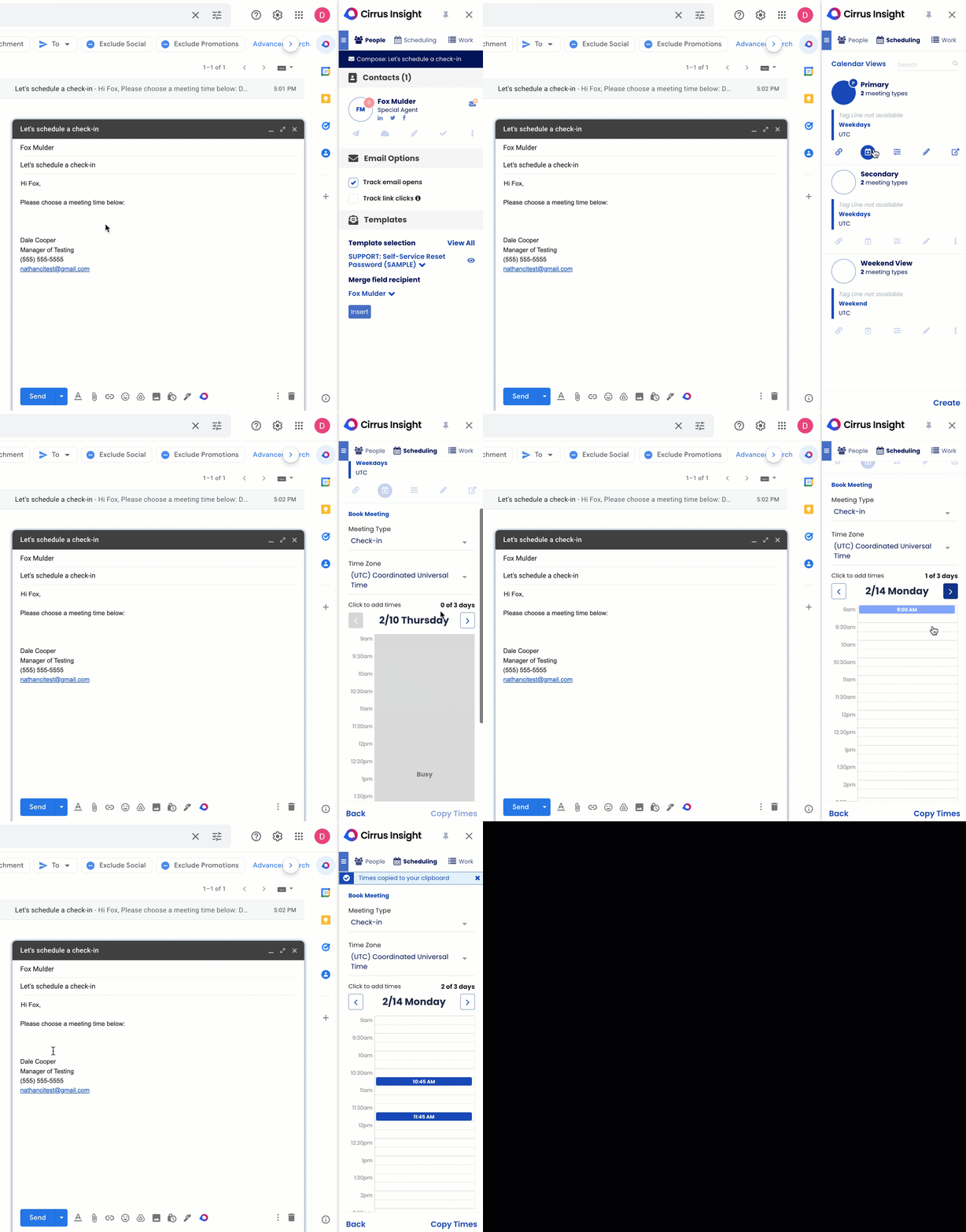
Prospect books in 1 click; event + email auto-log to Salesforce
Seller insight: Automated reminders dramatically reduce no-shows and keep early-stage momentum high, especially for first meetings.
How Salesforce And Your Inbox Work Together
Most Salesforce teams already use some form of native automation. Flows, assignment rules, and validation rules help update fields, route records, and enforce data standards inside the CRM.
They are powerful tools for keeping your process consistent once the data is in Salesforce.
The catch is that selling actually happens in email and calendar. Reps reply from Gmail or Outlook, send invites, and share files. If those touchpoints never make it back to Salesforce, you lose visibility, coaching context, and accurate pipeline signals.
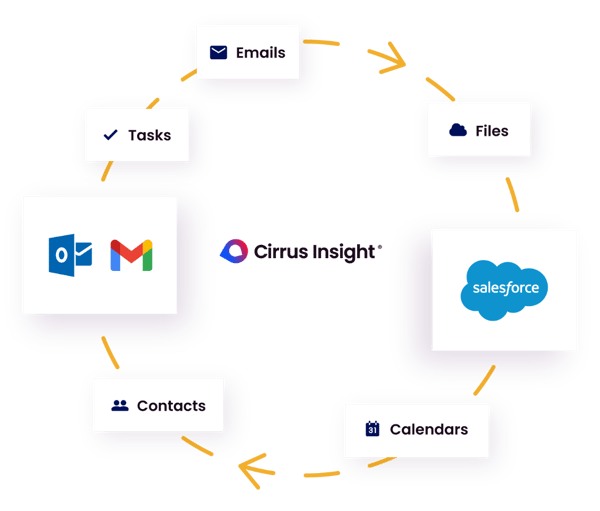
Inbox-based sales automation connects the dots. Here is what it looks like:
- Salesforce sidebar in Gmail or Outlook: see the matching Lead, Contact, Account, or Opportunity while writing an email
- Inline record edits: update fields, add notes, change stages, and create tasks without switching tabs
- Automatic activity capture: emails and events log to the correct records by default
- Send from the inbox, stay consistent: templates with light personalization, short sequences for follow-ups, and a scheduler that inserts real availability into an email
Workflow snapshot
- A prospect submits a demo form
- Salesforce creates the lead and assigns the owner
- The rep opens Gmail. The sidebar loads the lead, shows recent activity, and suggests a two-step follow-up
- The rep inserts an availability link. The meeting is booked. The email and event log to the lead automatically
Internal tip: Set simple, explicit logging rules. Default to the most specific record available. Allow quick overrides when the context is different. This keeps history complete and your org tidy.
Think of it this way. Salesforce is your system of record. Your inbox is your system of action. Sales automation ties them together so daily work becomes visible, measurable, and repeatable.
Sales Automation Best Practices (and Mistakes to Avoid)
Automating the sales process works best when it feels invisible to customers and simple for reps. The goal is not to automate everything, but to automate the right things and keep control over how your team shows up in front of buyers.
Aggregate your fragmented prospect data from multiple sources into one convenient reference email. Streamline your buyer data research process with Meeting AI .
Keys to Successful Sales Process Automation
- Start small. Pick 2-3 high-impact workflows first, like follow-up reminders, meeting scheduling, or activity logging
- Keep messages human. Use templates and sequences, but always add relevant context or one line of true personalization so outreach sounds like it is written by a person, not a script
- Protect data quality. Make sure automations align with your sales stages and definitions, and update the right fields in Salesforce instead of creating new ones for every edge case
- Review and refine regularly. Look at reply rates, meetings booked, and rep adoption. Turn off what is not working, and improve what is
Common Sales Automation Mistakes To Avoid
- Over-automating outreach. Long, aggressive sequences with no personalization will feel robotic and hurt your brand
- Too many overlapping rules. Stacked workflows and sequences can create conflicting tasks, duplicate touches, or confusing alerts for reps
- Ignoring opt-out and compliance. Make it easy for people to unsubscribe and stay on top of regional requirements so automation does not create legal risk
- Leaving reps out of the design. If sales teams do not trust or understand your automations, they will work around them. Involve them early and treat their feedback as part of the setup
Why Cirrus Insight Belongs in Your Salesforce Stack
Cirrus Insight is inbox-based sales automation software for Salesforce teams that live in Gmail and Outlook. It connects Gmail and Outlook to Salesforce so every email, meeting, and update flows into the CRM without extra steps. The result is faster execution for reps and cleaner data for the business.
Work where reps already work: A live Salesforce sidebar in the inbox shows the right Lead, Contact, Account, or Opportunity next to every email. Reps can view context, update fields, add notes, create tasks, and drop in availability links without leaving their email client.
Deeper Salesforce integration: Cirrus Insight writes activity and updates directly to Salesforce, including support for custom objects and admin-level sync controls. That means cleaner data, fewer duplicates, and a history of emails, calls, and meetings that is ready for accurate reporting and coaching.
Built-in automation for modern teams:
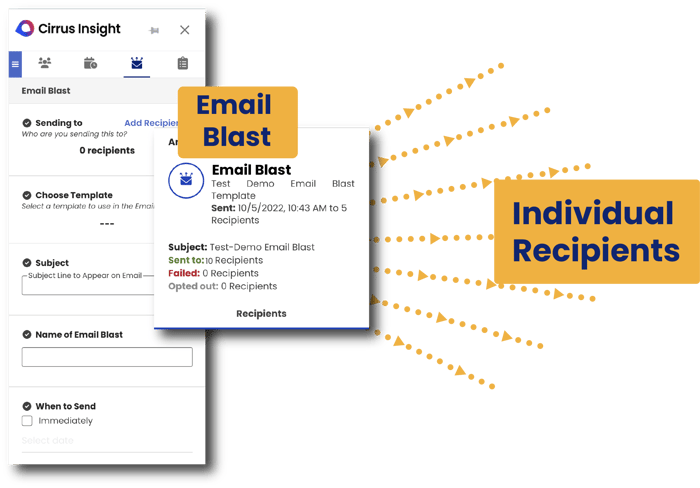
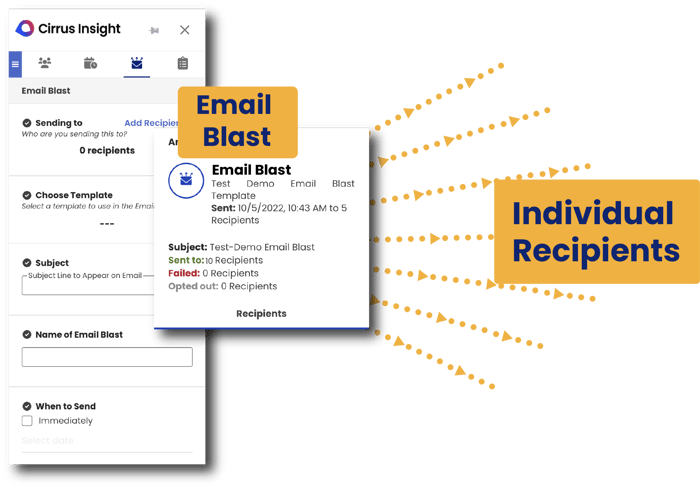
- Email Blast gives customer-facing teams access to proven email templates and personalization using Salesforce fields, so they can send tailored messages to a list of contacts directly from the inbox and turn more sends into meetings
- Sales Cadence defines a planned series of interactions over a set number of days, combining emails, calls, and reminders so prospects keep moving through the sales process without manual Salesforce email tracking
- Buyer Signals automatically tracks who is opening emails, clicking links, and revisiting your site, so reps can see real engagement and follow-up with the warmest prospects first
- Smart Scheduler and smart routing turn interest into confirmed meetings, with events and emails logged automatically
FAQs About Sales Automation
What is sales automation?
Sales automation is the use of software to handle repetitive sales tasks so reps can focus on conversations instead of admin work. It typically covers lead capture, routing, follow -up, activity logging, and scheduling, often tied directly to Salesforce, Gmail, and Outlook.
How is sales automation different from CRM and marketing automation?
A CRM like Salesforce stores customer and deal data, while marketing automation runs broad, campaign-style communication to large segments. Sales automation focuses on the day-to-day workflows of reps: one-to-one outreach, follow ups, opportunity updates, and meeting scheduling across your CRM and inbox.
What are examples of sales automation workflows to start with?
Good first candidates include lead capture and routing, short follow-up sequences for key motions, automatic logging of emails and meetings to Salesforce, and calendar scheduling from the inbox. These workflows save time quickly and immediately improve how opportunities move through your sales process.
How does sales automation work in Salesforce and my inbox?
Sales automation connects Salesforce to Gmail or Outlook so records, activities, and tasks stay in sync with the emails and meetings reps already handle. A Salesforce sidebar in the inbox lets reps view and update records, log activity automatically, run sequences, and insert scheduler links without switching tabs.
Is sales automation right for small sales teams or solo reps?
Yes. Small teams and solo reps often see the biggest gains because each person is juggling prospecting, active deals, and account management. Even a few simple sales automation workflows can keep Salesforce accurate, prevent missed follow ups, and open up more selling time for every rep.
Effortlessly Turn Qualified Opportunities Into Revenue
Cirrus Insight powers teams with sales automation tools that streamline tasks & free up time for revenue-generating activities.
.png?width=345&name=Group%2037396%20(10).png)


