


.png?width=18&height=18&name=Vector%20(5).png)




Sales teams don’t hate CRMs. They hate what CRMs turn into.
What starts as a clean pipeline system slowly becomes a graveyard of half-updated fields, missing notes, stale close dates, and “I’ll update it later” promises. Reps spend hours logging calls. Managers chase updates before pipeline reviews. Forecasts rely on data everyone knows isn’t complete.
That’s not a CRM problem. It’s a workflow problem.
CRM workflow automation is what turns your CRM from a passive database into an active execution engine. Instead of relying on manual updates and memory, automation ensures that when something happens, a lead fills out a form, a meeting is booked, a deal stalls, the right action triggers automatically.
Tasks get created. Owners get assigned. Emails get sent. Fields get updated. Reminders fire. No chasing. No guesswork.
In this guide, we’ll break down what CRM workflow automation actually means, how it works behind the scenes, the best tools available in 2026, and how to choose the right solution for your sales team, without overcomplicating your tech stack.
What Is CRM Workflow Automation?
CRM workflow automation is the process of using rules, triggers, and AI inside your CRM to automatically execute tasks, updates, and follow-ups, without manual intervention.
In simple terms, it means your CRM doesn’t just store data. It does something when data changes.
Instead of a rep remembering to:
- Assign a new lead
- Send a follow-up email
- Update an opportunity stage
- Create a task after a meeting
- Remind a customer about renewal
The CRM handles it automatically based on predefined logic.
What Is Workflow Automation in CRM?
Workflow automation in CRM works through a simple structure:
- Trigger - Something happens
(A form is submitted, a deal moves stages, a meeting is logged) - Condition - Rules are checked
(Region = North America, deal value > $50K, no activity in 7 days) - Action - The system responds
(Assign owner, send email, create task, update field, notify manager)
That’s an automation workflow in action
How CRM Workflow Automation Is Different From Basic CRM Usage
A standard CRM records information.
CRM workflow automation operates on that information.
Without automation:
- Reps manually log calls
- Managers chase updates
- Deals stall silently
- Forecasts rely on incomplete data
With automation:
- Activities sync automatically
- Tasks generate instantly
- Stalled deals get flagged
- Follow-ups trigger on schedule
- Data stays consistent across teams
Common CRM Workflow Automation Flows You Should Try
If “CRM workflow automation” still sounds abstract, this is where it becomes real.
At its core, an automation workflow removes manual steps from repetitive sales processes. Below are high-impact examples of workflow automation in CRM that directly improve pipeline visibility and execution.
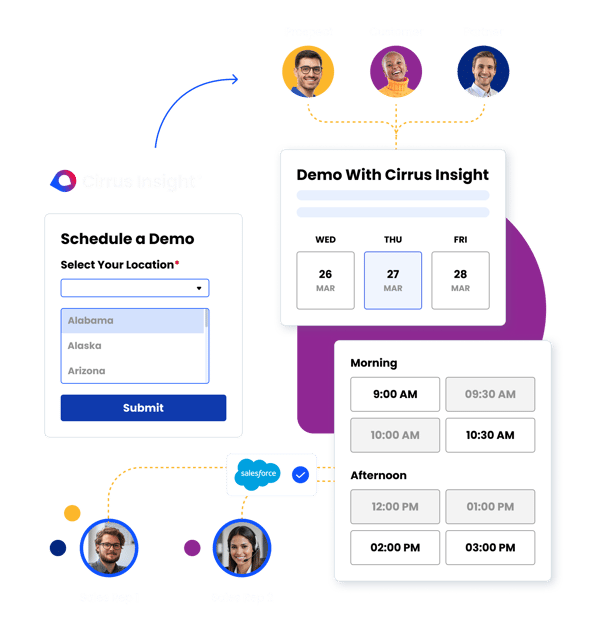
Lead Assignment Automation
Speed matters. The longer a new lead sits unassigned, the lower your conversion rate.
CRM workflow automation can instantly:
- Route leads using round-robin assignment
- Assign by territory, region, or industry
- Route based on deal size or product interest
- Escalate high-value leads to senior reps automatically
Instead of waiting for ops to manually distribute leads, the system handles it in seconds, improving response time and conversion rates.
Automated Follow-Up Sequences
Follow-up inconsistency kills deals.
With CRM workflow automation tools, you can trigger:
- Automated email sequences after meetings
- Reminder tasks for reps if no response is received
- Notifications when prospects engage with content
- Escalation alerts if follow-ups are missed
The key difference? The follow-up process becomes systematic, not dependent on individual memory.
Opportunity Stage Automation
Deals stall when stages don’t reflect reality.
Automation workflows can:
- Auto-update opportunity stages based on logged activity
- Move deals forward after a completed demo
- Flag inactive opportunities after X days of no engagement
- Trigger manager alerts when large deals show risk signals
This keeps the pipeline clean and forecasting more accurate.
Meeting & Activity Sync
One of the most powerful uses of CRM workflow automation is eliminating manual logging.
Automation can:
- Auto-log emails to CRM records
- Sync calendar meetings automatically
- Capture call activity and notes
- Create follow-up tasks immediately after meetings
When activities are captured automatically, CRM data becomes reliable and not optional.
Customer Lifecycle Workflows
Automation isn’t just for new deals. It’s critical post-sale.
CRM workflow automation can support:
- Renewal reminders 90/60/30 days before expiration
- Upsell triggers based on product usage
- Churn alerts when engagement drops
- Automatic handoffs between sales and customer success
This ensures no customer falls through the cracks and revenue opportunities aren’t missed.
Top CRM Workflow Automation Tools in 2026
Now that we’ve covered what CRM workflow automation looks like in action, let’s talk about the tools that actually power it.
This isn’t an exhaustive deep dive, just a practical overview of the platforms most teams evaluate when building automation workflows inside their CRM.
1. Cirrus Insight
Best for: Salesforce-native workflow automation inside the inbox
Cirrus Insight acts as an execution layer on top of Salesforce. Instead of building complex backend workflows alone, it automates the activity side of CRM, where most data gaps happen.
What it automates:
- Automatic email and meeting sync to Salesforce
- AI-generated meeting summaries
- Post-call action item creation
- Smart Scheduler lead routing
- Sales cadences and follow-up triggers
- Buyer engagement tracking
It’s especially strong for teams that want workflow CRM automation without adding another heavy platform.

2. Salesforce Flow (Native Automation)
Best for: Deep, rule-based automation inside Salesforce
Salesforce Flow allows admins to create advanced automation workflows based on triggers, conditions, and actions.
Common use cases:
- Field updates
- Approval workflows
- Task creation
- Deal stage triggers
- Lead routing logic
Powerful, but often requires admin expertise to implement and maintain.
3. HubSpot CRM Automation
Best for: Marketing + sales workflow automation in one platform
HubSpot offers user-friendly automation builders for email sequences, lead nurturing, and lifecycle updates.
Strong for:
- Automated email follow-ups
- Lead scoring
- Deal stage workflows
- Marketing-to-sales handoffs
It’s particularly popular among SMB and mid-market teams.
4. Zoho CRM
Best for: Budget-friendly automation workflows
Zoho provides workflow rules, scoring, and blueprint automation at a lower price point than many enterprise CRMs.
Automation capabilities include:
- Lead and deal assignment
- Task reminders
- Approval workflows
- Sales process blueprints
A solid option for smaller teams that want structure without enterprise pricing.
5. Zapier (Workflow Connector)
Best for: Cross-platform automation
Zapier connects CRM systems to thousands of external tools. It’s not a CRM itself, but it’s often used to extend automation beyond the CRM.
Examples:
- Push form submissions into CRM
- Trigger Slack alerts for new deals
- Sync CRM updates with finance tools
Best used as a bridge rather than a full CRM workflow engine.
Key Features to Look for in CRM Workflow Automation Tools
Not all CRM workflow automation tools create real impact. Some automate surface-level tasks. Others fundamentally improve execution, visibility, and forecasting.
Here’s what actually separates the two.
Does It Eliminate Manual Data Entry?
If reps are still logging emails, updating fields, and creating follow-up tasks manually, you’re not solving the real problem.
Strong CRM workflow automation should quietly remove admin from the rep’s day. The best tools automatically capture activity, update records, and generate next steps, without requiring extra clicks or reminders. If automation still depends on rep discipline, it’s not true automation.

Can It Automatically Sync Emails and Meetings?
Activity capture is the backbone of reliable forecasting.
Look for automation that:
- Syncs emails directly to the correct contacts and opportunities
- Logs calendar meetings without manual entry
- Attaches summaries or notes automatically
- Prevents duplicate or missed activity records
When activity sync is automatic, CRM data becomes trustworthy. When it’s optional, reporting becomes guesswork.
Does It Support Conditional Logic?
Basic workflows follow simple “if this, then that” rules.
Advanced CRM workflow automation supports layered logic that reflects real sales complexity. For example, you may want to trigger different actions based on deal size, region, product line, or engagement level.
This is where automation moves beyond task creation and begins enforcing process discipline across the pipeline.
Is It Native to Your CRM?
This is one of the most overlooked decision factors.
CRM-native automation writes directly into your system of record. That means cleaner reporting, fewer sync conflicts, and stronger data integrity. Overlay tools can work, but they often introduce delays, duplicate data, or reporting discrepancies over time.
If forecasting accuracy matters, native integration matters.
Can It Scale Across Teams?
Automation that works for five reps might fall apart at fifty.
Scalable CRM workflow automation should support:
- Territory-based logic
- Product-specific workflows
- Multi-team visibility
- Flexible permissions and admin controls
The goal isn’t just automation, it’s consistent execution across the entire revenue organization.
Budget & Pricing: What to Expect When Researching
CRM workflow automation pricing varies based on complexity, CRM depth, and AI capabilities.
Here’s the quick breakdown:
Entry-Level Tools ($0–$50 per user/month)
Basic automation like:
- Task creation
- Simple triggers
- Limited workflow rules
Often bundled into starter CRM plans.
Mid-Market Platforms ($50–$150 per user/month)
More advanced workflows including:
- Conditional logic
- Lead routing
- Email sequencing
- Activity sync
- Basic AI insights
This is where most growing sales teams operate.
Enterprise Revenue Platforms (~$1,000–$1,500 per user/year)
Designed for large revenue teams with:
- Forecast intelligence
- Deal risk detection
- Cross-team automation
- Advanced reporting
Most require annual contracts and custom demos.
Pricing Reality
Most vendors don’t publish full pricing. Expect:
- Annual agreements
- Tiered feature packages
- Demo requests for final quotes
Why Cirrus Insight Turns CRM Workflow Automation Into Execution
CRM workflow automation shouldn’t just move fields around in the background.
It should remove friction from your revenue process.
Cirrus Insight is built for teams that already live in Salesforce but want their CRM to operate automatically, not depend on manual updates.
Instead of building complex backend flows alone, Cirrus strengthens the execution layer:
- Automatic email & meeting sync keeps Salesforce 100% up to date
- AI-powered meeting summaries generate action items instantly
- Conversational Insights surface deal signals inside your pipeline
- Buyer engagement tracking highlights momentum shifts
- Smart Scheduler accelerates deal progression
- Sales cadences ensure structured follow-up
- Live coaching nudges guide reps during active deals

CRM Workflow Automation: FAQs
What is CRM workflow automation?
CRM workflow automation is the use of rules, triggers, and AI inside a CRM system to automatically execute tasks such as lead assignment, follow-ups, field updates, and activity logging. Instead of relying on manual data entry, workflow automation ensures your CRM updates itself based on predefined conditions.
How does workflow automation in CRM improve sales productivity?
Workflow automation in CRM improves productivity by eliminating repetitive admin tasks like logging emails, creating follow-up reminders, and updating opportunity stages. This allows sales reps to spend more time selling and less time maintaining records.
What can you automate with CRM workflow automation tools?
CRM workflow automation tools can automate lead routing, email follow-up sequences, task creation, opportunity stage updates, renewal reminders, and activity syncing. More advanced platforms can also flag deal risk, trigger alerts, and provide AI-driven insights.
Are CRM workflow automation tools only for enterprise teams?
No. While enterprise teams use advanced automation for forecasting and risk detection, small and mid-sized teams can benefit from basic automation workflows like lead assignment and follow-up reminders. Many CRM workflow automation tools offer scalable pricing tiers.
What is the difference between CRM automation and workflow automation?
CRM automation is a broad term that includes features like email syncing and reporting. Workflow automation in CRM specifically refers to trigger-based actions that occur automatically when certain conditions are met, such as moving a deal stage or assigning a new lead.
Do CRM workflow automation tools replace sales reps?
No. CRM workflow automation tools support sales reps by handling administrative tasks and ensuring processes are followed consistently. They enhance execution and data accuracy but do not replace relationship-building or strategic selling.


