.png?width=18&height=18&name=Vector%20(5).png)




Sales teams are always in a race against the clock. Their reps face immense pressure to close deals, nurture leads, and reach their targets, all while managing another stressor—an ever-growing pile of administrative tasks.
To improve team performance, sales operations managers and CRM admins must find ways to streamline processes and free teams from the burden of manual busy work. This is where sales automation tools come into play, offering the ability to streamline scheduling, personalize emails at scale, and simplify CRM reporting and data entry.
And their success is proven. According to a recent study by Salesforce, sales teams that use marketing automation tools see a 14.5% increase in productivity.
Let’s look at how integrating sales automation tools can boost productivity, reduce administrative burdens, and empower your team to drive revenue, connections, and opportunities.
What Does It Mean to Improve Sales Performance?
Improving sales performance means increasing your team’s ability to consistently generate revenue by selling more effectively, efficiently, and predictably.
At its core, sales performance is measured by outcomes like quota attainment, revenue growth, pipeline conversion rates, and customer retention.
For example, improving sales performance can involve:
- Increasing the percentage of time reps spend actually selling instead of handling administrative tasks
- Improving lead qualification so reps focus on high-intent prospects
- Enhancing sales coaching to boost close rates
- Streamlining CRM workflows to eliminate manual busy work
- Using automation and data insights to prioritize the right opportunities
In other words, improving sales performance isn’t about pushing your team to “work harder.” It’s about helping them work smarter.
What makes a Sales Team successful?
A successful Sales team isn’t just preoccupied with hitting targets. They’re committed to being efficient, well-prepared, and prioritizing high-value activities that drive revenue and engagement.
Sales reps are more likely to close deals and build lasting relationships when they attend calls armed with in-depth insights and a clear, personalized action plan. But achieving this level of preparation can be tricky if they’re bogged down with repetitive tasks and busy work that hinders performance.
Astoundingly, Salesforce found that sales reps spend just 28% of their time selling to prospects. That means the other 72% is being lost to time-consuming admin tasks.
Automation can help accelerate every stage of the sales process. By taking on the mundane, time-consuming tasks, automation frees up more time to fill, nurture, and drive the sales pipeline.
What’s weighing your Sales Team down?
To improve sales performance, you have to first understand what’s slowing down your team. Sales reps are often burdened with a heavy workload of manual tasks, pulling time and energy away from actual selling.
Here are some of the common time-consuming tasks at each stage of the sales cycle:
- Prospecting: Research potential leads by manually gathering their contact information and relevant details, then adding this data to the CRM.
- Lead qualifying: Attempt to qualify and route leads based on limited and sometimes faulty data, leading to engagement attempts that go nowhere.
- Discovering and analyzing: Gather more information from potential prospects through time-consuming follow-up calls and emails.
- Updating CRM data: Painstakingly maintain records by adding meeting notes, updating contact details, and tracking deal stages manually.
How To Improve Sales Performance in 7 Proven Ways
Improving sales performance isn’t about pushing reps to “do more.” It’s about removing friction, improving visibility, and making every action more intentional.
Here are six high-impact ways to improve sales team performance by automating the right parts of your workflow.
1. Streamline Scheduling to Improve Sales Performance
Every delayed meeting is a delayed deal.
Back-and-forth email coordination slows pipeline velocity and increases the risk of prospects disengaging. High-performing teams remove scheduling friction entirely.
Think about automating your meeting workflows to:
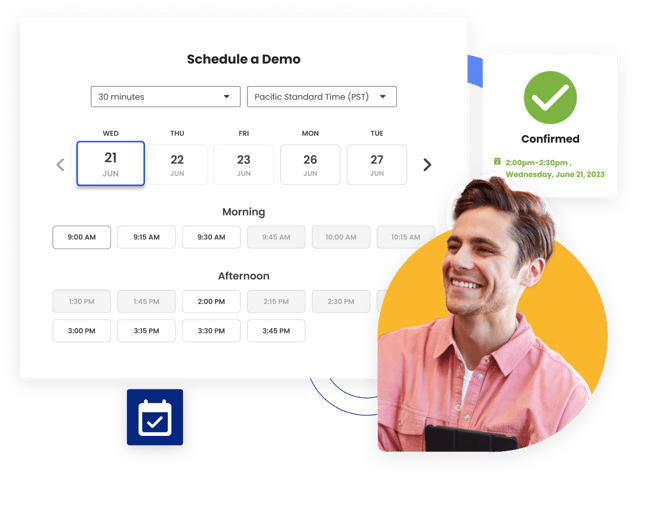
- Enable easy booking across teams: Adopt scheduling automation tools that allow your prospect to schedule a meeting with more than one person at your company. For example, if a prospect needs to meet with a Sales Rep and a Sales Engineer at the same time, the Sales Rep can send one link to a calendar view that shows the availability for both the Sales Rep and the Sales Engineer.
- Add scheduling from your website: When prospects are eager to connect with sales, they often fill out a form and wait, risking their interest to fizzle out (or talk to your competitors) while they wait for a response. With automated scheduling solutions, like Smart Scheduler, the moment prospects click to connect with sales on your website, they’re instantly directed to a page displaying the availability of the most appropriate salesperson.
- Share calendar links via email: Provide your availability as unique calendar links, making it simple for qualified prospects to schedule a meeting with sales. By eliminating the frustration of back-and-forth email tag, your outreach-to-book-meeting conversion rates will typically increase.
When meetings are booked instantly and synced automatically, sales reps spend less time coordinating and more time closing.
Faster scheduling = faster pipeline movement.
2. Automate CRM Data Entry to Improve Sales Team Productivity
Manual CRM updates are one of the biggest performance killers in sales organizations.
When reps have to log emails, enter meeting notes, and update deal stages manually, CRM accuracy drops and so does morale.
To improve sales team performance:
- Automatically sync emails and meetings into Salesforce
- Log activities without manual input
- Update contact records in real time
- Eliminate duplicate or incomplete data
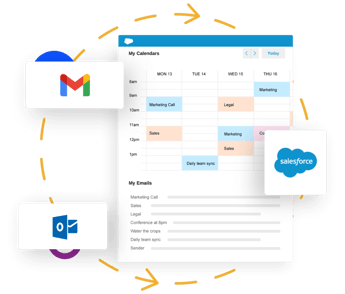
When you automate your CRM data entry, it’s as if these issues magically disappear. By using inbox-monitoring tools that sync emails, calendar events, and tasks directly into Salesforce, Sales Managers can rest assured that all team interactions are recorded without manual input.
Without automation in place, only 40% of sales activities end up in your CRM. Adopting an automated system improves the reliability of CRM data, making it more viable for forecasting and strategic decisions.
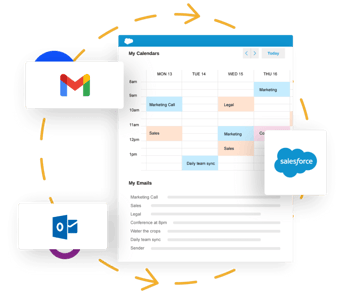
Access data on leads and prospects without leaving your inbox with Salesforce Sidebar. Compatible with Gmail and Outlook, this helpful tool keeps you informed and ready for the day ahead. No need to switch between platforms.
Better data. Less admin. Higher performance.
3. Personalize Outreach at Scale to Increase Engagement and Conversions
Personalization improves response rates, but writing every email manually doesn’t scale.
Sales professionals spend roughly one-fifth of their day writing emails. That’s valuable selling time lost.
To improve sales performance through personalization:
- Use dynamic email templates tied to CRM fields
- Segment outreach by industry, persona, or deal stage
- Personalize subject lines and value propositions at scale
- Track which messaging drives the highest engagement
The goal isn’t to send more emails, it’s to send more relevant ones. Scalable personalization improves open rates, reply rates, and pipeline growth without increasing workload.
4. Use Sales Cadences to Improve Follow-Up Consistency
Inconsistent follow-up is one of the most common causes of poor sales performance.
Sales cadences bring structure and discipline to outreach efforts by defining when and how reps should follow up.
To improve sales team performance with cadences:
- Create multi-step sequences combining email, calls, and LinkedIn touchpoints
- Automate reminders and task creation
- Trigger next steps based on prospect behavior
- Ensure no qualified lead falls through the cracks
Structured follow-up increases engagement rates and shortens sales cycles. Consistency builds momentum and momentum drives revenue.
Automation tools can help you build faster, more successful cadences. Cirrus Insight’s Sales Cadences, for example, automatically triggers stages in the process based on predefined rules. This automated tool can send personalized emails, schedule follow-up calls, and deliver calendar reminders to avoid wasted opportunities.
5. Track Buyer Engagement to Prioritize High-Intent Leads
Not all leads are equal and treating them that way hurts performance.
Tracking buyer engagement helps reps focus their energy where it matters most.
To improve sales performance using buyer signals:
- Monitor email opens and link clicks
- Track document and attachment engagement
- Capture website visits and content downloads
- Score leads based on activity levels
Here’s where automation can help engage your buyers:
- Automate customer touchpoints: Every action taken by a prospect gives insight into their interest level, whether they clicked a link in an email, visited your website, or downloaded a resource. Automating the capture of these touchpoints in your CRM ensures no interaction goes unnoticed. Sales reps gain a complete view of prospects’ engagement histories, making it simple to track the sales funnel and respond with relevant outreach.
- Use AI to streamline prospect research: Leverage AI-powered tools to aggregate prospect data from multiple sources, such as social media, company sites, and public records. Create in-depth profiles for new leads, equipping sales reps with the insights they need for well-informed lead routing and engagement efforts.
- Get consolidated prospect details: Save time by receiving summaries for leads and clients as a single reference email in your inbox. Program these emails to outline key details, such as engagement history, company background, and pain points. This automated approach simplifies how sales reps prepare for calls and helps personalize outreach.
- Leverage intelligent lead scoring: Prioritizing leads is made easier with intelligent lead scoring tools. Buyer Signals assigns points to prospect actions, allowing sales reps to quickly identify the most interested leads without manual analysis. Map the entire buyer relationship over time and see who is ready to convert.
Attachment Tracking tells you if contacts are engaging with sales collateral. Monitor when prospects open documents, see which pages they view, and know if they’re forwarded to colleagues. Get the inside scoop into who’s engaged—and who might be losing interest.
When reps know who is actively engaging, they can prioritize high-intent prospects and respond at the right moment. That timing advantage significantly increases close rates.
6. Automate CRM Reporting for Smarter Sales Decisions
Sales managers rely on pipeline data to coach reps, forecast revenue, and allocate resources. But when reporting is manual or inconsistent, decision-making becomes reactive instead of strategic.
To improve sales performance at the team level:
- Automate activity logging for cleaner dashboards
- Standardize pipeline stage definitions
- Generate real-time reports on win rates and deal velocity
- Identify bottlenecks before they impact revenue
Automated reporting creates transparency. Transparency enables smarter decisions. And smarter decisions drive sustainable performance growth.
7, Leverage mass email personalization
Personalized communication is needed to engage prospects and nurture client relationships. But crafting individual reach-outs and replies to everyone can be incredibly time-consuming. In fact, sales professionals spend 21% of their workday writing emails!
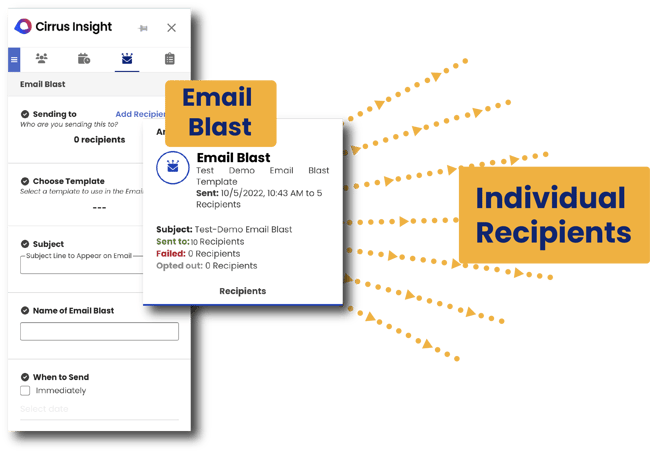
Automation tools for mass email personalization give back these valuable hours, enabling the creation and sending of tailored messages at scale. Smart solutions like Email Blast use custom templates and pull data from your Salesforce CRM to personalize emails with prospect and client data, such as name, company, and other fields.
Recipients receive messages that feel personal and relevant to them–while sales teams can prospect at scale, build their pipeline faster, and generate high-quality opportunities with contacts showing strong buyer signals.
Without automation in place, only 40% of sales activities end up in your CRM. Adopting an automated system improves the reliability of CRM data, making it 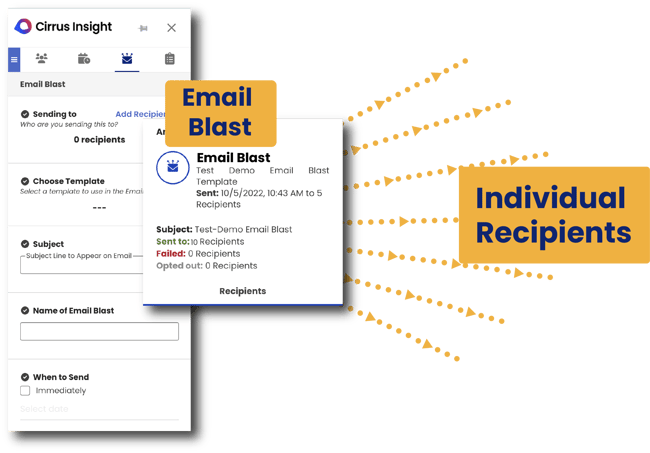 Optimize Your Pipeline
Discover why 50k people choose Cirrus Insight to drive more revenue.
How Cirrus Insight Helps Improve Sales Team Performance
Cirrus Insight is designed to eliminate the busywork that prevents reps from focusing on revenue-generating activities.
Instead of switching between platforms and manually updating Salesforce, your team can:
- Automatically sync emails, meetings, and tasks to Salesforce
- Access CRM data directly inside Gmail or Outlook
- Track email opens, link clicks, and attachment engagement in real time
- Automate scheduling workflows to eliminate email tag
- Use buyer signals to prioritize high-intent prospects
Reps spend more time selling.
Managers gain more accurate forecasting data.
Leadership gets clearer pipeline visibility.
Ready to sell more? Request a demo with Cirrus Insight to discover how our solutions can automate your sales processes and empower your team to drive revenue. Be sure to ask about our free trial option.
Sales Performance: FAQs
How can I improve sales performance quickly?
To improve sales performance quickly, focus on eliminating administrative bottlenecks, prioritizing high-intent leads, and tightening your follow-up process. Automating CRM updates, improving pipeline visibility, and tracking buyer engagement can immediately increase the amount of time reps spend selling instead of managing busy work.
What are the best ways to improve sales team performance?
The best ways to improve sales team performance include setting clear KPIs, strengthening coaching and feedback loops, refining lead qualification processes, and using automation to reduce manual tasks. High-performing teams also focus on data-driven decision-making and consistent follow-up strategies to increase conversion rates.
How do automation tools improve sales performance?
Sales automation tools improve sales performance by streamlining repetitive tasks like scheduling, CRM data entry, reporting, and email follow-ups. By reducing time spent on administrative work, automation allows sales reps to focus on revenue-generating activities such as prospecting, nurturing leads, and closing deals.
What KPIs should I track to improve sales performance?
To improve sales performance, track key metrics such as win rate, quota attainment, sales cycle length, pipeline coverage ratio, revenue per rep, and lead-to-opportunity conversion rates. Monitoring these KPIs helps sales leaders identify bottlenecks, optimize processes, and make informed decisions that drive revenue growth.
What causes poor sales performance?
Poor sales performance is often caused by unclear processes, weak lead qualification, lack of coaching, inconsistent follow-up, and excessive administrative workload. When sales reps spend too much time on manual tasks instead of selling, productivity drops and pipeline momentum slows.
How does Cirrus Insight help improve sales performance?
Cirrus Insight improves sales performance by automatically syncing emails, meetings, and tasks with Salesforce, eliminating manual data entry and improving CRM accuracy. By giving reps real-time visibility into buyer engagement and pipeline activity, it helps teams prioritize high-value opportunities and close deals faster.
Can Cirrus Insight improve sales team performance in Salesforce?
Yes, Cirrus Insight is built specifically to improve sales team performance within Salesforce by automating activity tracking, enabling email and attachment tracking, and providing pipeline visibility directly inside the inbox. This reduces administrative work and increases the time reps spend selling.
How does email tracking improve sales performance?
Email tracking improves sales performance by giving reps visibility into when prospects open emails, click links, or engage with attachments. These buyer signals help sales teams prioritize follow-ups, respond at the right time, and focus on leads that are most likely to convert.
Optimize Your Pipeline
Discover why 50k people choose Cirrus Insight to drive more revenue.