Type "agentforce assistant" into Google, and you get three different products wearing almost the same name. One helps service reps. One used to be called Einstein Copilot. One is an entire platform. Salesforce renamed and reshuffled all of it between January 2025 and Dreamforce 2025, and the labels still overlap.
This guide sorts out what "Agentforce Assistant" actually means today. We go deep on the Agentforce Service Assistant, since that is what most people are now searching for, then cover how any of these assistants fit a sales team that already lives in Salesforce. Every date and price here is sourced, and we flag the parts you should confirm with Salesforce before you buy.
|
Quick Reference: What "Agentforce Assistant" Means
It is not one product. In 2026, the phrase points to one of three things:
1. Agentforce Service Assistant An assistive AI agent on the Salesforce Case record page. It summarizes a case and drafts a step-by-step resolution plan for a human service rep. Live since Spring '25 (February 2025).
2. Agentforce (Default) The assistive productivity agent formerly called Einstein Copilot, renamed in January 2025. It answers questions and drafts content inside the flow of work across Salesforce.
3. Agentforce 360 The wider platform for building and running AI agents, branded Agentforce 360 since Dreamforce 2025.
Pricing at a glance: about $2 per conversation, or Flex Credits at $500 per 100,000 (roughly $0.10 per action), or per-user editions from about $125 per user per month. Confirm current rates with Salesforce.
|
What People Mean by "Agentforce Assistant" Today
The confusion is Salesforce's own doing. Over about a year, the company folded its generative AI tools under the Agentforce brand and shipped a new assistive agent for Service Cloud with a very similar name. So when someone asks about the "Agentforce assistant," they usually mean one of these:
- The Agentforce Service Assistant, an assistive agent that helps human service reps close cases faster. This is the specific product most searches now point to.
- The Agentforce (Default) agent, formerly Einstein Copilot, which helps internal Salesforce users get things done by asking in plain language.
- Agentforce itself, the platform, where admins build custom assistants and autonomous agents on top of the same engine.
Once you separate those three, everything else about Agentforce gets easier to reason about. Let's start with the one that caused the most confusion.
What Happened to Salesforce Einstein Copilot
Here is the correction that trips up most articles on this topic, including our own earlier version. Salesforce did not rename Einstein Copilot to "Agentforce Assistant."
What actually happened: in January 2025, as part of the Spring '25 release, Salesforce renamed the Einstein Copilot for Salesforce agent type to Agentforce (Default), with no change in functionality. In Setup, you now see Agentforce or Agentforce (Default) for the agent name and type. Permissions, UI labels, and docs were updated to match. You can read the official note here.
Einstein as a brand did not disappear. Salesforce kept the Einstein name for predictive work like lead scoring and forecasting, and moved anything conversational or agentic under Agentforce. Einstein Copilot, introduced in April 2024, was the ask-and-answer assistant. Agentforce is the umbrella for agents that can take action. The rename was mostly branding, but the platform kept growing around it, and at Dreamforce 2025, Salesforce started calling the whole thing Agentforce 360.
If you had Einstein Copilot configured, nothing broke. Your setup still runs. The label in Setup just reads Agentforce now.
Agentforce Service Assistant, Explained
The Agentforce Service Assistant is the product most people mean when they search "agentforce assistant." It is an assistive agent that lives on the Case record page in Service Cloud and helps a human rep resolve a case faster, without leaving the record. It went live as a standard Lightning component in the Spring '25 release, February 2025. Salesforce Ben has a thorough walkthrough.
The key word is assistive. Service Assistant does not talk to your customer or close the case on its own. It works alongside the rep, who stays in control the whole time. That makes it a low-risk on-ramp for teams that want AI help but are not ready to hand a customer conversation to an autonomous agent.
What It Does on the Case
When a rep opens an eligible case, Service Assistant does four things:
- Reads the full context. It analyzes the case data and the customer's engagement history. Has this person contacted you about this before? What were they offered? What product are they on?
- Finds a likely solution. It checks whether the problem has come up before and whether it is covered in a Knowledge Article, so the rep does not have to dig.
- Drafts a step-by-step plan. The rep clicks Draft Plan and gets a summary plus the concrete steps to close the case, right in their flow of work.
- Helps write the reply. Built-in Einstein Email Summaries let the rep generate a customer email from the case at any point, using the Email quick action.
How It Works Behind the Scenes
Service Assistant uses the same building blocks as the Agentforce Service Agent: topics, instructions, and actions. Your admin defines the process, so the plans it suggests follow your company's guidelines rather than a generic script. Service Assistant matches each incoming case to the right topic and shows the relevant plan based on case context and history.
It also ships with a Check Service Plan Eligibility flow. That flow lets you decide which cases get a plan, based on fields like case origin, type, or owner. This matters for cost: every plan is an LLM call, and the eligibility flow keeps the assistant from firing on cases where it adds no value. Salesforce's setup module walks through the whole build.
What Managers Get Out of It
Service Assistant includes reporting on plan performance and on the feedback reps give each plan. Since support teams usually care about average handle time and CSAT, the analytics let managers measure whether the assistant is actually returning time to the team, and tune the topics and instructions when it is not.
Service Assistant vs Service Agent vs the Agentforce (Default) Agent
Three Agentforce products get mixed up constantly. Here is how they differ.
| |
Service Assistant
|
Service Agent
|
Agentforce (Default)
|
|
Who it helps
|
Human service reps
|
Customers directly
|
Internal Salesforce users
|
|
Mode
|
Assistive, human in control
|
Autonomous
|
Assistive, ask and answer
|
|
Where it lives
|
Case record page
|
Digital channels (chat, web)
|
In the flow of work across Salesforce
|
|
Core job
|
Summarize the case, draft a resolution plan
|
Resolve cases end to end across channels
|
Answer questions, retrieve records, draft content
|
|
Formerly
|
New in Spring '25
|
First GA Salesforce AI agent for service
|
Einstein Copilot (renamed Jan 2025)
|
A simple way to hold it: Service Assistant helps a person, Service Agent replaces the person for routine cases, and Agentforce (Default) is the internal helper you already had under the Einstein name.
Agentforce for Sales and Internal Productivity
Most Agentforce coverage is written for service teams, but the assistive Agentforce (Default) agent is aimed squarely at internal users, including sales. If you spend your day in Salesforce, this is the assistant you can actually put to work now.
The useful pattern is the same one Einstein Copilot introduced: ask in plain language, get an answer or an action grounded in your CRM data. In a sales context that looks like:
- Pull deal context fast. Ask for the status of an opportunity, recent activity on an account, or which deals slipped this quarter, without building a report.
- Draft the follow-up. Turn call notes and CRM context into a first-draft email you can edit and send.
- Update records by asking. Change a stage, log an activity, or schedule a task with a single request instead of clicking through screens.
The catch is that all of this depends on the data underneath. An assistant that reads a half-empty opportunity gives you half-useful answers. We come back to that below, because it is the part most teams underestimate.
How Agentforce, Data Cloud, and the Salesforce Platform Fit Together
Agentforce assistants do not run on the CRM record alone. They lean on Data Cloud, now branded Data 360, to ground their answers in a unified view of the customer, and on the Salesforce Platform to surface those answers where people work.
Data Cloud pulls records from email, web, and other sources into one profile and resolves duplicates, so the assistant is reasoning over an accurate picture instead of a scattered one. The Einstein Trust Layer sits across the whole flow to keep that data protected. The Platform then puts the assistant on Lightning pages, inside Flow, and behind existing permissions, so each user sees only what they should.
This is also where the cost story starts, because Data Cloud is usually a separate and substantial line item. More on that in the pricing section.
How to Customize an Agentforce Assistant
You do not need to write code to shape what an Agentforce assistant does. Admins configure it with clicks in Setup. The core building blocks are topics, instructions, and actions:
- Topics group related tasks, so the assistant knows which kind of request it is handling.
- Instructions tell it how to behave within a topic, in your company's tone and rules.
- Actions are the things it can actually do, from updating a record to running a Flow you built.
You control scope with standard Salesforce permissions, so the assistant can only read and edit what a given user could. To add a custom capability, build a Flow, expose it as an invocable action, and map it to the assistant. A rep can then trigger the whole automation with one request. Start by tuning a prebuilt skill, then layer in custom actions once the team sees quick wins.
What Agentforce Assistants Cost
Agentforce is priced on consumption, not seats, and there are three live models as of 2026. Salesforce notes prices change, so treat these as a starting point and confirm with your account team.
|
Model
|
Rate
|
Best when
|
|
Per conversation
|
About $2 per conversation (a 24-hour session)
|
Customer-facing agents with simpler, low-action chats
|
|
Flex Credits
|
$500 per 100,000 credits (about $0.10 per standard action, $0.15 per voice action)
|
Mixed customer, employee, and voice use; the model Salesforce is steering toward
|
|
Per-user editions / add-ons
|
From about $125 per user per month
|
Company-wide internal rollouts where you want fixed per-user cost
|
Two things the headline rates hide. First, you cannot mix Flex Credits and Conversations in the same org, so the choice is a real commitment. Second, the meter is rarely the biggest number. Data Cloud (Data 360) grounding is often the largest line in the whole project, with the Starter tier commonly cited around $60,000 a year and growing from there. There is a free Foundations tier for Enterprise Edition customers that includes 200,000 Flex Credits and 250,000 Data 360 credits, which is the sensible place to start testing.
|
Confirm Before You Budget
All figures above come from 2026 pricing reporting and are subject to change. Verify the current rates and your specific configuration on the Salesforce Agentforce pricing page and with your account executive before making any purchase decision. Pricing page.
|
Where AI Assistants Fall Short (and How to Fix It)
We work inside Salesforce orgs every day, and the pattern is consistent: the assistants that get real usage are the ones sitting on clean, complete data. The ones that get switched off are the ones guessing from half-empty records. Three honest caveats are worth setting up front.
Data quality decides everything. Salesforce says it plainly in its own Help Agent announcement: messy data is the single biggest reason agents fail. An assistant can only reason over what is in the CRM. Missing emails, unlogged calls, and stale contacts all become wrong answers.
Rollout takes longer than the demo suggests. Independent 2026 reporting puts typical Agentforce implementations in the range of five to eleven months, with fewer than 10% of customers fully scaled. That is not a reason to avoid it, just a reason to plan realistically and start narrow.
Cost creeps below the meter. As covered above, the per-action rate is the visible cost. The data layer beneath it usually is not, and it is often larger.
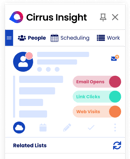
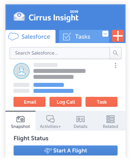
The fix for the first problem is unglamorous, and it is where we spend our time. Keep the activity data flowing into Salesforce automatically. Cirrus Insight captures emails, meetings, and calendar events into Salesforce standard and custom objects without manual entry, enriches contact and account records to fill gaps, and turns conversations into structured CRM data through Meeting AI and Conversation Intelligence. It even ships its own CRM AI background assistant that queues up opportunity hygiene for one-tap updates.
That is not a replacement for Agentforce. It is the data layer that makes any Salesforce assistant more useful, because a clean, current record is exactly what these tools need to give a right answer. If your Salesforce email and calendar sync is solid, your assistants have something real to reason over.
Frequently Asked Questions
Is Einstein Copilot Now Agentforce?
Yes, in a specific way. In January 2025 Salesforce renamed the Einstein Copilot for Salesforce agent type to Agentforce (Default), with no functionality change. It was not renamed "Agentforce Assistant." The Einstein brand still exists for predictive analytics like lead scoring and forecasting.
What Is the Agentforce Service Assistant?
It is an assistive AI agent on the Salesforce Case record page. It reads the case and customer history, drafts a step-by-step resolution plan when the rep clicks Draft Plan, and can generate customer emails through Einstein Email Summaries. It helps a human rep; it does not resolve the case autonomously. It went live in the Spring '25 release, February 2025.
What Is the Difference Between Service Assistant and Service Agent?
Service Assistant is assistive and helps a human rep, staying on the Case record page. Service Agent is autonomous and handles cases directly with customers across digital channels. Many teams start with Service Assistant because the rep stays in control, then add Service Agent for routine, repetitive cases.
How Much Does Agentforce Cost?
There are three models in 2026: about $2 per conversation, Flex Credits at $500 per 100,000 (roughly $0.10 per action), or per-user editions from about $125 per user per month. Data Cloud (Data 360) grounding is usually a separate, larger cost. Prices change, so confirm current rates with Salesforce.
Do I Need Data Cloud to Use Agentforce?
For serious grounding, effectively yes. Agentforce assistants rely on Data Cloud (Data 360) to reason over a unified, accurate customer profile. The free Foundations tier includes some Data 360 credits to start, but at scale the data layer is often the highest cost in the project.
How Do I Set Up the Agentforce Service Assistant?
An admin enables Agentforce and Service Cloud, builds the Service Assistant agent in the Agent Creator with topics, instructions, and actions, adds the Service Assistant Lightning component to the Case record page, and uses the Check Service Plan Eligibility flow to control which cases get a plan. Salesforce has a Trailhead module that walks through it.
|
Give Your Salesforce Assistants Something to Work With
Agentforce is only as good as the data behind it. Cirrus Insight keeps your Salesforce records complete and current by capturing every email, meeting, and calendar event automatically, so your AI assistants have accurate context to reason over. Start a free trial and clean up your CRM data foundation.
|


.png?width=18&height=18&name=Vector%20(5).png)