I have spent the last few years helping B2B teams stand up outbound programs, and the pattern is always the same: reps drown in tools before they ever get to a real conversation. The promise of AI outbound is that the research, list-building, sequencing, and follow-up run themselves so the human can do the part software still cannot, which is closing.
To build this list I reviewed the tools our own team and our clients actually run, then cross-checked features, current pricing, and real user reviews on each one. I did not personally test all 15 end to end. Where I leaned on demos, documentation, and reviews instead of hands-on use, I say so. Prices move fast in this category, so treat every figure here as a starting point to confirm on the vendor site.
Here are the 15 I would put in front of a sales team in 2026, grouped by the job they do.
|
How we made this list
This roundup is published by Cirrus Insight, which is one of the 15 tools listed. We judged every tool, our own included, against the same five criteria below, and kept honest limitations on each. We reviewed features, current pricing, and independent user reviews, where we relied on demos and documentation rather than hands-on testing, the entry says so. Pricing in this category changes often, so confirm figures on each vendor’s site before you buy.
|
What is AI outbound sales?
“AI outbound sales” covers software that uses AI to run proactive outreach: finding prospects, writing and sending messages, and following up until a meeting is booked. Most of the tools below fall into one of five buckets, and every entry is tagged with the bucket it belongs to.
- Autonomous AI SDR agents. Run the whole top-of-funnel loop with light human input: source leads, personalize, send, follow up, and book. Lindy, Artisan, and Persana AI live here.
- Sales engagement platforms. Sequence and execute multichannel cadences across email, phone, and social, usually on top of your CRM. Salesloft, Apollo, Reply.io, and HubSpot Sales Hub.
- Cold email and deliverability tools. Send high volumes of cold email while protecting inbox placement. Smartlead and Instantly.
- Sales data and enrichment tools. Supply and clean the contact data, everything else runs on. Clay and Cognism.
- AI writing, coaching, and channel assistants. Layer onto your stack to draft copy, coach reps, keep the CRM clean, or automate a single channel. Cirrus Insight, Regie.ai, Lavender, and HeyReach.
For more detail, explore our ai sales coaching guide.
How we evaluated each tool
- Automation depth. Does it handle both the outreach and the follow-up, or just draft a first email and stop?
- CRM fit. Does it sync cleanly with Salesforce or HubSpot so records stay current without manual entry?
- Personalization. Can it tailor messages past first name and title using real prospect and account signals?
- Data quality. Is the contact data accurate, and how fresh is it, or do you bring your own?
- Pricing transparency. Can you actually tell what you will pay, or is every number a sales call away?
The best AI outbound sales tools at a glance
|
Tool
|
Best for
|
Standout feature
|
Starting price (confirm)
|
Website
|
|
Cirrus Insight
|
Salesforce and Google teams
|
Email Campaigns + Buyer Signals + Next steps AI
|
Custom, feature-based (free trial)
|
Visit
|
|
Lindy
|
Autonomous email + phone outreach
|
No-code agent that calls and emails
|
Free; Pro from $49.99/mo
|
Visit
|
|
Artisan (Ava)
|
Automating the full BDR workflow
|
AI BDR with a built-in 300M+ database
|
Custom; reported from ~$1,500/mo
|
Visit
|
|
Persana AI
|
AI-driven prospect discovery
|
Predictive lead scoring from signals
|
Custom (data-volume based)
|
Visit
|
|
Salesloft
|
Enterprise sales engagement
|
Cadences + Rhythm AI prioritization
|
Custom; est. ~$100-165/user/mo
|
Visit
|
|
Apollo.io
|
Database plus outreach in one
|
275M+ contacts + built-in dialer
|
Free; paid from ~$59/user/mo
|
Visit
|
|
Reply.io
|
Multichannel sequencing on a budget
|
Email, LinkedIn, and calls in one flow
|
From ~$60/user/mo
|
Visit
|
|
HubSpot Sales Hub
|
CRM and outreach under one roof
|
Native CRM + sequence automation
|
Free tools; Starter from ~$20/seat/mo
|
Visit
|
|
Smartlead.ai
|
High-volume cold email for agencies
|
Unlimited inbox rotation + warmup
|
From ~$39/mo
|
Visit
|
|
Instantly
|
Scaling cold email with unlimited inboxes
|
Unlimited mailboxes + Unibox
|
Outreach from ~$37/mo
|
Visit
|
|
Clay
|
Enriched custom prospect lists
|
Waterfall enrichment from 50+ sources
|
Free plan; paid from ~$134/mo
|
Visit
|
|
Cognism
|
GDPR-compliant European data
|
Phone-verified Diamond Data
|
Custom (enterprise)
|
Visit
|
|
Regie.ai
|
AI-generated outbound copy at scale
|
ICP-tuned sequences + AI SDR mode
|
Custom (enterprise)
|
Visit
|
|
Lavender.ai
|
Coaching reps to write better email
|
Real-time email scoring in the inbox
|
Free plan; paid from ~$29/user/mo
|
Visit
|
|
HeyReach
|
LinkedIn prospecting at scale
|
Safe multi-account LinkedIn sending
|
From ~$49/mo
|
Visit
|
Pricing is indicative and flagged for confirmation before publishing.
The 15 tools, at a glance
- Cirrus Insight: best for Salesforce and Google Workspace teams
- Lindy: best for autonomous outreach across email and phone
- Artisan (Ava): best for automating the full BDR workflow
- Persana AI: best for AI-driven prospect discovery
- Salesloft: best for enterprise sales engagement at scale
- Apollo.io: best for a contact database plus outreach in one
- Reply.io: best for multichannel sequencing on a budget
- HubSpot Sales Hub: best for CRM and outreach under one roof
- Smartlead.ai: best for agencies running high-volume cold email
- Instantly: best for scaling cold email with unlimited inboxes
- Clay: best for building enriched custom prospect lists
- Cognism: best for GDPR-compliant European data
- Regie.ai: best for AI-generated outbound copy at scale
- Lavender.ai: best for coaching reps to write better email
- HeyReach: best for LinkedIn prospecting at scale
Anchor links to each entry are added at the CMS step.
1. Best for Salesforce and Google Workspace teams
Cirrus Insight (Web, Chrome, Salesforce, Gmail, Outlook)
Category type: AI writing, coaching, and channel assistants
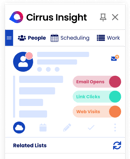
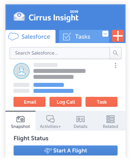
[Screenshot of Cirrus Insight’s Buyer Signals inside the Salesforce sidebar]
If your team already lives in Salesforce and Gmail or Outlook, Cirrus Insight is the tool that ties outbound activity back to the CRM without anyone copying and pasting. It is less an autonomous agent like Lindy or Artisan and more an assistant that rides inside the inbox you already use.
Three features carry the outbound job. Meeting AI pulls together prospect and account research before a call so reps walk in prepared. Buyer Signals surfaces when a lead is opening, clicking, or re-engaging, so outreach lands at the right moment instead of on a fixed cadence. Next Steps AI drafts follow-ups, sets tasks, and updates CRM fields so pipeline hygiene stops depending on a rep remembering to log the call.
Where it stops is prospecting. Cirrus does not ship a contact database, so you still pair it with a data tool like Clay, Cognism, or Apollo to build the list in the first place. Its value shows up once a prospect is in motion and you want every touch reflected in Salesforce.
Pros
- Deep, native two-way Salesforce sync
- Buyer Signals time outreach to real engagement
- Automates follow-ups and CRM updates
Cons
- Needs Salesforce or a supported CRM to shine
- Not a standalone prospecting database
- Feature-based pricing adds up as you switch more on
Cirrus Insight pricing: Custom, feature-based (pay for the modules you use); free trial available. Confirm current pricing.
2. Best for autonomous outreach across email and phone
Lindy (Web (no-code builder))
Category type: Autonomous AI SDR agents
[Screenshot of Lindy’s no-code agent builder running an outbound call flow]
Lindy is the tool that made me rethink what “outbound automation” means. It is not a sequencer or a dialer, it is a no-code AI agent that can email, actually place phone calls, follow up, qualify, and log the result to your CRM on its own.
The way it works in practice: you feed an agent a list, define how it should handle a reply, an objection, or a demo request, and it runs. Wait for replies, follow up intelligently, book the call. On phone campaigns it makes real calls, asks qualifying questions, and summarizes the conversation into Slack or the CRM. Its Agent Swarms let you run several of these in parallel, so one agent enriches, one calls, and one handles email follow-up.
It integrates with Salesforce, HubSpot, and Google Sheets out of the box and 900-plus apps via Pipedream. If you want raw list-building power instead, Apollo is the better first buy and pairs well with Lindy handling the outreach.
Pros
- Handles calls, emails, and follow-ups in one agent
- Visual no-code builder for every branch
- Broad native and Pipedream integrations
Cons
- Phone calling is not on the free plan and needs a paid number
- The open builder has a real learning curve
- Not a contact database on its own
Lindy pricing: Free (400 tasks/mo); Pro $49.99/mo; Business $299.99/mo. Confirm current pricing.
3. Best for automating the full BDR workflow
Artisan (Ava) (Web)
Category type: Autonomous AI SDR agents
[Screenshot of Artisan’s Ava dashboard building an ICP-matched sequence]
Artisan built its whole product around one character: Ava, an AI BDR that runs top of funnel end to end. Where Lindy is a flexible agent you configure, Ava is opinionated. You hand over an ideal customer profile and it sources matching contacts from a built-in database of 300 million-plus, enriches them, watches for intent signals like funding and hiring, writes the sequences, and sends across email and LinkedIn.
The pitch is consolidation. Instead of a data tool, a sequencer, and a deliverability tool, you buy one platform that also handles warmup and inbox health. For a lean team that wants fewer tabs, that is genuinely appealing, and the CRM integration into Salesforce and HubSpot is among the deepest in the category.
The honest caveats are well documented. Contracts are annual only, output can read as AI-written and needs human review, and data accuracy is stronger in North America than in EMEA or APAC. The famous “stop hiring humans” marketing oversells the autonomy: teams that win with Ava still supervise it weekly.
Pros
- End-to-end autonomous prospecting in one tool
- Built-in 300M+ database and deliverability suite
- Deep Salesforce and HubSpot integration
Cons
- Annual contracts only, no meaningful free trial
- AI output can feel robotic and needs oversight
- Data accuracy varies by region
Artisan (Ava) pricing: Quote-based; reported entry around $1,500 to $2,000/mo on annual terms. Public tiers are inconsistent across sources, so confirm directly.
4. Best for AI-driven prospect discovery
Persana AI (Web)
Category type: Autonomous AI SDR agents
[Screenshot of Persana AI’s predictive lead-scoring view]
Persana AI sits in the same autonomous-agent bucket as Lindy and Artisan but leads with discovery. Its focus is finding the right prospects rather than blasting more of them, using predictive scoring on AI signals to surface accounts most likely to engage, then launching personalized campaigns from your ICP definition.
It pulls and enriches data from a wide set of sources and plugs into your CRM and outbound tools, so the scored, prioritized list flows into whatever sending motion you already run. For a data-driven team that wants the machine to decide who to chase first, that prioritization is the draw.
It is a newer and smaller name than the incumbents on this list, and pricing is custom rather than published, which makes side-by-side budgeting harder. As with any enrichment-led tool, output quality tracks the sources you connect.
Pros
- Predictive lead scoring from AI signals
- Builds campaigns straight from an ICP
- Integrates with common CRMs and outbound tools
Cons
- Newer and smaller than incumbents
- Custom pricing is opaque
- Quality depends on your connected data sources
Persana AI pricing: Custom, based on data volume. Confirm current pricing.
5. Best for enterprise sales engagement at scale
Salesloft (Web, Salesforce, HubSpot)
Category type: Sales engagement platforms
[Screenshot of Salesloft’s Cadence builder with Rhythm next-step prompts]
Salesloft is the sales engagement platform enterprise revenue teams standardize on. If Apollo is the SMB and mid-market answer, Salesloft is where larger orgs run cadences, deal management, and forecasting on one system. Its Cadence engine structures email, call, and social steps into consistent workflows, and Rhythm uses AI to tell reps which action to take next.
In late 2025 Salesloft merged with Clari, and through 2026 it is selling a unified revenue story that bundles engagement with Clari-side forecasting. For teams that want execution and pipeline prediction under one roof, that is the pitch.
Two things to budget for. First, pricing is not published, so every number comes from a sales conversation and lands, by third-party estimates, around $100 to $165 per user per month after negotiation. Second, the dialer is a separate add-on, roughly $200 to $480 per user per year, which surprises teams who assume calling is included. It is powerful, but it is built for enterprise budgets and setup timelines, not lean startups.
Pros
- Mature cadence and deal-management platform
- Rhythm AI prioritizes the next best action
- Post-Clari forecasting under one roof
Cons
- Opaque, quote-only pricing
- Dialer is a separate paid add-on
- Heavier setup, built for enterprise
Salesloft pricing: Custom; third-party estimates put it near $100 to $165/user/mo after negotiation, plus a dialer add-on. Confirm directly.
6. Best for a contact database plus outreach in one
Apollo.io (Web, Chrome, Salesforce, HubSpot)
Category type: Sales engagement platforms
[Screenshot of Apollo’s sequence builder with lead scoring]
Apollo is the tool I see in more mid-market stacks than any other, because it collapses two purchases into one: a large B2B contact database and the sequencing to work it. You pull leads from a 275 million-plus database, sort by intent and job-change signals, and fire multichannel sequences across email, phone, and LinkedIn, with a built-in dialer that records and logs calls.
Its AI research agent scores and ranks leads and drafts context-aware messages per persona, and the bidirectional Salesforce and HubSpot sync keeps records current. For a team that wants to move from zero to sending in an afternoon without buying Cognism-grade data separately, Apollo is the pragmatic default.
The trade-offs are real. Data accuracy varies by industry, the credit-based model can pinch on lower tiers, and the sharper AI features sit on higher plans. For clean European mobile data specifically, Cognism is more dependable.
Pros
- 275M+ contacts plus sequencing in one tool
- Built-in dialer with logging and summaries
- Deep CRM sync and 950+ integrations
Cons
- Data accuracy varies by industry
- Credit model limits lower tiers
- Best AI features gated to higher plans
Apollo.io pricing: Free plan; paid from ~$59/user/mo (Basic), $99 (Professional), $149 (Organization). Confirm current pricing.
7. Best for multichannel sequencing on a budget
Reply.io (Web, Chrome)
Category type: Sales engagement platforms
[Screenshot of Reply.io’s multichannel sequence dashboard]
Reply.io is the multichannel engine for teams that want Salesloft-style sequencing without an enterprise contract. It manages outreach, follow-ups, and analytics across email, LinkedIn, and calls, and its AI suggests sequence optimizations so reps spend their time on qualified replies instead of cadence admin.
It slots in well for SMB and mid-market teams that run more than one channel and want the reporting in one place. Paired with a data tool like Clay or Apollo for the list, it covers the execution layer cleanly.
It runs on a credit-based model that can feel limiting as volume grows, the interface is dense on first contact, and, like any sender, deliverability still depends on your own domain warmup and list hygiene rather than the tool alone.
Pros
- True multichannel sequencing in one flow
- AI recommendations for sequence tuning
- Built-in analytics and lead tracking
Cons
- Credit-based usage model
- Interface is dense at first
- Deliverability still rides on your own setup
Reply.io pricing: From ~$60/user/mo. Confirm current pricing.
8. Best for CRM and outreach under one roof
HubSpot Sales Hub (Web, Chrome, Gmail, Outlook)
Category type: Sales engagement platforms
[Screenshot of HubSpot Sales Hub’s sequence automation]
HubSpot Sales Hub is the pick for teams that would rather not bolt a sequencer onto a separate CRM. Because the outreach lives natively inside HubSpot’s CRM, sequences, templates, call recording, and reporting all read from the same record, which keeps the whole motion tidy.
Its AI recommends sequence steps and follow-ups, and the analytics are strong enough to optimize campaigns without exporting anything. For SMBs and mid-market teams that value one clean system over a best-of-breed stack, it is the low-friction option, much like Cirrus Insight is for Salesforce shops.
The catch is cost at scale. Starter is approachable, but the automation most outbound teams actually want sits in Professional and Enterprise, and the per-seat price climbs quickly. The value holds up mainly if you are committed to the broader HubSpot CRM.
Pros
- Outreach native to the HubSpot CRM
- AI sequence and follow-up recommendations
- Robust built-in analytics
Cons
- Costs climb fast past Starter
- Best automation gated to higher tiers
- Best value only inside the wider HubSpot suite
HubSpot Sales Hub pricing: Free tools; Starter from ~$20/seat/mo, Professional far higher. Confirm current pricing.
9. Best for agencies running high-volume cold email
Smartlead.ai (Web)
Category type: Cold email and deliverability tools
[Screenshot of Smartlead’s multi-inbox rotation dashboard]
Smartlead is built for the deliverability problem that kills cold email at scale. It manages many inboxes with automatic rotation, ships built-in warmup, and writes AI copy and subject lines, so SDR teams and agencies can send personalized volume without every message landing in spam.
The multi-inbox model and agency-friendly features (white-label dashboards, unlimited client workspaces on higher plans) are why lead-gen shops gravitate to it. It is the closest sibling to Instantly on this list, and the choice between them usually comes down to pricing structure and interface preference.
Even with warmup, deliverability still depends on your domain setup and list hygiene, the interface is more utilitarian than polished, and support responsiveness gets mixed reviews. It is a sending engine, not a full outbound suite.
Pros
- Multi-inbox management with auto-rotation
- Built-in warmup and deliverability tools
- Agency features like white-label dashboards
Cons
- Deliverability still depends on your setup
- Utilitarian interface
- Support responsiveness varies
Smartlead.ai pricing: From ~$39/mo (Starter). Confirm current pricing.
10. Best for scaling cold email with unlimited inboxes
Instantly (Web)
Category type: Cold email and deliverability tools
[Screenshot of Instantly’s Unibox unified inbox]
Instantly popularized the idea that made cold email cheap to scale: connect unlimited sending accounts on every plan with warmup included, then send from dozens of inboxes in one campaign. For high-volume senders that structure alone can save real money versus tools that charge per mailbox.
Beyond sending, it has grown into a fuller platform, with a Unibox unified inbox to manage replies across every connected account, a SuperSearch lead database, and newer AI sales and reply agents. It is the natural head-to-head with Smartlead, and I would test both on your own domains before committing.
Two honest cautions. The headline price is only the sending layer; add SuperSearch, the CRM, and website visitor identification and a realistic full stack runs $150 to $400 a month. And multiple independent reviews flag a gap between Instantly’s healthy-looking warmup scores and actual inbox placement, so validate deliverability with an external test. It is also email-only, with no LinkedIn at any tier.
Pros
- Unlimited email accounts with warmup on every plan
- Unibox unifies replies across all inboxes
- Fast setup for high-volume sending
Cons
- Add-ons stack the real price up fast
- Warmup scores can overstate inbox placement
- Email-only, no LinkedIn at any tier
Instantly pricing: Outreach plans from ~$37/mo; a full stack with leads and CRM runs $150 to $400/mo. Confirm current pricing.
11. Best for building enriched custom prospect lists
Clay (Web)
Category type: Sales data and enrichment tools
[Screenshot of Clay’s waterfall enrichment table]
Clay is the data layer power users reach for when a single provider is not enough. It runs waterfall enrichment across 50-plus sources, so if one database misses an email or a mobile, it falls through to the next until the record is complete, then personalizes at scale using company-specific signals.
For growth and outbound teams that live and die by list quality, that flexibility is the whole point: you build exactly the enriched, deduped list you want and push it into your sequencer, whether that is Reply.io, Apollo, or a Lindy agent.
The power comes with a steep learning curve, and the credit costs climb the more enrichment you run. For a team that just needs a clean list off the shelf, it is overkill, and a straightforward provider will be cheaper and faster.
Pros
- Waterfall enrichment across 50+ sources
- Deep, signal-based personalization
- Feeds any downstream sequencer
Cons
- Steep learning curve
- Credit costs rise with heavy enrichment
- Overkill for simple list needs
Clay pricing: Free plan; paid from ~$134/mo (2,000 credits). Confirm current pricing.
12. Best for GDPR-compliant European data
Cognism (Web, Chrome, Salesforce, HubSpot)
Category type: Sales data and enrichment tools
[Screenshot of Cognism’s prospect record with verified mobile and intent]
When compliance and European contactability matter, Cognism is the data provider I trust over a general database like Apollo. Its Diamond Data program manually phone-verifies numbers, especially mobiles in the UK and EU, which is exactly where scraped databases fall apart, and buyers routinely report much higher connect rates as a result.
It layers Bombora-powered intent data on top, so you are not just finding leads but seeing why they are worth calling now, and it cross-checks contacts against Do Not Call lists across 13-plus countries. For global outbound teams that make cold calls, that compliance posture is a genuine differentiator.
It is priced for the enterprise, quoted rather than published, and its strength is concentrated in EMEA, with thinner coverage elsewhere. And like Clay, it supplies the data but is not the tool that sends the outreach.
Pros
- Phone-verified Diamond Data
- GDPR compliance and Do Not Call filtering
- Bombora intent signals built in
Cons
- Enterprise, custom pricing
- Strongest in EMEA, thinner elsewhere
- A data source, not an outreach tool
Cognism pricing: Custom, enterprise. Confirm current pricing.
13. Best for AI-generated outbound copy at scale
Regie.ai (Web, Chrome, Salesforce, HubSpot)
Category type: AI writing, coaching, and channel assistants
[Screenshot of Regie.ai generating a multichannel sequence]
Regie.ai is the writing engine for teams that want on-brand outbound copy generated fast and sequenced across channels. It produces full email, phone, and LinkedIn sequences tuned to your ICP, with real-time personalization and performance insights so the copy improves as campaigns run. It has also pushed into autonomous territory with an AI SDR mode that can run outreach with less hands-on work.
For fast-growing teams scaling volume without losing message quality, it takes the blank-page problem off reps entirely, and it plugs into Salesforce and HubSpot so the output lands in the right records.
It is enterprise-oriented, and pricing is quote-based rather than transparent, which makes it a heavier commitment than a per-seat writing assistant like Lavender. You also still need a data source and a system of record alongside it.
Pros
- ICP-tuned copy across email, phone, and LinkedIn
- Real-time personalization and insights
- AI SDR mode for more autonomous outreach
Cons
- Enterprise-oriented, opaque pricing
- Strongest for larger teams
- Still needs data and a CRM alongside it
Regie.ai pricing: Custom, enterprise. Third-party figures vary widely, so confirm directly.
14. Best for coaching reps to write better email
Lavender.ai (Chrome, Gmail, Outlook)
Category type: AI writing, coaching, and channel assistants
[Screenshot of Lavender’s real-time email score in Gmail]
Lavender does one thing and does it in the moment: it scores and coaches the email a rep is writing, right inside the inbox. As they type, it flags tone, length, and clarity issues and suggests fixes, so reply rates improve through better writing rather than more sending.
Where Regie.ai generates the copy, Lavender teaches your team to write it, which makes the two complementary rather than competing. It works inside Gmail and Outlook and integrates with common CRMs, so coaching happens where reps already work.
It is a coaching layer, not a sender or a CRM, so it improves the message but does not run the campaign. Per-seat cost also adds up across a larger team, and the value is concentrated squarely on email writing.
Pros
- Real-time email scoring and personalization
- Concrete tone and structure suggestions
- Works inside Gmail, Outlook, and CRMs
Cons
- A coaching layer, not a sender or CRM
- Per-seat cost adds up across a team
- Value concentrated on email writing
Lavender.ai pricing: Free plan; paid from ~$29/user/mo. Confirm current pricing.
15. Best for LinkedIn prospecting at scale
HeyReach (Web)
Category type: AI writing, coaching, and channel assistants
[Screenshot of HeyReach’s multi-account LinkedIn campaign view]
HeyReach is the tool for teams that run outbound on LinkedIn and want to scale it without getting accounts banned. It automates connection requests and messages with human-like timing, manages multiple accounts for larger teams, and throttles safely with reply detection built in.
For social-selling and LinkedIn-first teams, it fills a gap the email-centric tools on this list leave open, and it pairs naturally with a cold-email engine like Smartlead or Instantly to cover both channels.
By design it is LinkedIn-only, so it is bounded by LinkedIn’s limits and account-safety rules rather than being a full outbound suite. Treat it as the LinkedIn channel in a wider stack, not the whole program.
Pros
- Human-like LinkedIn timing and throttling
- Multi-account automation for teams
- Safe sending with reply detection
Cons
- LinkedIn-only by design
- Bounded by LinkedIn’s limits and rules
- Not a full outbound suite on its own
HeyReach pricing: From ~$49/mo. Confirm current pricing.
How to choose the right AI outbound tool
There is no single best AI outbound tool, only the best fit for how your team already sells. If you run on Salesforce, start with Cirrus Insight. If you want an agent that does the work end to end, look at Lindy or Artisan. If cold email volume is the game, Smartlead or Instantly. If data quality is your bottleneck, Clay or Cognism. Budget, team size, CRM, and primary channel decide the rest.
Why Cirrus Insight completes the AI outbound stack
For teams already standardized on Salesforce, Cirrus Insight is the connective tissue between all that outbound activity and clean CRM visibility. Meeting AI preps reps before every call, Next Steps AI keeps follow-ups and CRM hygiene on autopilot, and Buyer Signals shows exactly when a prospect is re-engaging so outreach happens at the right moment.
Book a 30-minute live demo to see how Cirrus Insight fits into your outbound stack.
AI outbound sales: FAQs
What is AI outbound sales?
AI outbound sales uses artificial intelligence to automate and optimize prospecting, outreach, and lead qualification. Instead of manually sending emails or tracking follow-ups, AI handles data enrichment, personalization, and engagement scoring so teams reach more prospects with less manual work.
How does AI improve outbound sales performance?
It removes the repetitive work, contact research, sequencing, and CRM updates, then times outreach to real engagement and guides reps on the next best action. The result is usually higher reply rates, faster follow-up, and cleaner pipeline data.
What are the best AI outbound sales tools in 2026?
It depends on the job. For autonomous outreach, Lindy and Artisan. For sales engagement, Salesloft and Apollo. For cold email, Smartlead and Instantly. For data, Clay and Cognism. For Salesforce-connected teams, Cirrus Insight.
Can AI fully replace SDRs?
No. AI automates list-building, follow-ups, and scheduling, but humans still lead relationship-building, negotiation, and closing. The strongest teams use AI as a co-pilot to free reps for the conversations that convert.
How do I implement AI in my outbound process?
Define your ICP and clean your data, choose a tool that integrates with your CRM, automate outreach and follow-ups with sequenced workflows, sync everything to the CRM, then track reply and meeting rates and refine from there.
Is AI outbound suitable for small teams?
Yes. Small teams gain the most from automating prospecting and data entry, while larger teams use AI to keep campaigns consistent across many reps. Most tools here scale from solo founders to full sales orgs.
Related reading
About the author
Amy Green writes about sales technology and outbound strategy for Cirrus Insight. [Production note: add author photo, title, and a one-line credential.]


.png?width=18&height=18&name=Vector%20(5).png)