The average seller spends 40% of their time selling. That figure comes from Salesforce's State of Sales report, a survey of 4,050 sales professionals in 22 countries, run from August to September 2025.
The other 60% is the gap AI SDR vendors are selling into. List building, research, first-touch emails, and follow-ups eat the week, and software can now handle most of that outreach.
In this guide, I'll explain what an AI SDR is, how one works, where it breaks, and what it costs. You'll also get my shortlist of AI SDR tools for 2026, with prices I checked on the vendors' own pricing pages in October 2026, where they publish one.
|
Quick Reference: The 60-Second Version
- What it is: Software that does an SDR's top-of-funnel work. It's built to find or receive leads, research them, send outreach, answer replies, and book meetings.
- Two directions: Outbound AI SDRs prospect cold accounts. Inbound AI SDRs qualify people who came to you.
- Two send modes: Autonomous, where the agent sends on its own, or approval, where a rep signs off first.
- Published entry prices: $250 to $500 a month for the outbound tools that publish one. Four of the eight tools below only quote on a call.
- Biggest risks: Bad CRM data, burned sending domains, and platform rules.
- Where it stops: At the booked meeting. Prep, the call, and opportunity updates stay with your team.
|
What Is an AI SDR?
An AI SDR, short for AI sales development representative, is software that does an SDR's job using AI. It can find or receive leads, research them, write and send outreach, answer replies, and book meetings for a human seller.
You'll also see it called an AI BDR, an AI sales rep, an SDR agent, or an AI-powered SDR, and vendors use all of these labels for the same product.
Think of an AI SDR as a new hire who never sleeps and never reads the room. It's built to follow up on time, every time, and it believes whatever your CRM tells it.
That's the difference from older SDR software, where a sales automation tool sends what you wrote to a list you built. An AI SDR agent decides who to contact, what to say, and what to do with the reply.
AI SDR vs. AI Sales Agent vs. Sequencer
Vendor sites blur these three terms, so here's how I separate them.
|
Category
|
What It Does
|
Who Decides What Gets Sent
|
|
Sequencer
|
Runs sequences of emails, calls, and tasks that a rep designed
|
The rep
|
|
AI SDR
|
Runs prospecting or inbound qualification end to end, from first touch to booked meeting
|
The agent, inside rules you set
|
|
AI sales agent
|
Broader label for any AI agent doing sales work, including SDR tasks, meeting prep, coaching, and CRM updates
|
Depends on the agent
|
People treat AI sales agents and AI SDRs as the same thing. Every AI SDR is an AI sales agent, but the reverse isn't true. For the wider category, see our roundup of AI sales agents.
How AI SDRs Work: The Five Jobs in the SDR Workflow
An SDR does five jobs in order. A full AI SDR platform built for outbound covers all five, and an inbound one starts at the second. Plenty of products cover only two or three, so check each job on a demo.
1. Find or Receive the Lead
An outbound agent builds an outreach list from your ideal customer profile, usually from a contact database it owns or licenses. Data platforms like Persana AI pull from more than 100 providers to fill gaps in each record.
An inbound agent skips list building and picks up an inbound lead from a form fill, a chat, or a CRM queue. Our sales prospecting statistics cover how each channel performs.
2. Research the Account
Before writing, the agent reads what it can find: your CRM history, the prospect's website, hiring pages, funding, and company news. Ask whether the tool shows you which signal triggered each message.
This step decides message quality. An AI model working from thin research produces the same generic opener a mail merge would, only faster.
3. Write and Send the Outreach
The agent drafts each message, then sends it by email, LinkedIn, phone, SMS, or chat, depending on the product. Today's AI SDR tools focus on email first, and all eight on my shortlist send it. AI writing is the easy part, and reaching the inbox is harder.
That's why stronger products bundle deliverability tools such as mailbox warm-up, sending limits, and domain rotation, so budget for it if a vendor leaves that to you.
4. Handle Replies and Qualify
Replies are the harder test, because sorting "not now" from "not ever" from "send me pricing" takes more judgment than a first email does.
A good AI agent answers simple questions, runs basic lead qualification, and passes anything complicated to a person with the thread attached.
5. Book the Meeting and Hand Off
When a prospect says yes, the agent offers times, books the slot, and logs the activity in your CRM. Who gets the meeting is a routing question, and our lead routing best practices cover it.
Then the agent's job ends, and a human runs the call. I'll come back to that handoff, because it's the part of the SDR workflow no agent covers.
Outbound vs. Inbound AI SDRs: Two Different Products
Vendors sell both under one name, but they solve different problems.
An AI SDR for outbound creates demand. It contacts people who haven't heard of you, so it needs contact data, deliverability, and tight targeting. AiSDR, Artisan, and Salesforge's Agent Frank sit here. They take over outbound sales tasks like list building and follow-up.
An inbound AI SDR captures demand. It answers website visitors and form fills in seconds, qualifies them, and can book meetings on the spot. Qualified's Piper and 11x's Julian sit here. Our sales follow-up statistics show what slow replies cost.
Inbound is the safer place to start, because the lead already raised a hand and no cold sending domain is at risk. Even Salesforce's own guide says today's most sophisticated agents suit inbound leads better than fully autonomous outbound.
That guide adds that AI SDRs are primarily used for text-based outreach. Voice is arriving, with legal strings I cover in the risks section.
Autonomous vs. Approval Mode: Who Presses Send
This setting matters more than any feature list.
A fully autonomous AI SDR sends without asking. You approve the setup once, then it works the list. In approval mode, often called copilot, the agent drafts and a rep signs off on each message.
Vendors name the two modes differently: Salesforge calls them Auto-Pilot and Co-Pilot, and Reply.io lists autopilot and copilot modes. Salesforce gives admins a "Require Manual Approval" setting. With it on, the record owner has 14 calendar days to approve each email, per Salesforce's help documentation.
My advice is to start any autonomous AI agent in approval mode when the product offers one, because reading its drafts shows you what a demo hides. If it only sends on its own, start with one small segment. Let autonomous AI SDRs loose more widely only after the drafts stop needing edits.
AI SDR vs. Human SDR: What Each Does Better
AI vs. human is the wrong framing, because AI and humans are good at different halves of the job.
|
Task
|
AI
|
Human
|
|
Volume and follow-up timing
|
Built to work every lead at any hour
|
Limited by hours in the day
|
|
Speed to first response
|
Seconds, at any hour
|
Tied to working hours and workload
|
|
Research across many accounts
|
Fast and consistent, but only as good as the data
|
Slower, and notices what the data misses
|
|
Complex objections and pricing pushback
|
Handles simple ones and should hand off the rest
|
Strong
|
|
Reading tone, politics, and timing
|
Limited
|
Strong
|
|
Time to full output
|
Setup and tuning, which varies by vendor
|
3.0 months average ramp
|
The human baseline comes from The Bridge Group's 2025 SDR report, a survey of 351 B2B companies, 78% of them in North America. Average SDR ramp is 3.0 months, average tenure is 1.9 years, and the median quota is 10 held meetings a month.
That report, published in February 2025, listed "AI SDRs" as a category for the first time, at 1% of respondents. In Salesforce's later survey, 54% of sellers said they'd used agents, and nearly 9 in 10 planned to by 2027. Our AI in sales statistics track the wider trend.
Can an AI SDR Replace Your SDR Team?
So can an AI SDR replace a human SDR? First-touch volume and follow-up are what it's built for. Judgment isn't.
I'd pair a human SDR and AI, with the agent working the queue and human SDRs taking the conversations. Reps using AI tools still own the relationship.
My view is that AI SDRs will become standard well before they become good at judgment. Gartner's July 2026 forecast predicts AI agents will outnumber sellers 10 to 1 by 2028, and that fewer than 40% of sellers will say agents improved their productivity. That's a forecast, not a measurement.
What an AI SDR Fixes and the Catch That Comes With It
The first version of this guide put a percentage next to every benefit. I couldn't trace those numbers to a study, so I've swapped them for the catch that comes with each one.
|
SDR Challenge
|
What the Agent Does
|
The Catch
|
|
Hours lost to research and list cleaning
|
Sources, enriches, and validates leads automatically
|
Output is only as accurate as the data it reads
|
|
Leads go cold waiting for follow-up
|
Responds in seconds and runs follow-ups on schedule
|
A fast wrong answer is still wrong
|
|
Uneven personalization
|
Writes each message from account research
|
Thin research produces template-sounding email
|
|
Manual qualification eats selling time
|
Scores and routes on fit and engagement
|
Your qualification rules must be written down first
|
|
CRM data entry
|
Logs emails, replies, and meetings to the CRM
|
Field mapping and duplicates need an owner
|
|
Capacity limits on outreach
|
Runs many conversations in parallel
|
Volume without targeting puts your sending domain at risk
|
Prospecting is already a common use. In the same Salesforce survey, 55% of sales professionals said they use AI for prospecting, and another 38% plan to. Sellers also expect agents to cut prospect research time by 34% once fully in place.
That expectation is about SDR productivity, not headcount, and no AI tool fixes a bad list or a vague offer.
The 8 Best AI SDR Tools in 2026
How I Picked These Eight
Most roundups for this search cover the 9 best AI sales agents or the 10 best outbound tools. The four guides I benchmarked this one against all come from vendors that sell an AI SDR, and each puts its own product first.
I used three filters. Each product had to cover most of the five SDR jobs and have a live product page I could read in October 2026. It also had to say which CRMs it syncs with. I ordered the list by use case, not by rank.
One limit: I haven't run campaigns through these tools, so treat this as a map for booking demos. For a wider field, see our roundup of outbound tools.
|
Tool
|
Direction
|
Send Mode
|
Channels
|
Salesforce Sync
|
Published Starting Price (October 2026)
|
|
AiSDR
|
Outbound first, also inbound
|
Autonomous; no approval mode stated
|
Email, LinkedIn
|
Top plan only
|
$250/month billed monthly
|
|
Artisan
|
Outbound
|
Autonomous or approval
|
Email, social, dialer add-on
|
Yes
|
Not published
|
|
11x
|
Both, as two agents
|
Autonomous; no approval mode stated
|
Email, LinkedIn, calls, chat, SMS, WhatsApp
|
Yes
|
Not published
|
|
Jason AI (Reply.io)
|
Outbound
|
Autopilot or copilot
|
Email, LinkedIn, calls
|
Yes
|
$500/month billed annually
|
|
Salesforge Agent Frank
|
Outbound
|
Auto-Pilot or Co-Pilot
|
Email, LinkedIn
|
Yes
|
$499/month billed quarterly
|
|
Alta
|
Both
|
Autonomous; no approval mode stated
|
Email, LinkedIn, SMS, WhatsApp, calls
|
Yes
|
Not published
|
|
Qualified Piper
|
Inbound
|
Autonomous; no approval mode stated
|
Website chat, voice, video, email
|
Yes, Salesforce-owned
|
Not published
|
|
Salesforce Agentforce
|
Lead follow-up
|
Autonomous or manual approval
|
Email
|
Runs inside Salesforce
|
$2 per conversation list price
|
1. AiSDR: Best for Small Teams That Want a Published Price
AiSDR is one of the few vendors that prints every tier. Its pricing page lists Solo at $250 a month for 200 researched contacts, billed monthly, while the $900 and $2,500 tiers run on quarterly contracts.
It runs email and LinkedIn outreach from one agent and includes mailbox warm-up. The catch for Salesforce teams: native two-way Salesforce sync appears only on the $2,500 Scale plan, while HubSpot sync comes with every plan.
2. Artisan: Best for Outbound With Contact Data Included
Artisan sells Ava, which it calls an AI BDR, and it markets its agents as AI employees. Ava pulls from a database of more than 250 million contacts, writes sequences, handles replies, and can run in approval mode.
Two cautions: Artisan's pricing page shows volume tiers without prices, and LinkedIn restricted Artisan's accounts for about two weeks from late December 2025, TechCrunch reported. The dispute covered scraped data and use of LinkedIn's name, and LinkedIn reinstated Artisan after it made changes.
3. 11x: Best for Enterprise Teams Covering Both Directions
11x sells two agents. Alice is its autonomous AI sales agent for outbound, and Julian calls inbound leads back and qualifies them by phone, chat, SMS, or WhatsApp.
There's no public pricing page, so expect a sales-led contract, and run your own reference checks. In March 2025, TechCrunch reported that 11x had shown logos of companies that said they weren't customers and had only run short trials. The founder stepped down as CEO that May.
4. Reply.io Jason AI: Best for Teams That Already Run Sequences
Jason AI is the agent inside Reply.io, a sales development platform that SDR teams use for multichannel sequences. It builds the audience, writes multichannel sequences, and handles replies in autopilot or copilot mode.
Reply.io's pricing page lists the agent's Starter plan from $500 a month billed annually for 1,000 active contacts, with unlimited users, mailboxes, and warm-ups. The price rises with contact volume. Tools like Jason AI make sense when your reps don't want another login.
5. Salesforge Agent Frank: Best for Switching Between Auto-Pilot and Co-Pilot
Agent Frank lets you pick Auto-Pilot or Co-Pilot, which makes it easy to start supervised. It prospects from a built-in contact search, writes, sends by email and LinkedIn, and can book meetings.
Salesforge's pricing page shows $499 a month billed quarterly, or $416 a month billed annually. Email infrastructure is a separate add-on, and the agent has no free trial.
6. Alta: Best for Three Agents on One Data Layer
Alta splits the work across three AI agents. Katie runs outbound, Alex qualifies inbound leads by call and chat, and Luna watches signals to surface high-intent accounts.
The pitch is that three specialized AI agents share context, so an inbound call can sharpen outbound targeting. Pricing isn't published, so you can't compare cost before a sales call.
7. Qualified Piper: Best for Inbound Website Leads
Piper is an inbound AI SDR agent. It talks to website visitors by chat, voice, or video, follows up by email, and hands the booked meeting to a sales rep.
Salesforce completed its acquisition of Qualified on April 1, 2026, per a Salesforce newsroom note. In June 2026, Salesforce announced Piper as generally available among its agents for marketing teams. Pricing is quoted, with tiers based on web sessions and active email contacts.
8. Salesforce Agentforce: Best for Keeping the Agent Inside Salesforce
Salesforce's own lead follow-up agent has changed names. The product page sells it under Agentforce, and the help documentation now calls it Agentforce Engagement, formerly Agentforce Lead Nurturing. It emails assigned leads, answers replies, and offers meeting times inside Sales Cloud.
Its controls are the best documented of the eight. Admins can require manual approval, and each agent stops at 1,800 emails a day on Gmail or 9,800 on Microsoft Exchange.
Usage is metered in conversations, and Agentforce list pricing shows $2 per conversation, so model your volume first. Our Agentforce Assistant guide covers the wider product.
Three More Tools at the Edge of the Category
A few products came up often but didn't fit the filters cleanly. Regie.ai builds research, drafting, and dialing agents into a sequencing product that sends from the rep's own Gmail or Outlook.
Lyzr's Jazon comes from a platform of role-based AI agents and suits enterprises that want to configure their own. Persana AI lists a full-service AI SDR only on its enterprise tier.
How Much Does an AI SDR Cost?
Published entry prices for outbound tools sit between $250 and $500 a month: AiSDR at $250 billed monthly, Salesforge at $499 billed quarterly, and Reply.io at $500 billed annually. Four of the eight don't publish a price at all.
The headline number is rarely the bill. Vendors meter different things, from contacts and conversations to web sessions and seats, so ask which unit applies before you compare quotes.
Then add what sits outside the plan, which usually means sending domains, mailboxes, contact data, and a dialer. Count your team's review time too, because someone has to read drafts in approval mode.
To compare an agent with a human hire fairly, I use cost per held meeting. Add platform fees, extras, and review hours for a quarter, then divide by meetings that happened. Run the same sum for a rep using your own salary and tooling numbers.
I'm not publishing a benchmark for that figure, because the ones I found came from vendors grading their own product.
How to Choose an AI SDR Tool: Six Questions for the Demo
No single AI product fits every sales team. The right one matches your motion, your CRM, and your risk tolerance, and these six questions sort that out quickly.
- Which of the five jobs does it do? Ask the vendor to show list building, research, sending, reply handling, and booking in one live flow.
- Is it built for inbound, outbound, or both? Match it to where your pipeline gap is. An outbound tool won't fix slow inbound follow-up.
- Can I require approval, and for which segments? If the answer is autonomous only, your domain becomes the test budget.
- Whose domains and mailboxes does it send from? Ask who sets them up, who warms them, and what happens when bounces climb.
- How does it write to my CRM? For Salesforce, ask which objects and fields it touches, and on which plan.
- What am I billed for? Get the unit, the minimum term, and the overage rate in writing.
Ask to see the AI SDR experience from the prospect's side as well, by having the vendor send you the sequence your buyers would get.
A standalone AI SDR makes sense when you have no sequencer today. If your reps already live in a sales engagement platform, an agent inside it avoids switching between tools. Sales teams that want AI inside Salesforce should weight question five most heavily.
Four Risks to Plan for Before You Switch One On
Bad CRM Data Becomes Bad Outreach
An agent trusts your records, and Salesforce learned this on itself. Its own SDR agent answered "I don't know" to 30% of lead questions at first, and under 10% after data cleanup. That's Salesforce reporting on Salesforce, so read it as a vendor account.
The same post says the agent worked more than 43,000 leads and created $1.7 million in pipeline from dormant ones. The lesson for any sales team is the order: clean data first, agent second. In Salesforce's survey, 74% of sales professionals said they're focusing on data cleansing.
Your Sending Domain Is on the Line
AI outreach raises volume, and mailbox providers watch volume. Google's sender guidelines cover anyone sending more than 5,000 messages a day to personal Gmail accounts. Those senders must authenticate with SPF, DKIM, and DMARC, keep spam rates below 0.10%, and never reach 0.30%.
Microsoft applied similar authentication rules to high-volume senders to Outlook.com on May 5, 2025. Both policies target consumer mailboxes, and I'd still treat them as the floor for B2B sending. Send cold outreach from separate domains, never the one your customers write to.
Platform and Calling Rules Still Apply
An agent acting on LinkedIn or the phone answers to the same rules a person does. Platforms also act against vendors: the Artisan case above was about data sourcing, and it still restricted the company's accounts for about two weeks.
Voice has a legal layer in the US. In February 2024, the FCC ruled that AI-generated voices count as "artificial" under the Telephone Consumer Protection Act. Calls that use them need the called party's prior consent, so ask any voice vendor how it captures that.
The Agent Only Books the Meeting
Vendors sell on meetings booked, while your revenue depends on meetings held, prepared for, and followed up. If reps walk in cold, or the CRM never gets updated, the agent's work is wasted.
What We Got Wrong in the First Version of This Guide
We published this guide in December 2025, and when I audited it in October 2026, three problems stood out.
We listed tools that aren't AI SDRs. The earlier version named Cognism, Hyperbound, Vidyard, and Scratchpad alongside real agents. Cognism is a B2B data provider, Hyperbound does AI sales roleplay and coaching, Vidyard is a video platform, and Scratchpad is a workspace for updating Salesforce. All four are useful sales tools, but none prospects, sends, and books on its own.
We quoted numbers we couldn't source. The opening claimed SDRs spend 35% of their time selling, and the closest origin I found is a 2018 study reported in Forbes that covered sales reps in general. A "40% higher qualification accuracy" claim had no traceable study behind it. Both are gone, along with a table of benefit percentages, and the new opening figure says plainly that it covers sellers in general.
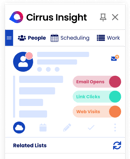
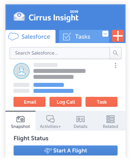
We described our own product loosely. I wrote that our CRM AI logs every email and meeting, which is what Salesforce Sync does. CRM AI queues suggested opportunity updates for one-tap approval. The section on Cirrus Insight below uses the names on our product pages.
How to Roll Out an AI SDR in Five Steps
The rollout order matters more than the tool. Here's the sequence I'd follow for a sales team using AI to automate top-of-funnel work for the first time.
- Set one goal and one metric. Pick held meetings per month for one segment. Booked meetings flatter the tool.
- Clean the data the agent will read. Fix duplicates, ownership, and stale contacts in that segment before you connect anything.
- Pick the tool by motion and CRM. Use the six demo questions above, and map where the agent fits in your outbound sales process.
- Pilot one segment in approval mode. Read every draft for two weeks, then loosen control where edits drop to near zero.
- Review weekly and expand slowly. Check reply quality, complaint rate, and held meetings before you add a segment or a channel.
Give the pilot a named owner on your SDR team, because an agent nobody owns will keep sending even if its targeting drifts. New SDRs can also learn your messaging by reviewing its drafts.
Where Cirrus Insight Fits: After the Meeting Is Booked
This is where our product comes in. Cirrus Insight is not an AI SDR. We don't build prospect lists, ship a contact database, or send autonomous cold email, so AI lead generation isn't our job.
We cover the stretch the agent hands to your sales team, for companies that run on Salesforce.
|
Moment
|
What Your Team Needs
|
Cirrus Insight Feature
|
|
A form fill needs a meeting
|
The right rep's calendar, instantly
|
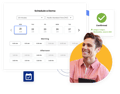
Smart Scheduler routes on availability, territory, skills, and utilization
|
|
The morning of the meeting
|
Research on attendees and the account
|
Meeting AI emails a prep digest for each external meeting
|
|
During and after the call
|
Notes, coaching, and a drafted follow-up
|
Conversation Intelligence transcribes, prompts live, and drafts follow-ups for review
|
|
After the call
|
Opportunity fields that match reality
|
CRM AI queues amount, close date, and contact-role updates for one-tap approval
|
|
All the time
|
Every email and meeting on the Salesforce record
|
Salesforce Sync logs emails, calendar events, and tasks from Gmail or Outlook
|
Here are the limits. We're built around Salesforce, so a team on another CRM won't get the same depth. And if your gap is the top of the funnel, you need one of the eight tools above first.
If meetings get booked and then go nowhere, that's our part. Cirrus Insight sits with the other CRM automation tools that keep Salesforce accurate without rep data entry. Think of it as an AI assistant for the rest of the sales workflow. You can see pricing by capability or book a demo.
AI SDR FAQs
What Is an AI SDR?
An AI SDR is software that does an SDR's top-of-funnel work with AI. It's built to find or receive leads, research them, send outreach, handle replies, and book meetings for a human seller.
Do AI SDRs Actually Work?
They can, within limits. Vendors report results at volume, such as Salesforce's own agent working more than 43,000 leads, but independent evidence is thin. Results depend on targeting and data quality more than on the tool, so run a supervised pilot and judge it on held meetings.
Which AI SDR Tool Is the Best?
There isn't one. AiSDR, Reply.io's Jason AI, and Salesforge's Agent Frank publish prices and suit outbound lead generation. Qualified's Piper suits inbound, and Salesforce Agentforce suits teams that want the agent inside Salesforce.
Can AI SDRs Replace Human SDRs?
Not fully. First-touch volume and follow-up are what the software is built for, while objections, judgment, and relationships stay with people. I'd pair them, so the agent works the queue and human SDRs take the conversations.
How Much Do AI SDRs Cost?
Outbound tools that publish pricing start between $250 and $500 a month as of October 2026, while enterprise products quote on a call. Add sending domains, mailboxes, contact data, and review time to get the real cost.
Do AI SDRs Integrate With Salesforce and HubSpot?
Every tool on this shortlist connects to Salesforce, and most also name HubSpot, but depth varies by plan. AiSDR includes HubSpot sync on every plan and Salesforce sync only on its top tier. Ask which objects and fields the agent writes to before you buy.
Can AI SDRs Make Cold Calls?
Some place voice calls, though the examples here aren't cold. 11x's Julian and Alta's Alex call inbound leads who asked for contact. In the US, the FCC treats AI-generated voices as artificial under the TCPA, so consent rules apply.
Is Cirrus Insight an AI SDR Tool?
No. Cirrus Insight doesn't prospect or send autonomous outreach. It handles what follows a booked meeting in Salesforce: routing, meeting prep, conversation intelligence, CRM updates, and activity sync.
Your Next Step
Pick one segment, book two demos from the shortlist, and ask the six questions. Before you sign, decide who owns the meeting once the agent has done its part.
If that handoff is your weak spot, book a Cirrus Insight demo and we'll show you how prep, notes, and Salesforce updates work once the meeting is on the calendar.


.png?width=18&height=18&name=Vector%20(5).png)