Here is a hard truth most revenue teams do not say out loud: the majority of sales calls are never reviewed. Reps jump from one Zoom to the next. Managers work off pipeline updates and rep summaries. Coaching happens once in a while, usually after a deal is already lost.
Meanwhile, the most useful data in the whole sales org is sitting inside recorded conversations.
I have spent a lot of time inside these tools, and the pattern is consistent. Manual call reviews are reactive. AI sales call analysis is proactive. The best sales call analysis software turns conversations into coaching insights, performance data, and forecasting signals that move close rates. Salesforce State of Sales research has found that high-performing teams lean on AI-driven insights far more than underperformers, and that difference is mostly about visibility, not effort.
In this guide I cover what sales call analysis software actually does, the features that matter, the 11 tools I would shortlist in 2026, and how to pick the right one for your team.
|
A NOTE ON THIS LIST
Cirrus Insight publishes this guide, and Cirrus Insight is one of the tools on it. I judged every tool, including our own, against the same criteria below, and I kept honest limitations on every entry. Pricing shown is a starting point and changes often, so confirm current numbers with each vendor before you buy.
|
What Is Sales Call Analysis Software?
Sales call analysis software records, transcribes, and analyzes sales conversations to surface patterns, coaching insights, and revenue signals. Instead of relying on rep memory or manual notes, it captures what was actually said and uses AI to interpret it. The result is searchable, structured conversation intelligence, not audio files sitting in a folder.
How It Works
- Call recording: captures Zoom, Teams, or phone conversations.
- AI transcription: converts speech into searchable text.
- Speaker identification: separates rep from buyer.
- Conversation analysis: tracks talk-to-listen ratios, keywords, objections, and buying signals.
- Insight generation: flags deal risks, summarizes calls, and extracts action items.
- CRM sync: logs summaries and insights into Salesforce or another CRM.
Sales Call Analysis vs Call Recording
Call recording software stores audio or video. Sales call analysis software goes further: it transcribes automatically, tracks objection patterns, flags competitor mentions, measures rep performance, detects sentiment shifts, and generates AI summaries. Recording captures history. Analysis creates improvement.
The Four Types of Tools
- CRM-native and workflow-embedded: analysis lives inside your CRM or inbox (Cirrus Insight, HubSpot, Salesloft, Outreach Kaia).
- Enterprise revenue intelligence: deep analytics and forecasting across thousands of calls (Gong, Chorus, Clari Copilot).
- AI meeting assistants: lightweight capture, summaries, and transcription (Avoma, Fireflies.ai).
- Coaching-first analytics: rep scoring and live coaching (Jiminny, Kickscale).
How I Evaluated These Tools
Five things, in priority order:
- CRM integration depth. Does it log meetings and push summaries into the record, or strand insights in a separate dashboard? This is where most decisions go wrong.
- AI depth. Transcription and keyword tracking are table stakes. Deal-risk, sentiment, and objection analysis are the real value.
- Coaching workflow. Call scoring, talk-to-listen ratios, and shareable call moments a manager will actually use.
- Fit to sales motion and team size. A 5-rep team and a 200-rep team need different things.
- Pricing transparency and total cost. Public pricing, seat minimums, and add-ons that change the real number.
Sales Call Analysis Software at a Glance
|
Tool
|
Best for
|
Standout feature
|
Starting price
|
Website
|
|
Cirrus Insight
|
Salesforce teams that want call intelligence inside the CRM
|
Call intelligence inside Salesforce and the inbox
|
Feature-based; a la carte pricing
|
cirrusinsight.com
|
|
Gong
|
Enterprise revenue intelligence at scale
|
Deep analytics and forecasting at scale
|
Custom, ~$1,000/user/yr (est.)
|
gong.io
|
|
Chorus by ZoomInfo
|
Teams already in the ZoomInfo ecosystem
|
ZoomInfo contact enrichment on calls
|
Custom, bundled w/ ZoomInfo
|
zoominfo.com
|
|
Clari Copilot
|
Forecasting-led revenue teams
|
Forecasting plus real-time call coaching
|
Custom
|
clari.com
|
|
Salesloft Conversation Intelligence
|
Teams that run their outbound in Salesloft
|
CI inside the Salesloft cadence workflow
|
~$125-165/user/mo (Advanced)
|
salesloft.com
|
|
Outreach Kaia
|
Teams that sequence in Outreach
|
Native to Outreach sequences
|
Enterprise add-on, custom
|
outreach.io
|
|
HubSpot Conversation Intelligence
|
HubSpot CRM users
|
Native, low-friction HubSpot capture
|
In Sales Hub Pro / Enterprise
|
hubspot.com
|
|
Avoma
|
Mid-market teams that want AI meeting summaries
|
Meeting summaries at a mid-market price
|
~$39/user/mo (Business)
|
avoma.com
|
|
Fireflies.ai
|
Small teams that need affordable, high-volume transcription
|
Affordable transcription with a free tier
|
Free; from ~$10/user/mo
|
fireflies.ai
|
|
Jiminny
|
Coaching-first mid-market teams
|
Real-time incognito live coaching
|
Quote-based, ~$85/user/mo (est.)
|
jiminny.com
|
|
Kickscale
|
European teams that want GDPR-first coaching analytics
|
GDPR-first, EU-hosted coaching analytics
|
From ~49 euros/user/mo
|
kickscale.com
|
The 11 Tools
- 1. Cirrus Insight
- 2. Gong
- 3. Chorus by ZoomInfo
- 4. Clari Copilot
- 5. Salesloft Conversation Intelligence
- 6. Outreach Kaia
- 7. HubSpot Conversation Intelligence
- 8. Avoma
- 9. Fireflies.ai
- 10. Jiminny
- 11. Kickscale
1. Best for Salesforce Teams That Want Call Intelligence Inside the CRM
Category: CRM-native and workflow-embedded
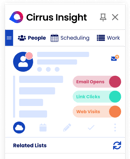
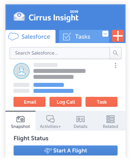
Cirrus Insight takes a different route from the standalone platforms. Instead of adding another dashboard your team has to check, it builds call intelligence into the Salesforce and inbox workflow reps already live in. If the real problem is that insights never make it back into the CRM, that is the gap Cirrus is built to close. It is not trying to be a standalone revenue-intelligence suite like Gong; it is trying to keep the pipeline current without anyone typing notes.
KEY FEATURES
- AI-powered meeting summaries
- Automatic sync of meetings to Salesforce
- Action-item extraction
- Email and meeting engagement tracking
- Smart Scheduler integration
- Sales cadence automation
PROS
- Removes manual note logging
- Keeps Salesforce current automatically
- Ties call insights straight to the pipeline
CONS
- Optimized for Salesforce environments, so less of a fit off Salesforce
- Not a standalone revenue-intelligence suite like Gong
- Conversation intelligence is one part of a broader productivity platform, not the whole product
Pricing: Feature-based pricing, positioned for mid-market to enterprise Salesforce teams
Best for: Salesforce teams that want call intelligence inside the CRM.
2. Best for Enterprise Revenue Intelligence at Scale
Category: Enterprise revenue intelligence
Gong is the name most people think of first, and it earns it. It is built for enterprise teams that want deep analytics across thousands of calls with a forecasting layer on top. If budget is not the constraint and depth is the point, Gong is the safe pick.
KEY FEATURES
- AI transcription
- Deal-risk alerts
- Talk-ratio tracking
- Competitor-mention detection
- Forecasting insights
PROS
- Advanced AI insights
- Strong forecasting layer
- Deep analytics across teams
CONS
- Expensive, and pricing is not public
- Can be overbuilt for small teams
- A platform fee sits on top of per-seat cost
Pricing: Custom enterprise pricing; external estimates put it near 1,000 dollars per user per year
Best for: Enterprise revenue intelligence at scale.
3. Best for Teams Already in the ZoomInfo Ecosystem
Category: Enterprise revenue intelligence
Chorus pairs conversation intelligence with ZoomInfo data. If you already run ZoomInfo for prospecting, the enrichment angle is the reason to look here: calls get tied back to company and contact records automatically.
KEY FEATURES
- Call recording and transcription
- Keyword and topic tracking
- Coaching dashboards
- Deal collaboration tools
- ZoomInfo contact enrichment
PROS
- Seamless ZoomInfo integration
- Strong collaboration and call playlists
- Contact enrichment layered onto calls
CONS
- Best value only if you already use ZoomInfo
- Search is less intuitive than Gong
- Premium pricing
Pricing: Custom, often bundled with ZoomInfo; external estimates near 1,100 dollars per user per year
Best for: Teams already in the ZoomInfo ecosystem.
4. Best for Forecasting-led Revenue Teams
Category: Enterprise revenue intelligence
Clari Copilot, previously Wingman, connects call analysis to Clari forecasting. If forecast accuracy is the priority and you want real-time coaching prompts during live calls, this is the forecasting-led option. It absorbed the standalone Wingman product, so the live-coaching heritage is still here.
KEY FEATURES
- Real-time call coaching
- Deal inspection tools
- Pipeline insights
- AI summaries
PROS
- Strong forecasting tie-in
- Real-time coaching cues during calls
- Good pipeline-risk visibility
CONS
- Heavier implementation
- Enterprise-focused pricing
- Strongest when paired with the wider Clari pipeline modules
Pricing: Custom enterprise pricing; external estimates from about 60 dollars per user per month
Best for: Forecasting-led revenue teams.
5. Best for Teams That Run Their Outbound in Salesloft
Category: CRM-native and workflow-embedded
Salesloft is a revenue-orchestration platform, and its Conversations module records, transcribes, and analyzes calls right inside the cadence workflow, so analysis sits where reps already work. Salesloft merged with Clari in December 2025, which adds forecasting depth. Positioning is close to Outreach, and the deciding factor is usually which engagement platform your team already runs.
KEY FEATURES
- Call recording and transcription tied to cadences
- Automatic tagging of next steps and objections
- Call scorecards and coaching tools
- Salesforce activity logging
PROS
- Reliable Salesforce integration
- Analysis sits inside the engagement workflow
- No separate platform fee like Gong
CONS
- Conversation intelligence is gated behind the Advanced and Premier tiers
- The dialer is a separate add-on
- Deployment and cost fit mid-market and enterprise more than small teams
Pricing: Conversation intelligence lands in the Advanced tier; external estimates around 125 to 165 dollars per user per month
Best for: Teams that run their outbound in Salesloft.
6. Best for Teams That Sequence in Outreach
Category: CRM-native and workflow-embedded
Kaia is the conversation-intelligence layer inside Outreach, built for teams that run their sequencing there. Its value is the tight link between call insights and the sequences and pipeline you already manage.
KEY FEATURES
- AI call analysis
- Coaching insights
- Pipeline connection
- Salesforce integration
PROS
- Seamless inside Outreach
- Strong workflow alignment
- Ties calls to sequence performance
CONS
- Limited value outside the Outreach ecosystem
- Weak as a standalone tool
- Enterprise add-on pricing
Pricing: Enterprise add-on, custom pricing
Best for: Teams that sequence in Outreach.
7. Best for HubSpot CRM Users
Category: CRM-native and workflow-embedded
If you run HubSpot, the built-in conversation intelligence is the low-friction option. It is native, simple, and good enough for teams whose main need is capture and basic tracking rather than deep revenue analytics.
KEY FEATURES
- Call recording
- Transcription
- Keyword tracking
- Native HubSpot CRM logging
PROS
- Native HubSpot integration
- Simple to turn on
- No extra vendor to manage
CONS
- Analytics are lighter than dedicated platforms
- Requires a higher Sales Hub tier
- Not built for deep revenue intelligence
Pricing: Included in higher Sales Hub tiers (Professional and Enterprise)
Best for: HubSpot CRM users.
8. Best for Mid-market Teams That Want AI Meeting Summaries
Category: AI meeting assistant
Avoma is an AI meeting assistant with sales-intelligence features, and it hits a good balance of price and function for mid-market teams that want clean summaries without enterprise weight. It is lighter than Gong or Clari on revenue analytics, which is the trade-off for the lower price.
KEY FEATURES
- AI-generated summaries
- Collaborative notes
- Agenda tracking
- Sentiment analysis
- CRM sync
PROS
- Strong meeting organization
- Good balance of price and function
- Easy for sales and customer success to share
CONS
- Lighter revenue analytics than Gong or Clari
- Less suited to enterprise pipeline analysis
- Some prospects dislike a bot joining the call
Pricing: Tiered plans; Business plan around 40 dollars per user per month
Best for: Mid-market teams that want AI meeting summaries.
9. Best for Small Teams That Need Affordable, High-Volume Transcription
Category: AI meeting assistant
Fireflies is the affordable entry point. It is widely used for transcription and meeting capture, and a free tier makes it easy to try before you commit to anything heavier.
KEY FEATURES
- AI transcription
- Keyword search
- Meeting summaries
- Wide integrations (Salesforce, HubSpot, Zapier)
PROS
- Affordable, with a free tier
- Easy setup
- Solid transcription accuracy
CONS
- Limited advanced coaching insights
- Not a full revenue-intelligence platform
- Depth trails dedicated CI tools
Pricing: Free tier available; paid plans from about 10 dollars per user per month (Pro)
Best for: Small teams that need affordable, high-volume transcription.
10. Best for Coaching-first Mid-Market Teams
Category: Coaching-first analytics
Jiminny is the coaching-first option for the mid-market. It records, transcribes, and scores calls, and its real-time incognito coaching lets a manager join a live call invisibly and message a rep privately, a capability few platforms match. It trades some revenue-intelligence depth for a lower price and a sharper coaching workflow.
KEY FEATURES
- Call recording and transcription in 60-plus languages
- AI call and deal summaries
- Automated call scoring
- Talk and listen analytics
- Coaching workspace with playlists and snippets
- Native Salesforce and HubSpot logging
PROS
- A genuine coaching differentiator with live incognito coaching
- Roughly half of Gong per-seat cost with no platform fee
- GDPR-native, built in the UK
CONS
- Less revenue-intelligence depth than Gong
- Limited pipeline forecasting
- Quote-based pricing with annual lock-in
Pricing: Quote-based; external estimates around 85 dollars per user per month
Best for: Coaching-first mid-market teams.
11. Best for European Teams That Want GDPR-first Coaching Analytics
Category: Coaching-first analytics
Kickscale leans hard into coaching analytics and deal performance, and its European hosting makes it a fit for teams that need GDPR-first data handling. It is strongest in the DACH region, including dialect-aware transcription.
KEY FEATURES
- Call scoring
- Talk-ratio metrics
- AI meeting notes
- CRM sync (Salesforce, HubSpot, Pipedrive)
- Sales-methodology detection (MEDDIC, BANT, SPICED)
- EU hosting
PROS
- Strong rep-performance metrics
- Coaching-friendly dashboards
- EU hosting and GDPR-compliant consent workflows
CONS
- Smaller ecosystem than Gong or Clari
- Lighter forecasting layer
- Strongest in the DACH region
Pricing: From about 39 euros per user per month
Best for: European teams that want GDPR-first coaching analytics.
How to Choose the Right Tool for Your Team
There is no single best sales call analysis tool. The right pick depends on how your team sells, how you forecast, and how tightly you want conversation data tied to revenue.
Consider Your Team Size
Small teams under 10 reps usually need clean transcription, searchable calls, and basic coaching visibility, not a forecasting layer. Mid-market teams of 10 to 50 benefit from coaching dashboards, benchmarking, and CRM syncing. Enterprise teams of 50-plus need deeper AI, forecasting impact, permission controls, and scale. The larger the team, the more standardization matters.
Align With Your Sales Motion
- High-velocity or SMB sales: prioritize speed, summaries, objection detection, and follow-up automation.
- Mid-market sales: focus on coaching analytics and deal-risk detection.
- Enterprise sales: look for multi-thread tracking, forecasting integration, and executive visibility.
Evaluate CRM Integration Depth
If call insights live in a separate dashboard and never sync back to the CRM, managers still lack full pipeline visibility. Ask whether the tool logs meetings automatically, pushes summaries into records, and connects call data to opportunity stages. The tighter the integration, the more the insights are worth.
Decide How Much AI Depth You Need
Basic AI is transcription and keyword tracking. Advanced AI adds deal-risk prediction, sentiment shifts, objection-pattern analysis, and forecast impact. If you are focused on coaching, basic may be enough. If you are focused on revenue predictability, deeper AI is worth the spend.
Turn Sales Conversations Into Revenue Signals With Cirrus Insight
Whichever tool fits your stack, the real value is is in what happens next. Too often, call insights live in a separate platform, managers review them, reps get feedback, and nothing connects back to the pipeline.
That is the gap Cirrus Insight is built to close. Instead of adding another tool your team has to manage, it connects meeting intelligence directly to Salesforce, automatically. AI meeting summaries sync to opportunity records, action items attach to the right deal, emails and meetings log in real time, buyer-engagement signals surface high-intent prospects, Smart Scheduler removes friction from booking next steps, and sales cadences keep follow-up structured. No manual note copying, no forgotten follow-ups, no incomplete activity history.
Sales Call Analysis Software FAQs
What Is Sales Call Analysis Software?
It is a tool that records, transcribes, and uses AI to analyze sales conversations. It helps teams track talk patterns, detect objections, identify buying signals, and improve rep performance based on real call data.
What Is the Best Sales Call Analysis Software for Sales Teams?
It depends on your needs. Enterprise teams often choose Gong or Clari for deep revenue intelligence, while Salesforce-focused teams may prefer a tool that syncs insights directly into their CRM workflow.
How Does Sales Call Analysis Software Improve Close Rates?
By identifying winning talk tracks, surfacing objection patterns, flagging deal risks early, and standardizing coaching. Teams can replicate what top performers do and correct mistakes faster.
What Features Should I Look For?
AI transcription, talk-to-listen ratio tracking, keyword detection, sentiment analysis, CRM integration, call summaries, and coaching dashboards. Advanced tools add deal-risk alerts and forecasting insights.
Is Sales Call Analysis Software Legal in the USA?
Yes, but companies must follow federal and state call-recording laws. Some states require two-party consent, so businesses should ensure proper notification and compliance features are enabled.
Does Sales Call Analysis Software Integrate With Salesforce?
Many platforms do. The strongest integrations automatically log meetings, sync AI summaries to opportunity records, and connect conversation data to pipeline and forecasting.
What Is the Difference Between Call Recording and Sales Call Analysis?
Call recording stores audio or video. Sales call analysis transcribes conversations, tracks keywords, analyzes sentiment, generates summaries, and provides coaching and revenue insights.
Is It Worth It for Small Sales Teams?
Yes. Even small teams benefit: it shortens onboarding, improves objection handling, and provides structured coaching without a manager reviewing every call.
How Does Cirrus Insight Enhance Sales Call Analysis?
It generates AI meeting summaries, extracts action items, and automatically syncs call insights into Salesforce, so conversation data directly supports pipeline visibility and forecasting.
Related Reading


.png?width=18&height=18&name=Vector%20(5).png)