Salesloft completed its merger with Clari on December 3, 2025, a few months after it disclosed a security incident in its Drift integration. Since then, a lot of the revenue leaders we talk to have started asking the same question: is this still the right sales engagement platform for us?
We build Cirrus Insight, an AI-powered Revenue Workspace built for Salesforce, so we compete with Salesloft in some deals and get compared to it in others. For this guide, we reviewed the pricing pages, help docs, and G2 review themes of 13 Salesloft alternatives for 2026, and scored each on the same five criteria.
Here is what we found.
The 13 Best Salesloft Alternatives At A Glance
- Cirrus Insight for Salesforce-native teams that sell from Gmail or Outlook
- Outreach for enterprise multi-channel sequencing at scale
- Revenue.io for Salesforce-native dialing and live call coaching
- Salesforce Sales Engagement for sequences run entirely inside Sales Cloud
- HubSpot Sales Hub for teams already running HubSpot CRM
- Apollo.io for prospecting data and sequencing in one tool
- Amplemarket for AI-assisted outbound with built-in deliverability
- Gong Engage for conversation intelligence and coaching
- Reply.io for high-volume multichannel cold outreach
- Mixmax for SMBs that want lightweight Gmail sequencing
- Lemlist for creative, personalized outbound campaigns
- Yesware for small teams that need basic email tracking
- Freshsales for CRM and sales engagement in one low-cost system
What Counts As A Salesloft Alternative?
A Salesloft alternative is any sales engagement platform that lets reps run structured outreach and follow-ups across email, phone, and LinkedIn, logs that activity back to the CRM, and gives managers visibility into what is working. Salesloft covers that core workflow through its Cadence and Rhythm features, with conversation intelligence layered on top. It is a sales engagement platform built for structured outbound, and the alternatives available fall into five groups.
- CRM-native engagement tools. Sequencing, tracking, and scheduling run inside the CRM or its connected inbox, so activity data never needs a separate sync. Cirrus Insight, Revenue.io, Salesforce Sales Engagement, HubSpot, and Freshsales sit here.
- Enterprise sales engagement platforms. Standalone systems built for large SDR and AE teams with dedicated RevOps admins. Outreach is the closest to Salesloft in this group.
- Data-plus-engagement platforms. Tools that bundle a B2B contact database with the sequencing engine, so you prospect and send from one place. Apollo.io and Amplemarket are the two on this list.
- Conversation intelligence platforms with engagement. Call recording and coaching as the core product, with sequencing added on. Gong Engage is the example here.
- Lightweight outbound and inbox tools. Lower-cost tools for teams that mostly need email sequences, tracking, and templates. Reply.io, Mixmax, Lemlist, and Yesware.
How We Evaluated These Salesloft Alternatives
|
How this list was made
This article is published by Cirrus Insight, which is one of the tools on the list. Every tool, including ours, was scored on the same five criteria. We pulled prices from each vendor's own pricing page this month, feature names from vendor help docs, and limitations from vendor documentation plus recurring G2 review themes. Where a vendor does not publish pricing, we say so rather than estimate. No vendor paid for placement.
|
To choose the right Salesloft alternative, we scored each platform on five things:
- CRM integration depth. Is the tool native to Salesforce (or HubSpot), or does it sync through an API on a schedule? This decides whether reps still update the CRM by hand.
- AI and automation capabilities. What the AI actually does in the workflow: drafting, research, prioritization, reply handling, or full AI agents. We name the feature, not the marketing label.
- Implementation speed and admin load. How long until reps are live, and whether you need a dedicated RevOps admin to keep sequences and field mappings healthy.
- Forecasting alignment. Whether activity data lands on the right lead, contact, and opportunity automatically, because forecasts are only as good as the CRM data underneath them.
- Pricing transparency and total cost. Published per-seat prices versus quote-only, plus the add-ons (dialer, AI credits, onboarding fees) that change the real number.
Salesloft Alternatives Compared: Pricing And Standout Features
|
Tool
|
Best for
|
Standout feature
|
Starting price
|
Website
|
|
Salesloft (baseline)
|
Structured enterprise sequences
|
Rhythm AI prioritization
|
Not published; quote only
|
Visit Salesloft
|
|
Cirrus Insight
|
Salesforce-native teams in Gmail or Outlook
|
Salesforce Sidebar with automatic email and meeting sync
|
Published per-user pricing, à la carte by feature (see cirrusinsight.com/pricing); 14-day free trial
|
Visit Cirrus Insight
|
|
Outreach
|
Enterprise multi-channel sequencing
|
Outreach Omni and Kaia conversation intelligence
|
Not published; per-user plus AI credits
|
Visit Outreach
|
|
Revenue.io
|
Salesforce-native dialing and live coaching
|
Moments real-time call guidance
|
Not published; annual, 15+ seats recommended
|
Visit Revenue.io
|
|
Salesforce Sales Engagement
|
Sequences inside Sales Cloud
|
Work Queue and Einstein Activity Capture
|
From $50/user/month add-on (annual); included in Unlimited
|
Visit Salesforce
|
|
HubSpot Sales Hub
|
Teams already on HubSpot CRM
|
Breeze Prospecting Agent
|
From $20/seat/month monthly ($7 annual); free tools
|
Visit HubSpot
|
|
Apollo.io
|
Prospecting data plus sequencing
|
Waterfall Enrichment
|
Free plan; paid tiers from $49/user/month annual
|
Visit Apollo.io
|
|
Amplemarket
|
AI-assisted outbound with deliverability
|
Duo Copilot
|
From $600/month (Startup, 2 users, annual); free trial
|
Visit Amplemarket
|
|
Gong Engage
|
Conversation intelligence and coaching
|
Call Spotlight and Flows
|
Not published; per-user plus platform fee
|
Visit Gong
|
|
Reply.io
|
High-volume multichannel cold outreach
|
Jason AI SDR agent
|
From $49/user/month annual ($59 monthly); 14-day trial
|
Visit Reply.io
|
|
Mixmax
|
Lightweight Gmail sequencing for SMBs
|
Inbox Copilot
|
Free plan; from $29/user/month annual
|
Visit Mixmax
|
|
Lemlist
|
Creative, personalized outbound
|
lemAgent and lemwarm
|
From $55/user/month annual ($69 monthly); 14-day trial
|
Visit Lemlist
|
|
Yesware
|
Basic email tracking for small teams
|
Attachment tracking and Prospector
|
Free plan; from $15/seat/month annual
|
Visit Yesware
|
|
Freshsales
|
CRM and engagement in one system
|
Freddy AI
|
From $9/user/month annual; 21-day trial
|
Visit Freshsales
|
Prices are per user per month in USD as published on each vendor's pricing page on September 21, 2026. Salesloft, Outreach, Revenue.io, and Gong do not publish prices; you get a quote.
Why Teams Are Leaving Salesloft In 2026
Salesloft works. For structured, high-volume outbound teams with a RevOps admin, it still does the job it was built for. The teams that evaluate alternatives usually hit one of five walls.
- Vendor uncertainty after the Clari merger. Salesloft, Clari, and Groove now sit under one company. Salesloft's own merger FAQ says there are no current plans for required migrations, and that platform unification is a long-term goal. Buyers signing a three-year contract want more certainty than that.
- The Drift security incident. In August 2025, Salesloft disclosed unauthorized access through its Drift integration. Salesforce's own security response and the trust center document what happened. Security reviews of sales tooling got stricter afterward, and every vendor on this list now gets asked about it.
- Quote-only pricing. The Salesloft pricing page shows no tiers and no prices. Teams that want to model total cost before a sales call cannot.
- Manual CRM dependency. Salesloft offers a deep integration, but it runs as its own system on top of that. Activity syncs, but reps still open Salesforce to update stages, fields, and next steps, which is where forecasting accuracy quietly breaks.
- Admin lift. Sequence design, field mapping, and reporting need an owner. Lean teams end up paying for a platform they only half use.
If your team runs Salesforce and your biggest problems are data hygiene, meeting prep, and tool sprawl rather than raw sequencing volume, you probably need a different kind of tool, not a bigger version of the same one. That is the lens we used for the 13 alternatives below.
Best Salesforce-Native Alternative For Teams That Sell From Gmail Or Outlook
Cirrus Insight (Gmail, Outlook, Salesforce)
Tool type: CRM-native engagement tool
Pros
- Automatic email, meeting, and task sync to Salesforce
- Meeting AI prep and summaries tied to CRM records
- Faster implementation than enterprise engagement suites
Cons
- Not built as a pure outbound sequencing engine at enterprise scale
- Less focused on multi-channel SDR orchestration than Outreach
- No multi-step sales sequencing today; outreach runs on templates and Email Blast
If Salesloft is engagement-first, Cirrus Insight is workflow-first. Where an outreach platform like Outreach adds a separate system on top of Salesforce, Cirrus Insight puts Salesforce inside the inbox your reps already work in. That is the whole design bet, and it is why we rank it first for revenue teams and not for high-volume SDR floors.
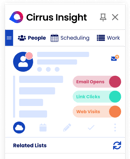
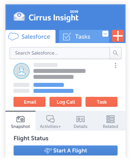
The core is the Sidebar, a panel in Gmail or Outlook that shows the lead, contact, and opportunity behind every email thread, with Salesforce Sync logging emails, meetings, and tasks to the right record without a rep touching the CRM. In our own sales team, that sync is what keeps pipeline reviews honest: managers see the last touch on every deal because the last touch logged itself.
On top of that sit the pieces that overlap with Salesloft. Email Templates put Salesforce and Cirrus-native templates, with merge fields and open, click, and reply data, in the inbox. Buyer Signals track opens, clicks, and attachment views so reps prioritize the prospects who are actually engaging. Smart Scheduler routes meetings to the right rep's calendar with load balancing, and Email Blast sends templated, merge-field emails at volume from Salesforce data.
Where Cirrus Insight differs most is the meeting layer, before, during, and after the call. Meeting AI sends a prep brief before every external meeting, Live Coaching guides the rep during the call, and Conversation Intelligence captures what was said so CRM Updates can write the summary back to the opportunity. Salesloft provides conversation intelligence too, but it lives in Salesloft, not on the record.
If your motion is 200 dials a day across an SDR floor with parallel dialing and LinkedIn steps, Outreach, Amplemarket, or Salesforce Sales Engagement are better fits. Cirrus Insight is for teams that want sales engagement workflows, scheduling, and meeting intelligence to feed one clean Salesforce record.
Cirrus Insight pricing: published per user, per month, à la carte by feature on the pricing configurator; 14-day free trial with no credit card required.
Best Enterprise Platform For Multi-Channel Sequencing At Scale
Outreach (Web, Browser Extension)
Tool type: Enterprise sales engagement platform
Pros
- Deepest outbound orchestration on this list
- Kaia conversation intelligence built into the platform
- Strong reporting and deal risk insights for large teams
Cons
- Complex, admin-heavy setup
- Enterprise prices, not published
- Still a separate system layered on top of the CRM
Outreach is the closest like-for-like replacement and the most direct Salesloft competitor. Both are enterprise-grade sales engagement platforms built around multi-step sequences across email, phone, and LinkedIn, and both assume you have an SDR team large enough to justify a RevOps owner. If you are leaving Salesloft because of the merger rather than because of the category, and you run outreach at scale, Outreach is the first name to shortlist.
The sequencing engine is the strength. Salesloft includes similar multi-channel sales engagement, but Outreach goes deeper on outreach automation: sequences with branching, A/B tests, and deal risk insights sit alongside Kaia, Outreach's conversation intelligence layer, and forecasting modules that give revenue leaders one view of activity and pipeline. This year the company repackaged everything under "Amplify" tiers (Essentials, Core, Plus, Pro) that bundle AI credits with seats, and it now leads with Outreach Omni and agent tooling for AI-assisted workflows.
Outreach is a platform you run next to Salesforce, so activity syncs but reps still switch tabs to work deals. Implementation is measured in weeks, and the per-user pricing plus consumption-based AI credits is quote-only, so budgeting takes a sales call. Revenue.io and Cirrus Insight exist partly because of that gap.
Outreach pricing: not published. Per-user pricing across Amplify Essentials, Core, Plus, and Pro tiers, with AI credit allotments from 10,000 to 100,000; custom quote.
Best For Salesforce-Native Dialing And Live Call Coaching
Revenue.io (Salesforce-Native, Browser Extension, iOS)
Tool type: CRM-native engagement tool
Pros
- RingDNA dialer runs natively inside Salesforce
- Moments coaches reps during live sales calls
- Guided Selling sequences with AI next-best actions
Cons
- Salesforce only; no HubSpot, Pipedrive, or other CRMs
- Quote-only pricing, recommended for 15+ sales users
- G2 reviewers report dropped calls and delayed recordings
Revenue.io is the phone-first answer to Salesloft for Salesforce shops, and the most complete Salesforce-native sales engagement option if calling is your primary channel. Where Cirrus Insight is built around the inbox, Revenue.io is built around the dialer, and everything it does happens inside Salesforce rather than in a synced copy of it.
The RingDNA Dialer handles local presence, voicemail drop, and SMS with automatic call logging. Guided Selling turns that into sequences with AI-recommended next actions, and Conversation AI produces transcripts, summaries, and scorecards after each call. The feature that stands out is Moments: real-time prompts during a live call, triggered by what the prospect says and by Salesforce deal data. Salesloft does post-call review; Revenue.io coaches in the moment. Its Guided Selling V13 summer release added automatic SMS actions and email engagement tracking, per the vendor's release notes.
The limits are clear in the vendor's own FAQ: Revenue.io requires an active Salesforce org and does not support other CRMs. Pricing is per seat on annual agreements, tiered by feature access and usage, and the company recommends it for teams of 15 or more. G2 reviewers rate it 4.7 out of 5 across 581 reviews, with dropped calls, a wait before recordings appear, and a thin mobile app as the recurring complaints. If calling is your primary channel and Salesforce is your single source of truth, it belongs on the shortlist next to Salesforce Sales Engagement.
Revenue.io pricing: not published. Per-seat annual agreements with tiered packaging; custom quote.
Best For Sequences Run Entirely Inside Sales Cloud
Salesforce Sales Engagement (Salesforce Lightning, Gmail and Outlook Integration, Browser Extension)
Tool type: CRM-native engagement tool
Pros
- Sequences, calls, and tasks stay inside Salesforce
- Published add-on price of $50 per user per month
- Einstein Activity Capture and Conversation Insights included in the stack
Cons
- Requires an existing Sales Cloud license, so costs stack
- Lightning Experience only; setup needs admin permissions
- G2 reviewers cite a steep learning curve and click-heavy workflows
Salesforce Sales Engagement, formerly High Velocity Sales, is the answer to "what if we just did this in Salesforce?" It is the one platform built directly on the CRM, so it needs no integration at all, because the sequences run on the same objects your forecast runs on. We wrote a full breakdown in our guide to Salesforce High Velocity Sales.
Reps work from the Work Queue, a prioritized list of the emails, calls, and tasks their Cadences generate, including LinkedIn InMail steps. Quick Cadences let individual reps build personal sequences without waiting on a manager. Sales Dialer makes calls from the console, Engagement Alerts surface opens and replies, and Einstein Activity Capture logs email and calendar activity automatically. Einstein Conversation Insights adds call transcripts and coaching playlists.
The catch is packaging. Salesforce's pricing page lists Sales Engagement at $50 per user per month billed annually as an add-on, included in Unlimited Edition and Agentforce 1 Sales Edition. You still need the underlying Sales Cloud seat, and the help docs limit the feature to Lightning Experience with "Customize Application" permissions to enable. Reviewers on G2 rate the parent product, Agentforce Sales, 4.4 out of 5 and repeatedly mention setup complexity and the number of clicks routine tasks take. Compared with Cirrus Insight, it keeps reps in Salesforce rather than in the inbox; which one wins depends on where your reps actually spend the day.
Salesforce Sales Engagement pricing: $50 per user per month billed annually as a Sales Cloud add-on; included in Unlimited Edition and Agentforce 1 Sales Edition.
Best For Teams Already Running HubSpot CRM
HubSpot Sales Hub (Web, Gmail and Outlook Extensions, iOS, Android)
Tool type: CRM-native engagement tool
Pros
- Sequences, meetings, and reporting native to HubSpot CRM
- Published, transparent pricing with a free tier
- Easy onboarding for small and mid-sized teams
Cons
- Less advanced sequencing than Salesloft at enterprise scale
- Not a fit for Salesforce-native teams
- Professional and Enterprise add one-time onboarding fees
HubSpot Sales Hub is the obvious Salesloft alternative for teams whose CRM is already HubSpot, and a poor one for everyone else. The reason is the same as for Salesforce Sales Engagement: when the engagement layer and the CRM are the same product, the sync problem disappears.
The core toolkit covers email sequences, meeting scheduling links, call logging, and reporting dashboards. HubSpot's AI now shows up as Breeze, including a Breeze Prospecting Agent that researches and drafts outreach, plus AI writing assistance inside sequences. For sales and marketing teams that run inbound first with some outbound campaigns on top, it is a complete system rather than a point tool.
Sequencing and multi-channel orchestration are lighter than Salesloft's or Outreach's at the enterprise tier, and Salesforce-based teams would need to migrate their CRM to get the benefit, which is a much bigger project than swapping an engagement tool. Total cost also climbs faster than the seat price suggests: HubSpot's pricing page lists Professional at $90 per seat per month on annual billing plus a $1,500 one-time onboarding fee, and Enterprise on custom pricing with a $3,500 one-time onboarding fee.
HubSpot Sales Hub pricing: Free tools ($0, up to 2 users); Starter ($20/seat/month monthly or $7 annual); Professional ($90/seat/month annual, plus $1,500 onboarding); Enterprise (custom pricing, plus $3,500 onboarding).
Best For Prospecting Data And Sequencing In One Tool
Apollo.io (Web, Chrome Extension, iOS, Android)
Tool type: Data-plus-engagement platform
Pros
- Built-in B2B contact database with sequencing
- Free plan and low entry price
- Waterfall Enrichment across multiple data providers
Cons
- Lighter CRM automation than CRM-native tools
- Little forecasting alignment
- Data accuracy varies by region and industry
Apollo.io is the alternative teams pick when the real complaint about Salesloft is that it does not come with contacts, and the use case is data and outreach in one subscription. Salesloft does not include a contact database, so most customers pair it with ZoomInfo or a similar provider. Apollo bundles the database and the sequencing engine into one subscription, which is why it shows up on every list of cheaper Salesloft alternatives.
Reps search the database, enrich records through Waterfall Enrichment (which checks multiple providers in order), and drop prospects straight into email and call sequences. Apollo Anywhere, the browser extension, does the same from LinkedIn. A parallel dialer, intent data, and job change alerts round it out. For outbound-heavy SDR teams that need data and outreach in one place, the workflow is hard to beat at the price.
The gaps are the ones the original version of this article called out and they still hold: CRM automation is lighter than the CRM-native tools above, there is little forecasting alignment, and Apollo is not a coaching or call-analysis platform. Reviewers also flag that data quality is uneven by region. If you need Salesforce hygiene and pipeline accuracy, pair Apollo with something like Cirrus Insight or move to a native tool.
Apollo.io pricing: Free plan; Basic from $49/user/month, Professional $79, Organization $119 (annual billing, minimum seats apply on higher tiers).
Best For AI-Assisted Outbound With Built-In Deliverability
Amplemarket (Web, Gmail and Microsoft 365 Mailboxes)
Tool type: Data-plus-engagement platform
Pros
- Duo Copilot AI agents draft and send from buying signals
- Contact database, sequences, and dialer in one platform
- Deliverability tooling (warmup, spam checks) built in
Cons
- HubSpot sync runs only every three hours
- Starts at $600 per month with a two-user minimum
- G2 reviewers mention phone number accuracy and no custom dashboards
Amplemarket is what you get when you build a sales engagement platform around AI agents instead of adding AI to an old one. It uses AI to help teams research, write, and follow up, not just to draft an email step. It competes with Apollo on the data side and with Outreach on sequencing, and it beats both on deliverability tooling.
Duo Copilot watches buying signals (job changes, intent, social activity) and drafts multichannel sequences across email, phone, and LinkedIn from them. Duo Inbox handles replies, Duo Voice sends cloned voice messages, and Searcher is the built-in B2B contact database. The Domain Health Center and Deliverability Booster handle mailbox warmup and inbox placement tests, which is the part most Salesloft alternatives leave to a third tool.
Check the integration model before you buy. Amplemarket's own docs describe a two-way Salesforce API integration that needs admin-level API permissions, and a HubSpot sync that runs on a three-hour cycle. That is fine for outbound teams and not fine for anyone who needs Salesforce updated in real time. G2 users rate it 4.6 out of 5 across 675 reviews, with phone data accuracy and the lack of custom dashboards as the recurring complaints. Pricing is published: the Startup plan is $600 per month on an annual term for two users, with Growth and Elite tiers on custom quotes.
Amplemarket pricing: Startup $600/month (annual term, 2 users included); Growth and Elite custom; free trial on all plans.
Best For Conversation Intelligence And Coaching
Gong Engage (Web, Browser Extension for Gmail and Salesforce, Outlook Add-In, iOS, Android)
Tool type: Conversation intelligence platform with engagement
Pros
- Best-in-class call analysis feeding the sequencing layer
- Call Spotlight writes briefs and action items automatically
- Works with both Salesforce and HubSpot
Cons
- Quote-only pricing with a platform fee on top of seats
- Sequencing is lighter than dedicated engagement platforms
- Outlook add-in needs an org-wide admin install; Classic Outlook unsupported
Gong started as the conversation intelligence platform everyone else copied, then added Gong Engage so the same data could drive outreach. It reads sales calls to surface objections, risks, and next steps, then turns them into tasks. That makes it the best Salesloft alternative for sales organizations whose priority is coaching, not sequence volume. We compared the two head-to-head in Gong vs Salesloft.
Engage works through To-dos, a task list across accounts that includes AI-generated tasks, and Flows, the automated multi-step outreach with performance tracking. AI Composer drafts and rewrites emails from what was said on the last call, the Gong Dialer logs calls with automatic CRM sync, and Call Spotlight produces AI call briefs and action items. The Activity Feed pulls prospect actions from its integrations into the same queue. The help docs confirm Engage works with Salesforce and HubSpot.
The pricing page states licenses are priced per user plus a platform fee based on user count, with no numbers shown. G2 users rate it 4.7 out of 5 across 6,719 reviews and tend to mention transcription accuracy with accents, analysis lag after calls, and notification overload. And if you only need meeting summaries written to Salesforce rather than a full revenue intelligence platform, Cirrus Insight vs Gong walks through the lighter option.
Gong pricing: not published. Per-user licenses plus a platform fee based on the number of users; custom quote.
Best For High-Volume Multichannel Cold Outreach
Reply.io (Web, Browser Extension)
Tool type: Lightweight outbound and inbox tool
Pros
- Multichannel sequences across email, LinkedIn, calls, and SMS
- Published pricing from $49 per user per month
- Jason AI can run outreach as an AI SDR agent
Cons
- Not CRM-native; integrations only
- Limited meeting intelligence and coaching
- AI SDR tiers jump to $500 per month and up
Reply.io vs Salesloft is a question we see a lot from teams that have outgrown a cold email tool but cannot justify enterprise prices. Reply.io answers it with a sequencing platform that is more affordable than Salesloft and covers more channels than most tools at its price point.
Multichannel sequences combine email, social steps, calls, and SMS, with automated follow-ups and AI email suggestions along the way. The newer piece is Jason AI, an AI SDR agent that handles outreach end to end on the dedicated AI SDR plans. For agencies and SDR teams running outreach campaigns at scale, the sales automation depth is the draw.
What you give up is the CRM layer. Reply.io integrates with Salesforce and HubSpot but is not native to either, so it inherits the same sync dependency Salesloft has without Salesloft's enterprise reporting. Meeting intelligence is thin. Reply.io's pricing page lists Email Volume from $49 per user per month on annual billing and Multichannel from $89, while the AI SDR tiers start at $500 per month. Lemlist and Mixmax are the closest comparisons on this list.
Reply.io pricing: Email Volume from $49/user/month annual ($59 monthly); Multichannel from $89/user/month annual ($99 monthly); AI SDR plans from $500/month; 14-day free trial.
Best For SMBs That Want Lightweight Gmail Sequencing
Mixmax (Gmail, Chrome Extension)
Tool type: Lightweight outbound and inbox tool
Pros
- Fast setup inside Gmail
- Free plan and published per-user pricing
- Templates, scheduling, and tracking in one extension
Cons
- Integrates with Salesforce but is not fully native
- Lighter automation than full engagement platforms
- Little forecasting intelligence
Mixmax is one of the better Salesloft alternatives for Gmail-first outbound teams that want sequences without a platform migration. It lives in the Gmail compose window as a Chrome extension, which is exactly the footprint a five-person SMB sales team wants.
The product is now packaged as three "copilots". Inbox Copilot covers templates, scheduling, and tracking; Engagement Copilot adds sequences and automation; and the Mixmax Suite bundles everything, including Meeting Copilot. Setup takes an afternoon, not a quarter, which is the point.
Mixmax integrates with Salesforce but is not fully native, automation is lighter than a full outreach platform, and there is little forecasting intelligence. Teams that want the same Gmail-first footprint with Salesforce sync built in should compare it with Cirrus Insight; teams that just need tracking should compare it with Yesware. Mixmax's pricing page lists Inbox Copilot at $29 per user per month on annual billing, Engagement Copilot at $49, and the Suite at $89.
Mixmax pricing: Free plan; Inbox Copilot $29/user/month annual ($34 monthly); Engagement Copilot $49 ($65 monthly); Mixmax Suite $89 ($105 monthly); Teams custom.
Best For Creative, Personalized Outbound Campaigns
Lemlist (Web, Browser Extension)
Tool type: Lightweight outbound and inbox tool
Pros
- Image and video personalization at scale
- Multichannel sequences with LinkedIn automation
- Lemwarm deliverability warmup included
Cons
- Not built for CRM-driven forecasting
- Integrations are available but not deeply native
Lemlist is the pick for outbound teams whose edge is creativity rather than volume. It built its name on personalized images and videos inside cold email, and it has since grown into a multichannel outreach tool with social steps and calling.
Campaigns mix email, social, and call steps, with personalization tokens that go well beyond first name. lemAgent brings AI-assisted research and drafting into the sequence, and lemwarm handles mailbox warmup so a new domain does not land in spam on day one. For small outbound teams, it is one of the few tools where the personalization is a feature rather than a mail-merge field.
It is not a Salesloft replacement for an enterprise team. The original version of this article said Lemlist is not built for CRM-driven forecasting, and that is still the honest summary: integrations exist but are not deeply native, and there is no coaching or manager analytics layer. Reply.io is the closest option with more channels; Amplemarket is the step up if you want AI agents and a database. Lemlist's pricing page shows the Email plan at $55 per user per month on annual billing and Multichannel at $87.
Lemlist pricing: Email $55/user/month annual ($69 monthly); Multichannel $87/user/month annual ($109 monthly); Enterprise custom; 14-day free trial.
Best For Small Teams That Need Basic Email Tracking
Yesware (Gmail, Outlook)
Tool type: Lightweight outbound and inbox tool
Pros
- Simple, fast adoption in Gmail or Outlook
- Free Forever plan and low paid tiers
- Attachment tracking and templates included
Cons
- Limited scaling beyond small teams
- Basic Salesforce integration and no advanced forecasting
Salesloft vs Yesware is not really a fair fight, and that is the point. Yesware is a lightweight inbox add-on for small teams that need open and reply tracking, templates, and simple campaigns, and it costs a fraction of an engagement platform.
The core features are email tracking, attachment tracking, templates, and multi-channel campaigns, plus Prospector for finding contacts. Adoption is close to instant because reps never leave their inbox. For a founder-led sales team or a two-rep SDR function, that is often all the engagement tool they need.
It does not scale into multi-step orchestration, the Salesforce integration is basic, and there is no forecasting layer. If you want Yesware's footprint with real Salesforce sync, Cirrus Insight vs Yesware covers the difference. Yesware's pricing page lists Pro at $15 per seat per month on annual billing, Premium at $35, and Enterprise at $65.
Yesware pricing: Free Forever plan; Pro $15/seat/month annual ($19 monthly); Premium $35 ($45 monthly); Enterprise $65 ($85 monthly).
Best For CRM And Sales Engagement In One Low-Cost System
Tool type: CRM-native engagement tool
Pros
- CRM and sequences in one product
- Lowest published entry price on this list
- Freddy AI lead scoring built in
Cons
- Less advanced than enterprise sales engagement platforms
- Not a fit for Salesforce-heavy organizations
Freshsales is the budget answer for growing sales teams that want the CRM and the engagement tool to be the same thing. It is the same logic as HubSpot at a lower entry price, and it makes sense for teams that have not yet committed to Salesforce or HubSpot.
Sales sequences, email tracking, and a built-in phone run inside the CRM, and Freddy AI adds lead scoring and next-step suggestions. Because the pipeline and the outreach live in one system, activity logging is automatic, and reporting does not depend on a sync.
It is a CRM first and an engagement platform second, so the sequencing and orchestration are simpler than Salesloft's or Outreach's. And for Salesforce-heavy organizations it is a non-starter, because you would be replacing the CRM, not the engagement layer. Freshworks' pricing page lists Growth at $9 per user per month, Pro at $39, and Enterprise at $59, all billed annually.
Freshsales pricing: Growth $9/user/month; Pro $39/user/month; Enterprise $59/user/month (billed annually); 21-day free trial.
What About Groove, Clari, And Drift?
Three names come up in every Salesloft conversation, and none of them belong on an alternatives list right now.
- Groove. Clari acquired Groove in 2023, and after the December 2025 merger it now shares an owner with Salesloft. The former Groove product page on clari.com redirects to Salesloft's sales engagement page, and the merger FAQ says existing Groove contracts continue with no forced migration. If you are leaving Salesloft over vendor risk, Groove carries the same risk.
- Clari. Clari Forecast is a forecasting and pipeline inspection product, not a sales engagement tool, and it is now the parent company of Salesloft. Teams that want forecasting without the Salesloft stack should read our Clari alternatives guide.
- Drift. Salesloft's conversational marketing product was at the centre of the August 2025 security incident, and in March 2026 Clari + Salesloft announced Drift's sunset, naming 1mind as the successor for existing customers.
Other Salesloft Alternatives Worth A Look
- ZoomInfo Sales: the data-first option; strongest when contact data and intent signals matter more than sequencing depth.
- Instantly: cold email only, priced flat rather than per user, built around deliverability and mailbox rotation.
- Outplay: all-in-one email, dialer, and LinkedIn sequencing for growing teams at a lower price than Outreach.
- VanillaSoft: queue-based lead routing for high-velocity calling teams instead of sequence-based outreach.
How To Choose The Right Salesloft Alternative
Choosing the right Salesloft alternative is not about finding the tool with the most features. It is about matching the tool to what is actually slowing your team down. Three questions get you most of the way.
1. What Is Your Sales Motion?
- High-volume outbound SDR team? You need real multi-channel orchestration. Outreach, Amplemarket, or Salesforce Sales Engagement.
- Account-based or relationship-driven team? You benefit more from CRM-native automation and meeting intelligence. Cirrus Insight or Revenue.io.
- Forecasting-heavy enterprise? Pipeline accuracy matters more than touch volume. Anything CRM-native, plus Gong Engage if coaching is the priority.
2. How Dependent Are You On Clean CRM Data?
If reps still update Salesforce fields by hand, forecasting suffers from incomplete activity logging, and managers do not trust the pipeline, the engagement tool is not what your team needs to fix first. The sync is. An engagement platform that helps by logging every email and meeting automatically will return more than a better sequencer.
3. How Much Admin Can You Carry?
Enterprise engagement platforms assume a RevOps owner for sequence optimization, field mapping, and governance. If your team is lean, that complexity becomes friction within a quarter. The mistake we see most often is buying the platform your biggest competitor uses instead of the one your team will actually keep open.
Which Salesloft Alternative Should You Choose?
There is no single best Salesloft alternative. Outreach is the closest direct replacement for enterprise sequencing. Apollo.io and Amplemarket bundle data and outreach. Gong is the pick for conversation intelligence and coaching. Reply.io, Mixmax, Lemlist, and Yesware serve smaller teams at a lower price point. Your CRM, your sales motion, and how much admin you can carry decide which one wins.
If your revenue engine runs on Salesforce and your biggest problems are manual CRM updates, meeting prep gaps, and tool fatigue, you may not need another engagement layer at all. Cirrus Insight works inside Gmail or Outlook and Salesforce, combining automatic email and meeting sync, AI meeting summaries tied to deal records, Buyer Signals, Smart Scheduler routing, and Live Coaching during calls in one workflow. Try it free, or book a 30-minute demo and we will show you how it compares to Salesloft on your own pipeline.
Salesloft Alternatives FAQs
What Are The Best Salesloft Alternatives In 2026?
The best alternatives to Salesloft include Cirrus Insight for Salesforce-native teams, Outreach for enterprise sequencing, and a further 11 tools on this list. The alternatives include Cirrus Insight for Salesforce-native teams, Outreach for enterprise sequencing, Revenue.io for Salesforce-native dialing, Salesforce Sales Engagement for sequences inside Sales Cloud, HubSpot Sales Hub for HubSpot users, Apollo.io and Amplemarket for data plus outreach, Gong Engage for conversation intelligence, and Reply.io, Mixmax, Lemlist, Yesware, and Freshsales for smaller teams.
Why Do Companies Look For Alternatives To Salesloft?
The most common reasons are uncertainty after the December 2025 Clari merger, the 2025 Drift security incident, quote-only pricing, the admin load of running a separate engagement platform, and the fact that reps still update the CRM by hand.
What Is The Best Salesforce-Native Alternative To Salesloft?
Cirrus Insight, Revenue.io, and Salesforce Sales Engagement are all Salesforce-native. Cirrus Insight is built around the inbox and meeting intelligence, Revenue.io around the dialer and live call coaching, and Salesforce Sales Engagement around sequences that run entirely inside Sales Cloud.
What Are Alternatives To Outreach And Salesloft?
Teams looking to replace both enterprise platforms usually move to a CRM-native tool such as Cirrus Insight, Revenue.io, or HubSpot, or to a data-plus-engagement platform such as Apollo.io or Amplemarket that reduces the number of tools in the stack.
Is There A Cheaper Alternative To Salesloft?
Yes. Freshsales starts at $9 per user per month, Yesware at $15, Mixmax at $29, and Apollo.io, Reply.io, and Lemlist between $49 and $55, all on annual billing at the time of writing. Lower-cost tools offer fewer enterprise features such as coaching and advanced reporting.
What Is The Difference Between Salesloft And CRM-Native Tools?
Salesloft runs as its own platform and syncs activity to the CRM. CRM-native tools such as Cirrus Insight, Revenue.io, and Salesforce Sales Engagement run inside Salesforce or the inbox connected to it, so activity logs automatically and forecasting works from complete data.
Are There Free Salesloft Alternatives?
Apollo.io, HubSpot, Mixmax, and Yesware all offer free plans with limited features. Cirrus Insight, Reply.io, Lemlist, Freshsales, and Amplemarket offer free trials. Enterprise platforms such as Outreach, Revenue.io, and Gong require a paid subscription.
Which Salesloft Alternative Is Best For SMB Sales Teams?
SMB teams usually do best with Mixmax or Yesware for Gmail-first tracking and sequencing, Apollo.io when they also need contact data, or Cirrus Insight when they run Salesforce and want automatic sync without an admin.
Related Reading


.png?width=18&height=18&name=Vector%20(5).png)