.png?width=18&height=18&name=Vector%20(5).png)


Sales reps spend just 28% of their week actually selling, according to Salesforce research. The rest is often consumed by administrative work, data entry, internal meetings, and managing tools.
One of the biggest culprits? Manually updating CRM records after meetings and customer interactions.
When Salesforce and Outlook operate separately, important calendar events can go unlogged, customer activity becomes harder to track, and reps end up spending valuable time entering information that should already be connected.
That's why many organizations choose to sync Salesforce with Outlook Calendar.
In this guide, we'll explain how to sync Salesforce calendar with Outlook, explore the most common integration options, and share best practices for creating a more connected and efficient sales workflow.
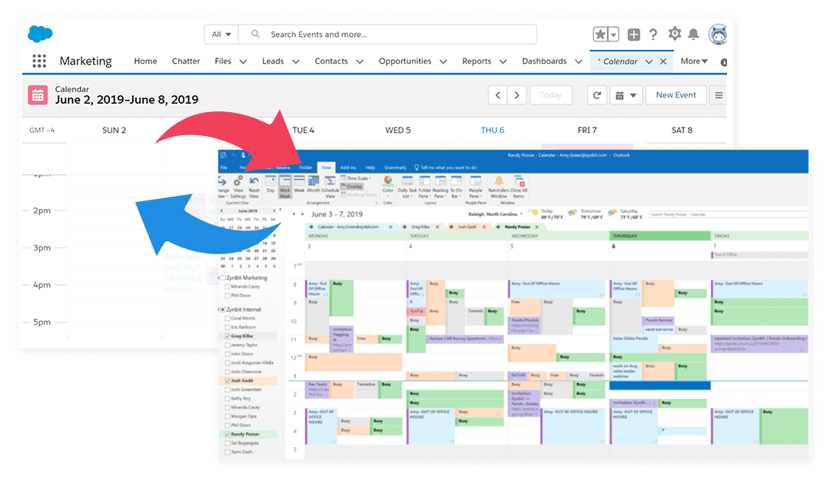
How to Sync Salesforce Calendar With Outlook
If you're wondering how to sync Salesforce calendar with Outlook, the good news is that Salesforce offers several ways to connect the two platforms. The most common method is Einstein Activity Capture, which automatically synchronizes calendar events between Salesforce and Outlook.
Once connected, meetings scheduled in Outlook can appear in Salesforce, helping sales teams maintain accurate activity records without manually updating their CRM.
Before You Begin
Before setting up calendar synchronization, make sure:
- You have a supported Salesforce edition.
- Your Outlook account is active and connected to Microsoft 365.
- You have the necessary Salesforce permissions to configure integrations.
- Your organization has enabled Outlook integration or Einstein Activity Capture.
Taking a few minutes to confirm these requirements can help prevent setup issues later.
Step 1: Enable Einstein Activity Capture
Einstein Activity Capture is Salesforce's native tool for syncing emails, calendar events, and contacts.
To enable it:
- Log in to Salesforce and navigate to Setup.
- Search for Einstein Activity Capture in the Quick Find box.
- Open the settings page and click Get Started.
- Select Outlook as your email provider.
- Connect your Microsoft account.
Screenshot opportunity: Einstein Activity Capture setup screen.
Step 2: Connect Outlook to Salesforce
After enabling Einstein Activity Capture, you'll be prompted to authenticate your Outlook account.
Once connected, Salesforce can begin syncing calendar information between both systems.
Depending on your configuration, this may include:
- Meetings
- Appointments
- Calendar events
- Contacts
- Email activity
Screenshot opportunity: Outlook account connection screen.
Step 3: Configure Calendar Sync Settings
Next, decide how information should flow between Salesforce and Outlook.
Most organizations choose between:
One-way sync: Outlook calendar events are copied into Salesforce.
Two-way sync: Changes made in either Outlook or Salesforce are reflected in both systems.
You'll also be able to choose which event types and activities should be synchronized.
Screenshot opportunity: Calendar synchronization settings.
Step 4: Test the Integration
Before rolling the integration out to your entire team, create a test meeting in Outlook and verify that it appears in Salesforce.
You should also:
- Update an event and confirm the changes sync correctly.
- Test recurring meetings.
- Verify attendee information appears as expected.
- Check that activities are being associated with the correct Salesforce records.
Testing helps ensure your Salesforce Outlook integration is working properly before it becomes part of your daily workflow.
Common Calendar Sync Issues
Even a well-configured integration can occasionally run into problems.
Some of the most common issues include:
- Missing calendar events
- Duplicate meetings
- Permission-related errors
- Incorrect sync settings
- Expired Outlook authentication
Most issues can be resolved by reviewing your Einstein Activity Capture settings and reconnecting the affected account.
Limitations of Einstein Activity Capture
Einstein Activity Capture is often the easiest way to sync Outlook calendar with Salesforce, but it does have some limitations.
For example, activity data isn't stored as standard Salesforce records, reporting capabilities can be limited, and organizations have less control over how information is synchronized. Data retention limits may also impact teams that need long-term visibility into customer activity.
Because of these limitations, many organizations choose third-party Salesforce Outlook integration solutions that provide deeper customization, more reporting flexibility, and enhanced calendar functionality.
Salesforce Outlook Calendar Sync Options
There are several ways to sync Salesforce and Outlook calendars, but not every solution offers the same level of functionality. Some focus on basic calendar synchronization, while others provide broader CRM visibility, scheduling tools, and workflow automation.
Here's a quick comparison of the most common options.
|
Option |
Best for |
Key limitation |
|
Cirrus Insight |
Teams that want calendar sync, CRM visibility, scheduling tools, and Salesforce automation |
Paid solution |
|
Einstein Activity Capture |
Organizations looking for a native Salesforce sync option |
Limited data retention and reporting capabilities |
|
Outlook Integration |
Basic Salesforce access within Outlook |
Does not provide comprehensive calendar synchronization on its own |
Cirrus Insight
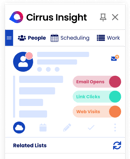
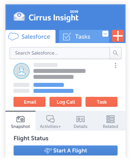
Cirrus Insight is designed for teams that want more than simple calendar syncing. In addition to synchronizing meetings and activities, it brings Salesforce directly into Outlook and provides scheduling tools, activity capture, CRM updates, and workflow automation from a single interface.
This makes it a strong option for sales teams that spend most of their day working in Outlook and want to minimize manual CRM updates.
Einstein Activity Capture
Einstein Activity Capture is Salesforce's native synchronization solution. It's often the easiest option to implement and works well for organizations that need basic syncing between Salesforce and Outlook.
However, teams should be aware of limitations around data retention, reporting, and customization before relying on it as their long-term solution.
Outlook Integration
Outlook Integration provides access to Salesforce information directly within Outlook through the Salesforce add-in.
While useful for viewing Salesforce records and logging activity, it's typically best viewed as a complementary tool rather than a complete Salesforce Outlook calendar synchronization solution.
Which Option Is Right for You?
If your primary goal is basic calendar synchronization, Einstein Activity Capture may be sufficient.
If you want Salesforce visibility inside Outlook, Outlook Integration can be a helpful addition.
However, teams looking for a more complete Salesforce Outlook integration, including calendar sync, scheduling, CRM updates, activity capture, and workflow automation, often choose Cirrus Insight to manage those processes from a single platform.
Salesforce Outlook Integration vs Calendar Sync: What's the Difference?
Many people use the terms Salesforce Outlook integration and calendar sync interchangeably, but they're not actually the same thing.
Calendar synchronization is just one component of a broader Salesforce Outlook integration. While calendar sync focuses on keeping meetings and events aligned between Salesforce and Outlook, a full integration can also connect emails, contacts, activities, and customer records.
Understanding the difference can help you choose the right solution for your team.
|
Capability |
Calendar Sync |
Full Salesforce Outlook Integration |
|
Sync calendar events |
✓ |
✓ |
|
Sync meeting updates |
✓ |
✓ |
|
Sync emails |
✗ |
✓ |
|
Sync contacts |
Limited |
✓ |
|
Access Salesforce records in Outlook |
✗ |
✓ |
|
Log activities automatically |
Limited |
✓ |
|
Update CRM data from Outlook |
✗ |
✓ |
Email Sync
For many sales teams, email is where customer relationships actually happen.
A Salesforce email integration allows emails to be associated with contacts, accounts, and opportunities automatically. Instead of manually logging conversations, important interactions can be captured and stored within Salesforce, giving teams a more complete view of customer engagement.
This helps improve CRM adoption while reducing administrative work for sales reps.
Calendar Sync
Calendar synchronization focuses specifically on meetings, appointments, and availability.
When Outlook and Salesforce calendars are connected, scheduled events can be reflected across both systems, helping teams maintain accurate activity records and better visibility into upcoming customer interactions.
For organizations that primarily want meeting visibility, calendar sync may be enough.
Contact Sync
Contact synchronization helps ensure customer information stays consistent between Outlook and Salesforce.
When a contact is updated in one system, those changes can be reflected in the other, reducing duplicate records and helping teams work from the most current information available.
This becomes especially valuable for organizations managing large customer databases or multiple sales teams.
How to Sync Outlook Calendar with Salesforce
Sales teams rely on a seamless connection between their Outlook Calendar and Salesforce to keep track of meetings, follow-ups, and client interactions. Einstein Activity Capture (EAC) is Salesforce’s built-in tool that automatically syncs emails, events, and contacts between Outlook and Salesforce.

Keep Your Calendar Sync Working for You
Syncing Salesforce with Outlook Calendar is about more than keeping meetings organized. It's about creating a connected workflow where customer interactions, schedules, and CRM data stay aligned without requiring constant manual updates.
Whether you choose Salesforce's native tools or a more advanced solution, the goal is the same: reduce administrative work, improve visibility, and help your team spend more time building customer relationships.
For many organizations, basic calendar synchronization is just the starting point. As sales processes become more complex, teams often need deeper visibility into customer activity, stronger Salesforce integration, and tools that help turn meetings into action.
That's where Cirrus Insight stands apart.
In addition to Salesforce Sync, Cirrus strengthens the execution layer:
- Automatic email & meeting sync keeps Salesforce 100% up to date
- AI-powered meeting summaries generate action items instantly
- Conversational Insights surface deal signals inside your pipeline
- Buyer engagement tracking highlights momentum shifts
- Smart Scheduler accelerates deal progression
- Sales cadences ensure structured follow-up
Live coaching nudges guide reps during active dealsactivity and bringing Salesforce into the tools reps already use every day, it helps improve CRM adoption while reducing the burden of manual data entry.
Salesforce Outlook Calendar Sync FAQs
What is the best method to integrate Salesforce with Outlook?
The best method depends on how your team works and what information you need to synchronize. Einstein Activity Capture is Salesforce's native solution for syncing emails, contacts, and calendar events, making it a popular choice for organizations that want a straightforward setup. However, teams that spend most of their day in Outlook often look for more advanced functionality, such as Salesforce access within Outlook, enhanced scheduling tools, activity capture, and workflow automation. In those cases, a dedicated Salesforce Outlook integration may provide greater long-term value.
How does the Cirrus Insight for Salesforce integration enhance productivity?
Cirrus Insight helps sales teams spend less time on administrative work and more time engaging with customers. By connecting Salesforce directly to Outlook, it automatically captures emails, meetings, and activities while giving users access to Salesforce records without leaving their inbox. This reduces manual data entry, improves CRM adoption, and helps ensure important customer interactions are properly documented.
Can I sync emails and calendar events from Outlook to Salesforce automatically?
Yes. Modern Salesforce Outlook integration tools can automatically synchronize emails and calendar events between both platforms. Once configured, customer meetings, appointments, and email activity can be captured without requiring users to manually update Salesforce, helping maintain more complete and accurate records.
What are the key benefits of using Einstein Activity Capture for integration?
Einstein Activity Capture provides a simple way to connect Outlook and Salesforce. It automatically synchronizes emails, contacts, and calendar events while requiring relatively little configuration. For organizations looking for a native Salesforce solution, it can be an effective starting point for improving visibility into customer interactions.
How can I ensure that my Salesforce and Outlook data remains accurate and up to date?
Keeping your data accurate starts with regularly reviewing your synchronization settings and user permissions. It's also important to monitor for duplicate contacts, verify that calendar events are syncing correctly, and periodically audit activity records. Taking a proactive approach helps maintain data quality and ensures your Salesforce reports remain reliable.
Is Lightning Sync still a valid option for Salesforce and Outlook integration?
No. Salesforce has retired Lightning Sync and recommends that organizations use Einstein Activity Capture or alternative integration solutions instead. Teams still relying on Lightning Sync should begin planning a migration strategy to avoid future compatibility and support issues.
What types of data can be synchronized between Salesforce and Outlook?
The data that can be synchronized depends on the integration tool being used. Most solutions support emails, calendar events, meetings, and contacts. More advanced integrations may also support tasks, activity records, scheduling workflows, and custom Salesforce objects, providing a more comprehensive connection between Outlook and Salesforce.
How does integrating Salesforce with Outlook reduce manual data entry?
Without an integration, sales reps often need to manually log emails, meetings, and customer interactions into Salesforce. By automatically synchronizing this information, Salesforce Outlook integrations eliminate much of that repetitive work. This not only saves time but also improves CRM accuracy by reducing the likelihood of missed or incomplete records.
What are the common challenges when integrating Salesforce with Outlook?
Some organizations encounter issues such as duplicate records, authentication errors, synchronization delays, or inconsistent user permissions. Certain solutions may also have limitations around reporting, customization, or data retention. Most of these challenges can be minimized through proper configuration, testing, and ongoing maintenance.
How do I choose the right integration method for my team's needs?
Start by identifying what information you need to synchronize and how your team uses Outlook and Salesforce. If basic email and calendar syncing is sufficient, a native solution may meet your needs. If your team requires deeper CRM visibility, workflow automation, advanced scheduling, and activity capture, a more comprehensive Salesforce Outlook integration may deliver greater value over time.
How do I sync Salesforce calendar with Outlook?
The most common way to sync Salesforce calendar with Outlook is through Einstein Activity Capture or a third-party integration platform. After connecting your Outlook account to Salesforce, calendar events can automatically synchronize between both systems, helping teams maintain accurate activity records without manual updates.
Can Salesforce and Outlook calendars sync automatically?
Yes. Many Salesforce Outlook integration tools support automatic calendar synchronization. Once configured, meetings created or updated in Outlook can appear in Salesforce automatically, helping ensure both systems remain aligned.
What is the difference between Salesforce Outlook integration and calendar sync?
Calendar sync focuses specifically on meetings, appointments, and availability. A full Salesforce Outlook integration goes beyond calendar synchronization by connecting emails, contacts, activities, and CRM records. Understanding this distinction can help organizations choose the solution that best fits their workflow requirements.
What is the best Salesforce Outlook integration?
The best Salesforce Outlook integration depends on your goals. Some organizations prioritize basic synchronization, while others need advanced functionality such as CRM visibility, scheduling tools, activity capture, and workflow automation. Evaluating your team's processes and reporting needs can help determine the right fit.
Can I sync Outlook calendar with Salesforce Lightning?
Yes you can. Salesforce Lightning users can sync Outlook calendars using Einstein Activity Capture or supported third-party integrations. These tools help keep meeting information aligned across both platforms while reducing the amount of manual data entry required from users.
Maximize Your Salesforce Investment
Test drive Cirrus Insight free for 14-days. No credit card required.